

This article will continue into the Agent AI State logic, focusing on the Chase Enumeration State.
I'll create the properties and functions for Chase Target state.
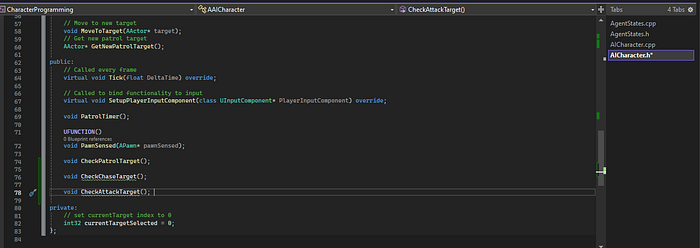
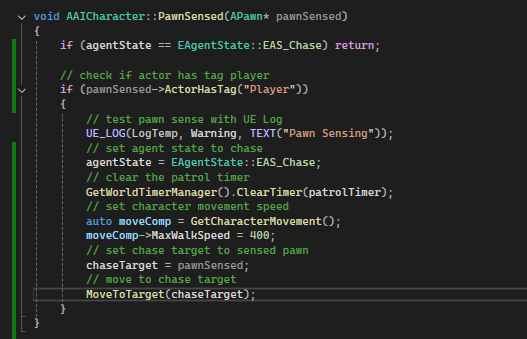
Next, I'll set the agent state to Chase when pawn sensed is discovered.

I'll then declare the character movmenet component to set the speed.
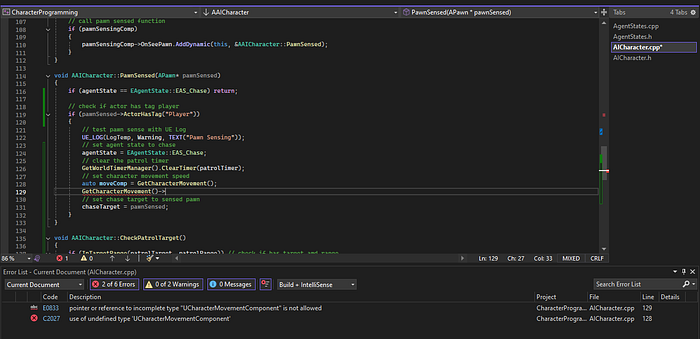
Get access to the Character Movement library.
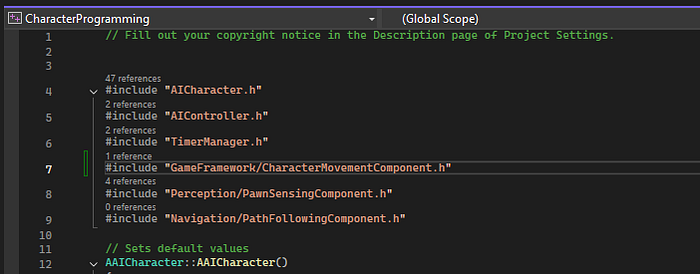
Set the move component and speed, here I use the auto property to ensure the move component is initialized. Additionally, this can be checked by just GetCharacterMovement()->speed variable.
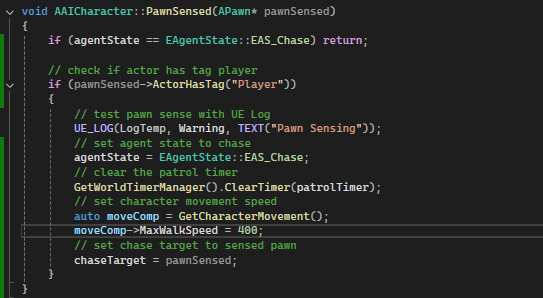
Set the chase target and move to target (chase target).
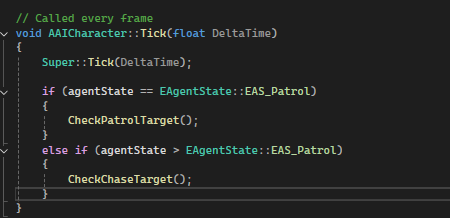
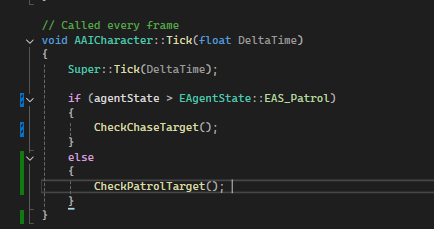
Define the agent states in event tick function, by default I want to have th AI agent patrol before being in a chase state.
Next, check if the chase target is valid and check if the chase target is in reachable range then return to patrol if out of chase target range.

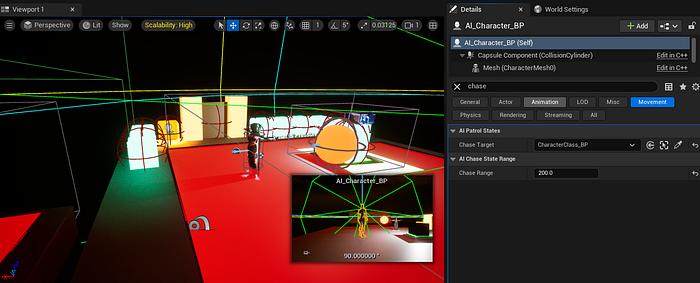
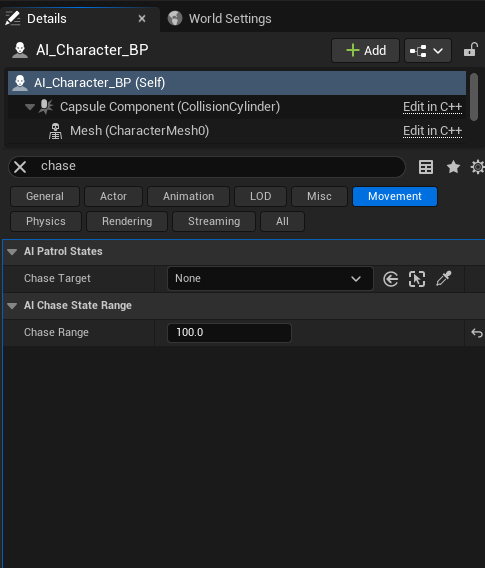
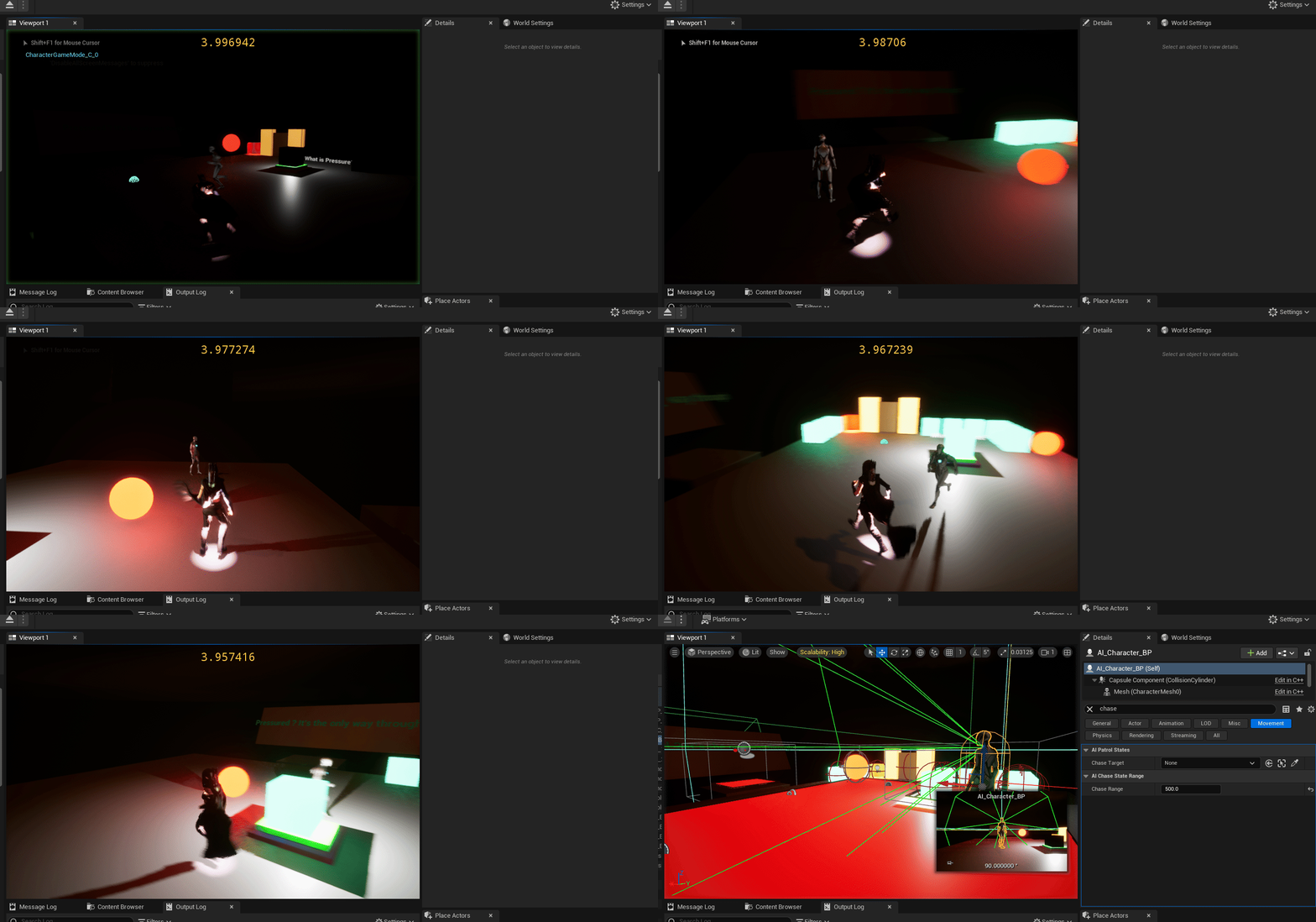
In the details panel, I'll set the chase target range.
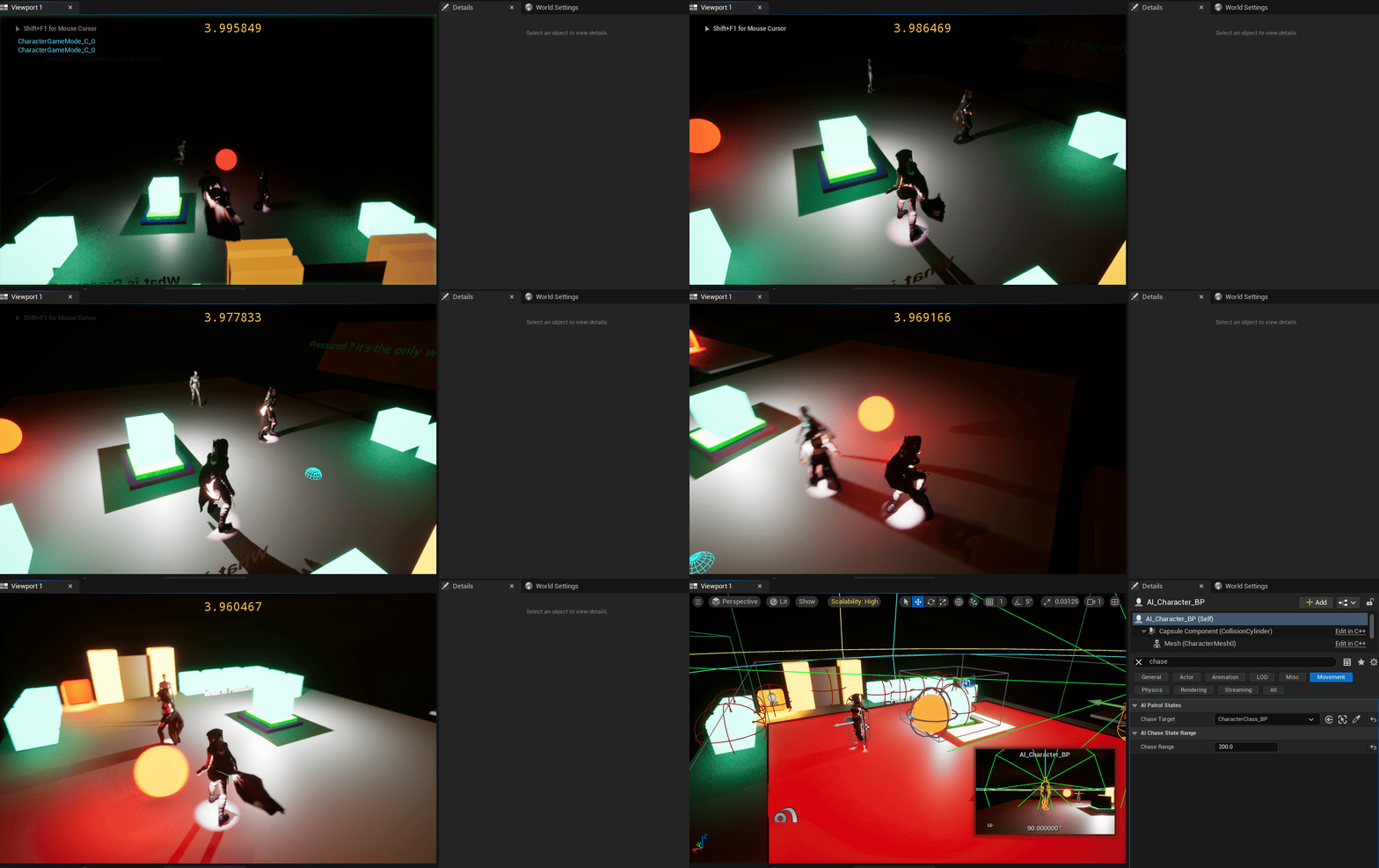
I use a "dummy character" to see if the AI will target the standing actor. It starts chasing then goes into patrol to next patrol target.
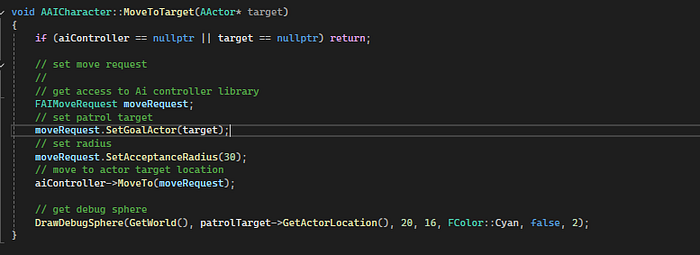
In the Move Target function, I'll get the actor location to move to within an acceptable range.
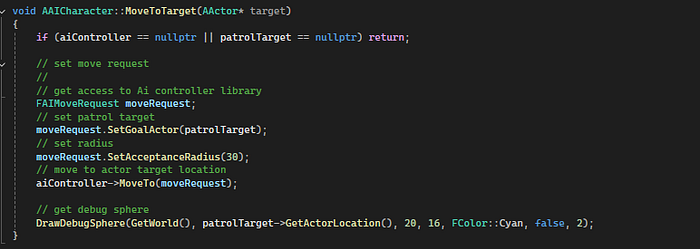
The Set Goal Actor will be assigned to the new target instead of patrol target.
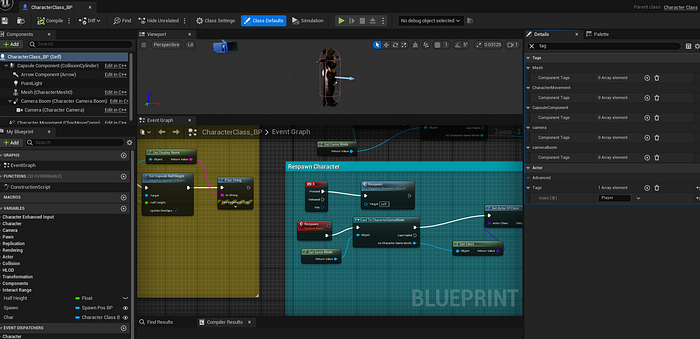
Ensure the Player has a tag component string called Player.
In the patrol target state in the tick function, call chase target.
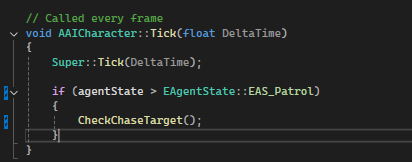
If the Ai agent is patrolling or out of range, return to patrol state.
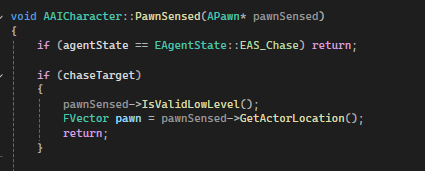
In the pawn sensed function, I'll check if chase target is active and directly check if the pawn sense component is valid at low level, and get the actor location.
Next, I'll make sure to compile source code and set the Chase Target and Chase Range variables.
I'll test to ensure the code is working, and here the chase range is too low.
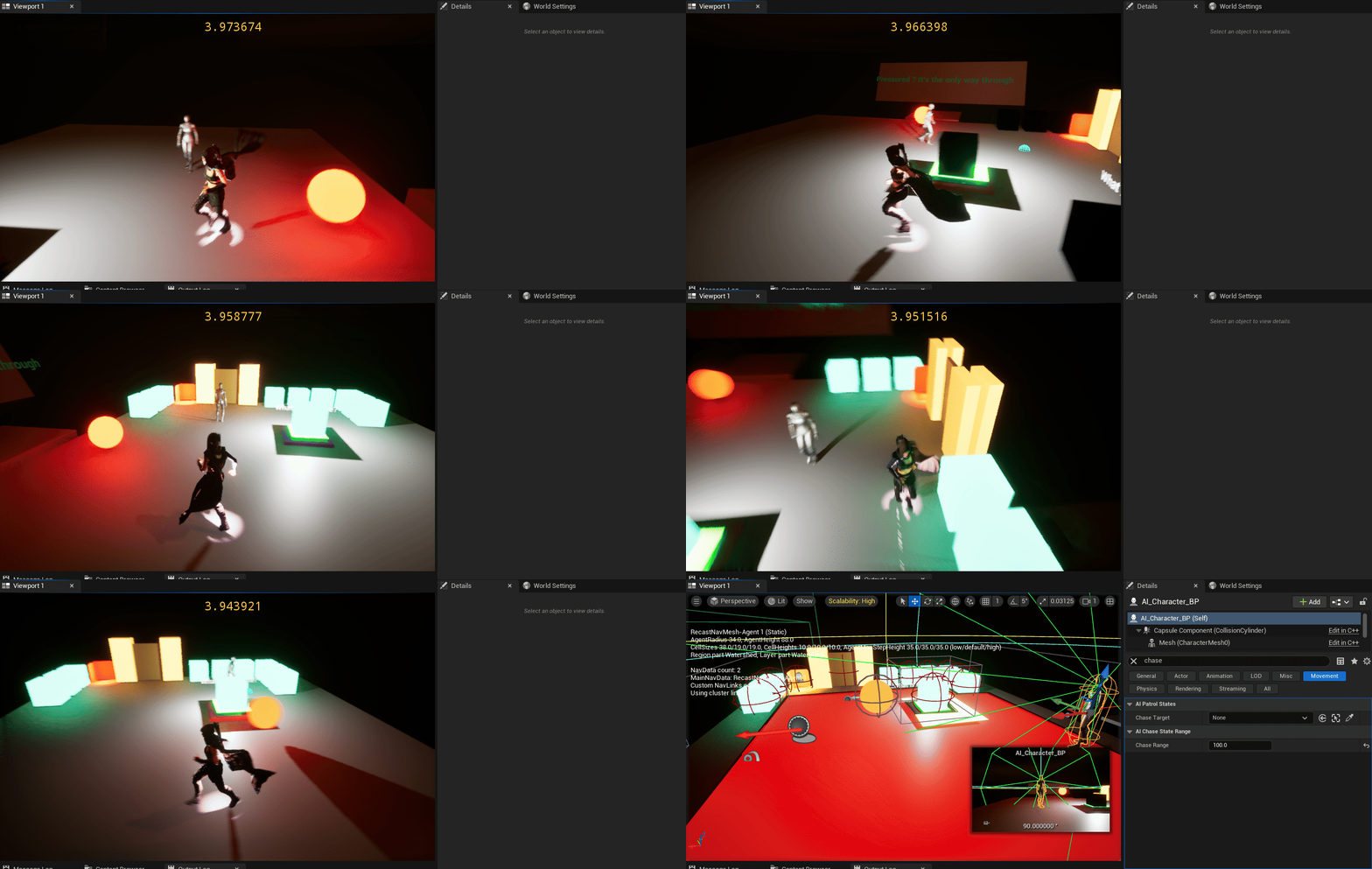
I'll bump the chase range to 500 and see if that works.

And now when the AI agent is in range of the chase target, it chases the player, and will then patrol back to it's next target when chase target is no longer valid.
And that's all for Chase State enumerations in Unreal and C++.
Stay tuned for more.
Thanks,
Zac B.