

Hi, after few months I have been busy with works ,study new things and doing hacking challenges. I feel that , this knowledge must be share :D
what actually you want to share on this topics?.. well, some of you must changes your perspective how you look base64 encode after reading this. why?.. because I have the same experience what you want to be learn today!
If you want to know about JWT token and how to exploit?.. nah, not this article. But you may refer the link I share below, It is proper guide for you.
1 Vickie Li (https://medium.com/swlh/hacking-json-web-tokens-jwts-9122efe91e4a)
2. https://auth0.com/blog/critical-vulnerabilities-in-json-web-token-libraries/
#!/usr/bin/env python3
# -*- coding: utf-8 -*-
from flask import Flask, request, jsonify
from flask_jwt_extended import JWTManager, jwt_required, create_access_token, decode_token
import datetime
from apscheduler.schedulers.background import BackgroundScheduler
import threading
import jwt
from config import *

# Setup flask
app = Flask(__name__)

app.config['JWT_SECRET_KEY'] = SECRET
jwtmanager = JWTManager(app)
blacklist = set()
lock = threading.Lock()
# Free memory from expired tokens, as they are no longer useful
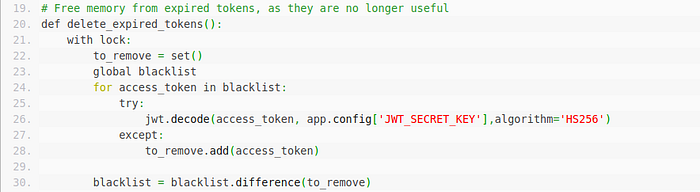
def delete_expired_tokens():
    with lock:
        to_remove = set()
        global blacklist
        for access_token in blacklist:
            try:
                jwt.decode(access_token, app.config['JWT_SECRET_KEY'],algorithm='HS256')
            except:
                to_remove.add(access_token)

        blacklist = blacklist.difference(to_remove)

@app.route("/web-serveur/ch63/")
def index():
    eturn "POST : /web-serveur/ch63/login <br>\nGET : /web-serveur/ch63/admin"

# Standard login endpoint
@app.route('/web-serveur/ch63/login', methods=['POST'])
def login():
    try:
        username = request.json.get('username', None)
        password = request.json.get('password', None)
    except:
        return jsonify({"msg":"""Bad request. Submit your login / pass as {"username":"admin","password":"admin"}"""}), 400
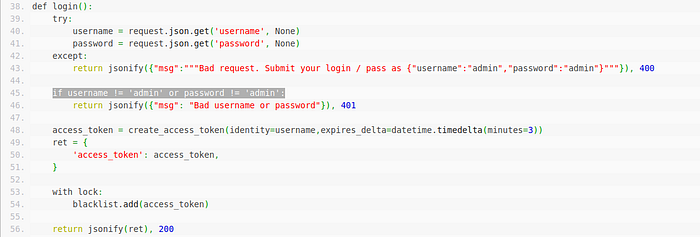
if username != 'admin' or password != 'admin':
        return jsonify({"msg": "Bad username or password"}), 401
access_token = create_access_token(identity=username,expires_delta=datetime.timedelta(minutes=3))
    ret = {
       'access_token': access_token,
    }

    with lock:
        blacklist.add(access_token)

    return jsonify(ret), 200

# Standard admin endpoint
@app.route('/web-serveur/ch63/admin', methods=['GET'])
@jwt_required
def protected():
    access_token = request.headers.get("Authorization").split()[1]
    with lock:
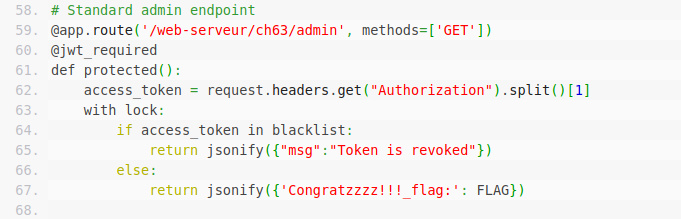
        if access_token in blacklist:
            return jsonify({"msg":"Token is revoked"})
        else:
            return jsonify({'Congratzzzz!!!_flag:': FLAG})
if __name__ == '__main__':
    scheduler = BackgroundScheduler()
    job = scheduler.add_job(delete_expired_tokens, 'interval', seconds=10)
    scheduler.start()
    app.run(debug=False, host='0.0.0.0', port=5000)
I have shown you the source code, what it does is … you need to obtain API token which is in JWT format and login by it.But the hurdle here is, when you generate a token,it automatically go to blacklist set. Then during login action is performed, it check our JWT with blacklist set.Now hands-on time.
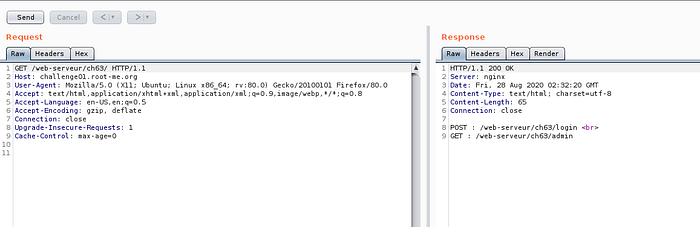
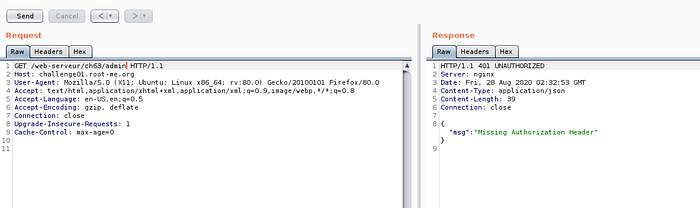
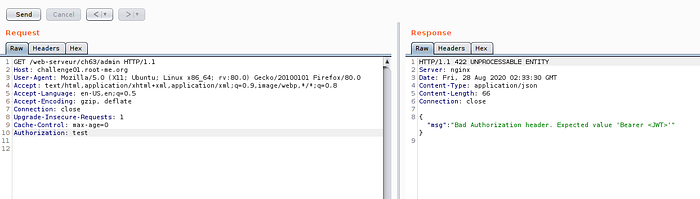
Now our investigation on admin API is done.
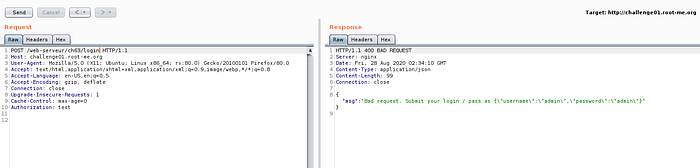

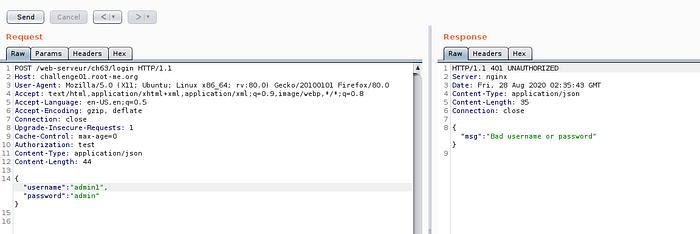
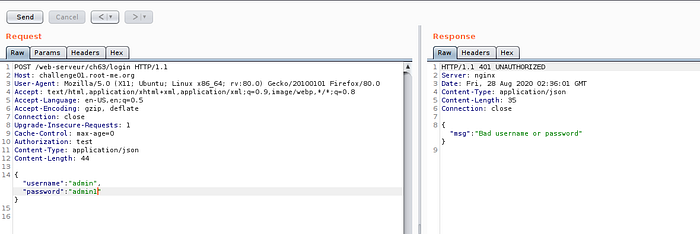
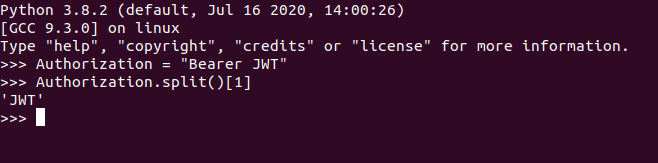

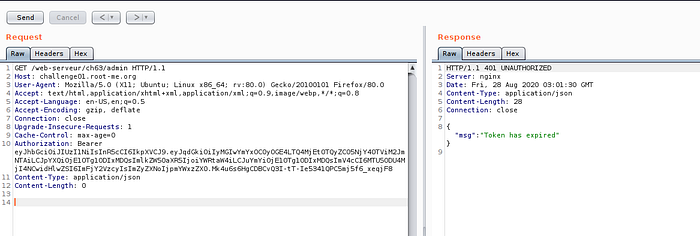
Now we are on the edge of testing,So let us look on JWT token, if there some part we can manipulate.Just for the case of testing :D , just want to cover some JWT manipulation technique.

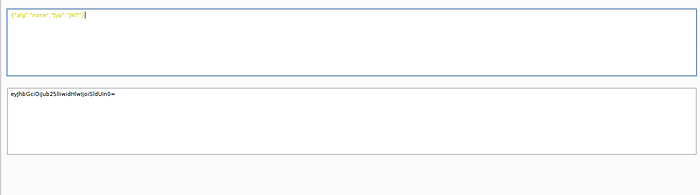

Now the second trick we can use is weak JWT secret key. you can try bruteforce with wordlist.If lucky, we can obtain the secret. On this case, I'm not success to obtain secret by using rockyou wordlist.
https://github.com/aress31/jwtcat
What if we put padding on the JWT token?. It can be pass?. let us take one examples.
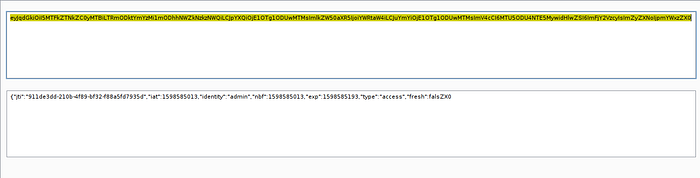
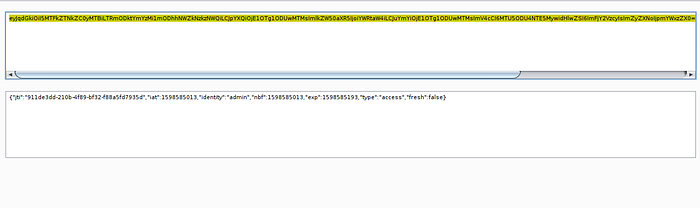
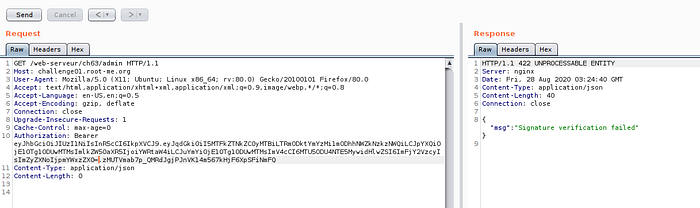
The reason why? , If we changes some part of header and payload, the signature will be changes also!

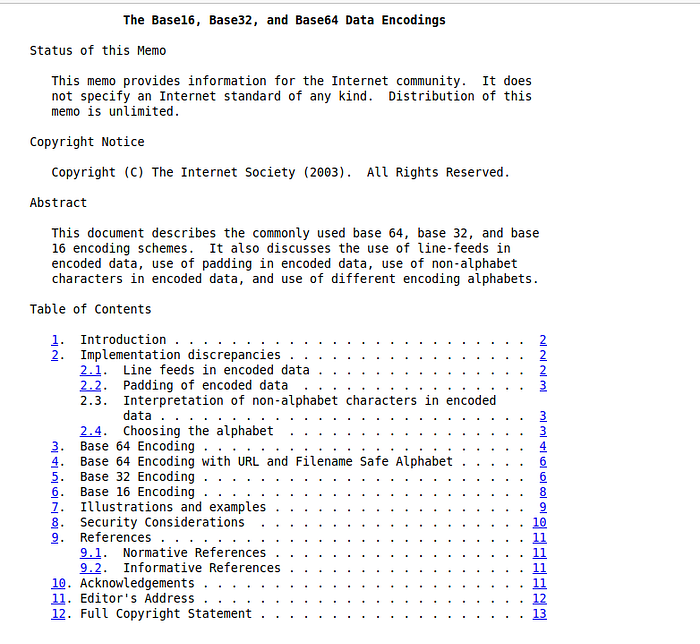
Now we have done all the possible test case, none of these is working :( .What we can do now?.. it is RFC(Request for Comments)!!! by googling base64 RFC, I mean this one :D "rfc3548" . Part that we are interest is in section 8, security consideration.

which mean, what if we put non-alphabet on our base64?.. it can be pass?..

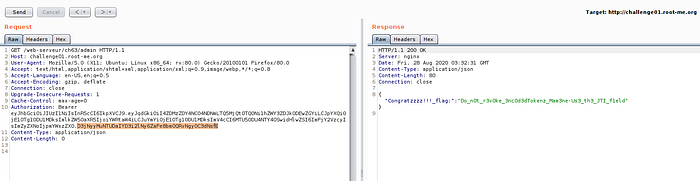
Now we success to bypass it!! Congratulations. But there is another method to bypass it?.. yes :D
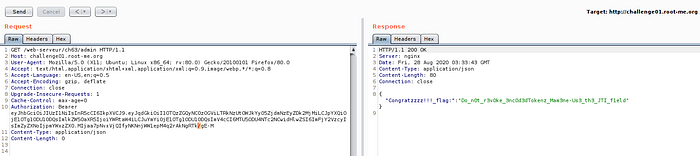
First, you need to generate admin token until our signature have an underscore "_" , then replace with "/" as image 26 and 27.

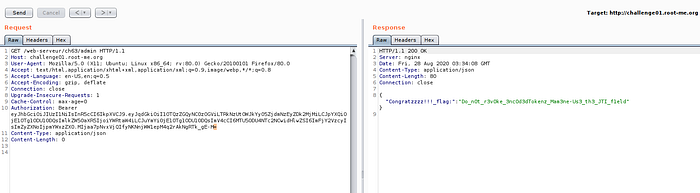
Last method that I kept is because I want to show you different method. Actually you can solve by adding "=" to our signature.
As for conclusion, you learn the methodology of testing, JWT "none" injection technique and JWT weak secret key cracking.Lastly, the behavior of base64 and it other security consideration. Thanks :D