In a world where data drives every decision, Fabric SQL is rewriting how we query, integrate, and explore information, blending lake house scalability with warehouse precision.
But what does that mean for data professionals today? Whether you're navigating messy lakes of raw data or refining queries in a governed warehouse, Fabric SQL invites you into a unified experience where one language speaks to both worlds. In this article, we'll explore how Fabric SQL empowers teams with flexibility, speed and cross-environment intelligence.
Setup
To get started, login into the Fabric workspace by clicking on new item and select "SQL database preview" as shown below.
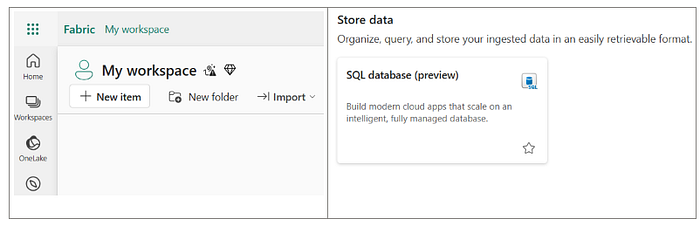
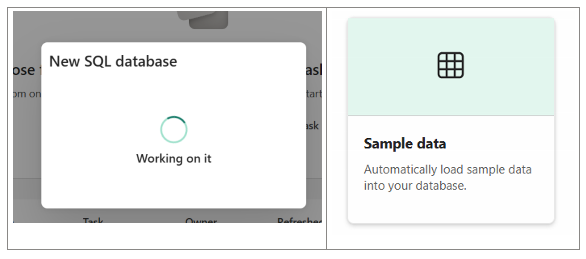
The creation of New database is initiated once you enter the name of the database. One may choose to load sample data by clicking on "Sample data" option as shown below.
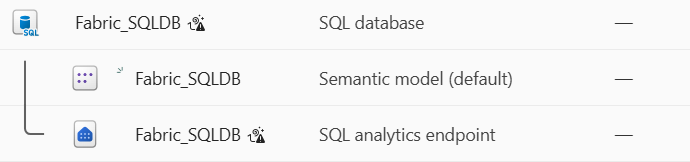
While creating the SQL database, Fabric also creates Semantic model and Analytics endpoints, as shown below.
With this, you're all set. The SQL database under Fabric is ready for use. Now, let's explore the powerful features and seamless options it offers, without any extra effort.
Mirroring
Databases in Microsoft Fabric comes with built-in mirroring by default which requires no additional configuration. Mirroring connects your SQL database data to OneLake, automatically replicating tables in near real-time and storing them in Delta format.
Using replication monitor, one could check the status of the replication, as shown below.
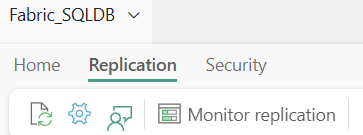
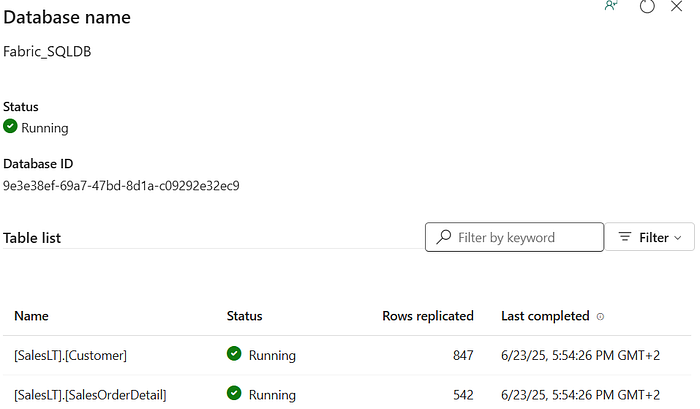
One may query OneLake using shortcuts or SQL Analytics Endpoints, and seamlessly integrate results into Lakehouse or Power BI. It is accessible right from Windows Explorer which feels as natural as browsing your files.
This feature streamlines the process of handling analytical workloads within the Fabric ecosystem.
Performance monitor
Using Performance Monitor one could monitor database resources and consumption. One could access this feature directly from the Fabric homepage by selecting the "Performance Summary" tab.

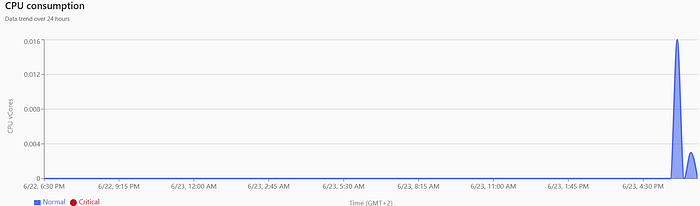
It provides insights on metrics such as CPU consumption, user connections, requests per second, blocked queries and allocated size.
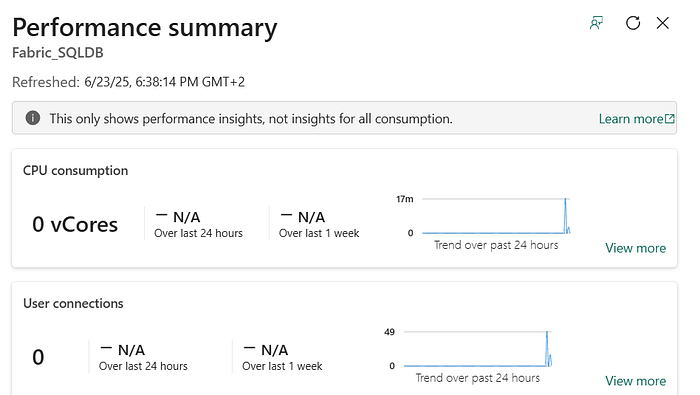
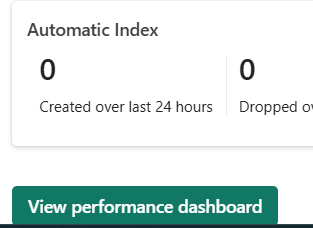
Underneath the page, one could view "Performance dashboard" which offers more detailed information, including recent queries and top CPU-consuming queries, helping you to analyse and optimize database performance, as shown below.


Security
SQL databases in Fabric leverage Entra Conditional Access and Purview Protection Policies for security, unlike Azure SQL databases which use firewalls, as shown below.

Also, notice above that Fabric SQL databases do not support SQL users rather only Entra users, allowing them to rely entirely on Entra's built-in security features.
By clicking on Security tab as shown below, one could manage Database Security. One could grant granular permissions to individual users or groups on your database objects through Entra and Purview settings.
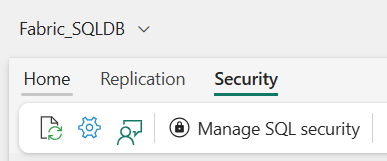
Also, one could create and manage roles, such as granting select access to specific schemas under the Security tab.
Integrated with AI
SQL databases in Microsoft Fabric integrate AI features, including co-pilot, which helps create, alter, or query database components. Fabric SQL database is vector enabled which supports storing vectors and performing vector searches when paired with an AI model.
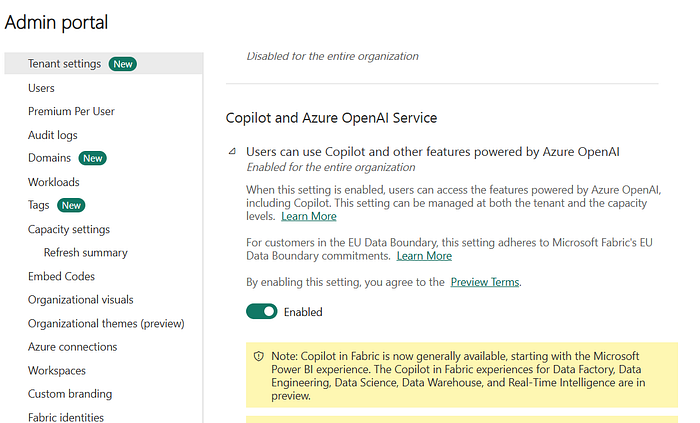
To use copilot, this feature needs to be enabled via admin portal and the usage capacity has to be set as shown below.
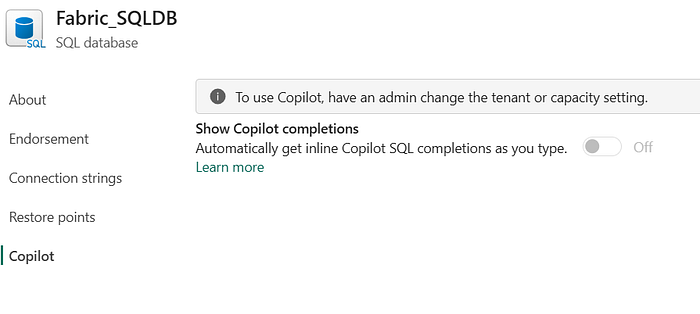
Co-pilot can assist with tasks like creating tables, fixing query errors and adding data, enhancing efficiency and ease of use. It could also explain the query by commenting, just with a click of a button.
These features make managing and querying SQL databases in Microsoft Fabric more intuitive and powerful.
Integrated GraphQL API
One could configure a GraphQL API for SQL database in Microsoft Fabric, making it accessible for querying and updating data, from external applications.
To deploy a GraphQL API for the SQL database, this could be done with a single click, by hitting the create button in the graph menu and providing a name, as shown below.
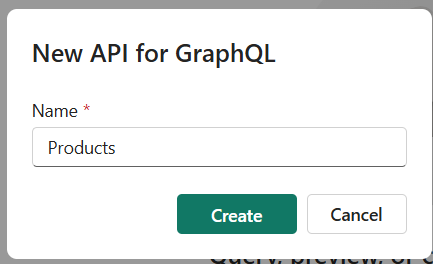
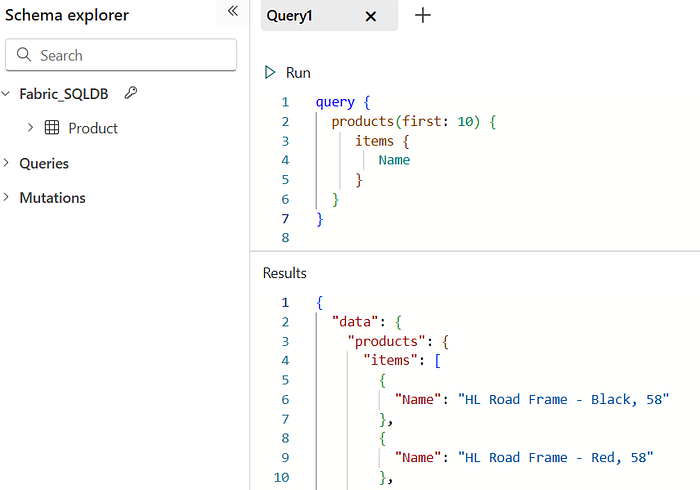
During deployment, one would select the tables and objects to be available through the endpoint, which can be queried and updated. You can send Graph queries directly from the portal and receive JSON responses, as shown below.
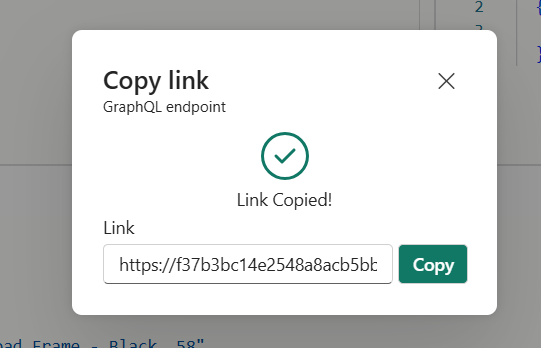
The endpoint link can be easily copied and shared across applications, enabling seamless access to data from the Fabric SQL database.
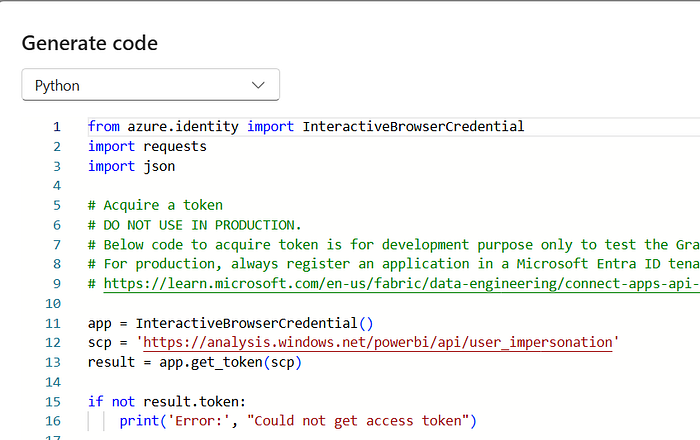
The portal also provides code snippets in Python and Node.js to access the endpoint from within your application, as shown below.
Tip:
To learn more about the GraphQL, please visit the link below.
https://learn.microsoft.com/en-us/shows/graphql/
Connect via SSMS
Now that we've explored the features of Fabric SQL and learned where to find everything, it's time to connect through SSMS and start experiencing the power of this incredible tool.
The Fabric SQL database could be opened or connected by selecting the "Open in" option from the menu, as shown below.
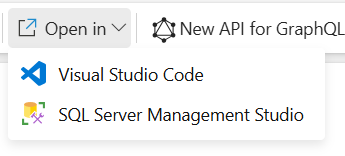
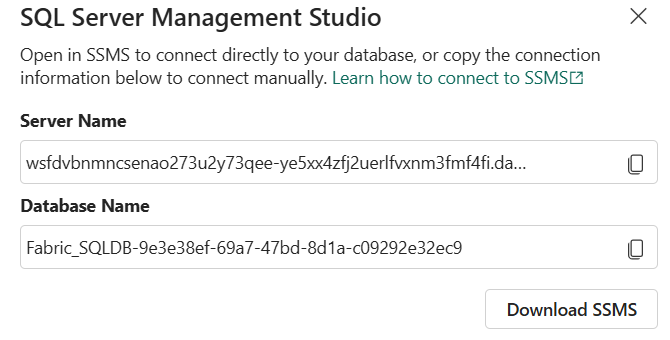
Once you click on SSMS, one would get the popup window with server credentials, essential to make connection with the Fabric SQL database as shown below.
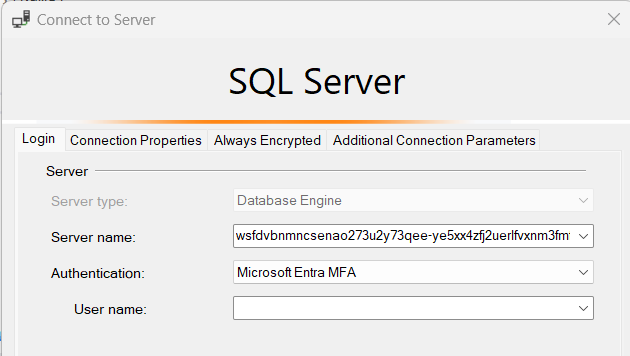
With SSMS version 20.2 or later, you can connect to the Fabric SQL database, just keep in mind that authentication is handled via Microsoft Entra MFA, as shown below.
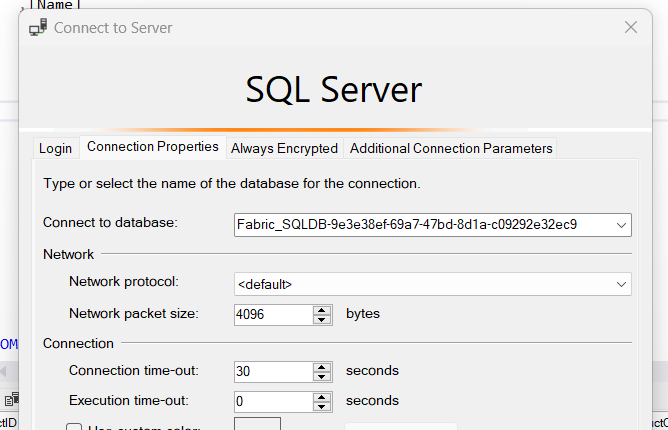
After initiating the connection, a Windows prompt will appear for you to authenticate using your Fabric login credentials. Once successfully authenticated, you'll see the confirmation message shown below.

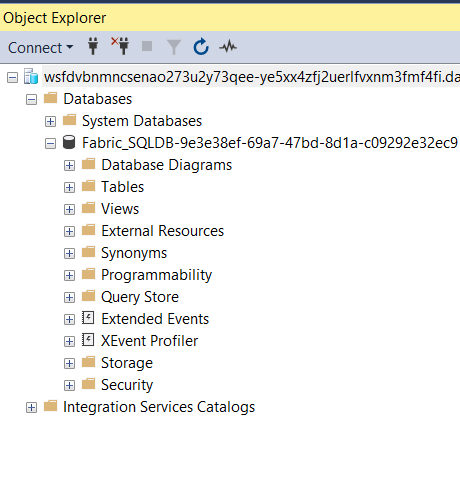
Once connected, SSMS will confirm you're successfully linked to Fabric SQL, allowing you to interact with it just like any other database, directly within the SSMS interface.
Conclusion
Microsoft Fabric SQL Databases can help with your analytics and data management processes. It is a new offering which provides solutions for developers, including building GraphQL APIs and easier management of metadata, with native integration for analytics through data mirroring to OneLake.
It provides great Autonomy and Simplicity, features like auto-scaling, patching, high availability, indexing, replication, and backups reduce the need for manual control, offering simplicity in exchange for flexibility.
It provides Tools and Support so that one could use familiar tools like SSMS and new support options like Copilot to achieve results quickly. Finally, leaving you with this wonderful quote …
"Adversity introduces a man to himself." -Albert Einstein
Published By
Barani Dakshinamoorthy
Originally published at https://www.linkedin.com.