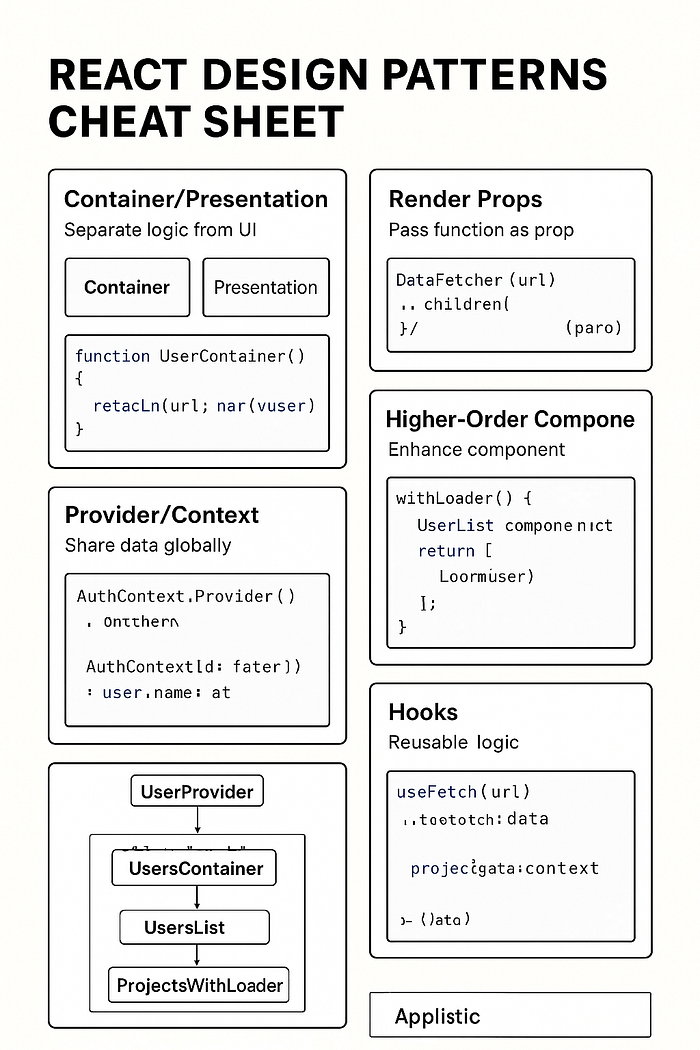

Step 1 — High-Level Overview
Imagine React as a kitchen.
- Design patterns are like cooking techniques — they're not recipes, but ways to cook better and faster.
- You can use the same ingredients (components, props, state) but arrange them in patterns for cleaner, reusable, and more maintainable code.
Here are the common patterns from your timestamps:
1. Container-Presentation Pattern
Idea: Separate what your component does (logic) from how it looks (UI).
Example:
// 📦 Container (handles data fetching, state, logic)
function UserContainer() {
  const [users, setUsers] = React.useState([]);

React.useEffect(() => {
    fetch("/api/users").then(res => res.json()).then(setUsers);
  }, []);
  return <UserList users={users} />;
}
// 🎨 Presentation (only UI)
function UserList({ users }) {
  return (
    <ul>
      {users.map(user => <li key={user.id}>{user.name}</li>)}
    </ul>
  );
}
Where in real projects: Any place you fetch API data but want a reusable UI.
2. Render Props
Idea: Pass a function as a prop so a component can decide what to render.
Example:
function DataFetcher({ url, children }) {
  const [data, setData] = React.useState(null);

  React.useEffect(() => {
    fetch(url).then(res => res.json()).then(setData);
  }, [url]);

return children(data); // function prop
}
// Usage
<DataFetcher url="/api/users">
  {(data) => data ? <div>{data.length} Users</div> : <p>Loading...</p>}
</DataFetcher>
Where in real projects: Custom charts, tooltips, or dynamic UI rendering.
3. Higher-Order Components (HOC)
Idea: A function that takes a component and returns a new component with extra powers.
Example:
function withLoader(Component) {
  return function WrappedComponent({ isLoading, ...props }) {
    if (isLoading) return <p>Loading...</p>;
    return <Component {...props} />;
  };
}

const UserListWithLoader = withLoader(UserList);
Where in real projects: Adding auth checks, logging, or loaders without touching original component.
4. Provider / Context API
Idea: Share data with many components without passing props down manually.
Example:
const AuthContext = React.createContext();

function App() {
  const [user, setUser] = React.useState({ name: "Ajit" });
  return (
    <AuthContext.Provider value={user}>
      <Navbar />
    </AuthContext.Provider>
  );
}
function Navbar() {
  const user = React.useContext(AuthContext);
  return <p>Welcome {user.name}</p>;
}
Where in real projects: Global themes, auth user, language settings.
5. Hooks Pattern
Idea: Extract reusable logic into custom hooks.
Example:
function useFetch(url) {
  const [data, setData] = React.useState(null);

  React.useEffect(() => {
    fetch(url).then(res => res.json()).then(setData);
  }, [url]);

return data;
}
// Usage
function ProductList() {
  const products = useFetch("/api/products");
  return products ? products.map(p => <p key={p.id}>{p.name}</p>) : "Loading...";
}
Where in real projects: API calls, form handling, animations.
Step 2 — Find Gaps in Understanding
If you feel fuzzy on:
- When to use
Render PropsvsHOC - How to combine
Hooks+Context - How to avoid over-engineering with patterns
Those are the areas to practice.
Step 3 — Simplify Again
- Container/Presentation → Split logic and UI for cleaner code.
- Render Props → Pass a function to decide UI.
- HOC → Wrap components with extra features.
- Provider/Context → Share global data without prop drilling.
- Hooks → Reuse logic without repeating code.
Step 4 — Review & Repeat
- Pick a small feature in your project (like user auth or dashboard)
- Implement it once without patterns
- Then refactor using Container-Presentation + Context + Custom Hook
- Compare the cleanliness & reusability.