

What is CSRF?
CSRF stands for cross-site request forgery. It is listed as one of the OWASP top 10 web application security vulnerabilities! CSRF attacks get the user's browser to perform an unwanted or unintended action on a web application. These vulnerabilities cause a user to unknowingly submit a malicious request to a website on behalf of an attacker. For example, let's say you are logged into a banking application, you receive an email and click an attached link. Clicking the link causes your browser to perform the action of a bank transfer from your account to that of the attacker's.
CSRF targets vulnerabilities that allow for a state change on the server. Such as:
- Changing the victim's email address and password
- Purchasing something without the victim's intent
- Transfering funds.
Let's Test
I'm going to use the intentionally vulnerable web application http://test.php.vulnweb.com to demonstrate how to test for csrf using BurpSuite and some html code! that contains a JavaScript state change request.
- The first thing to do is to open http://test.php.vulnweb.com in your browser.
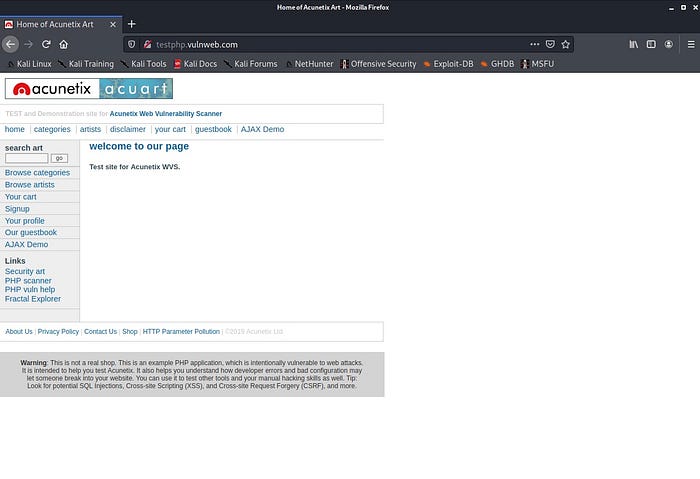
- Then open your Burp Suite and turn intercept on

- Go back to the web application and type "hello" into the text box and press the go button.

- Review the raw response BurpSuite produced!
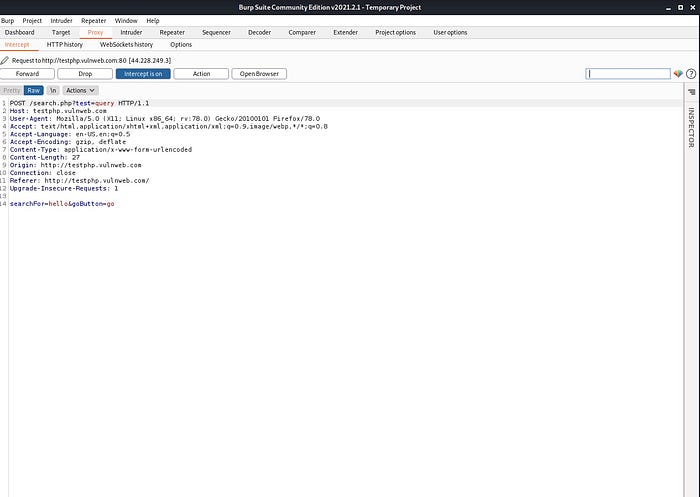
- Let's write some html code to test for csrf! Create a new document named csrf.html with the following contents.

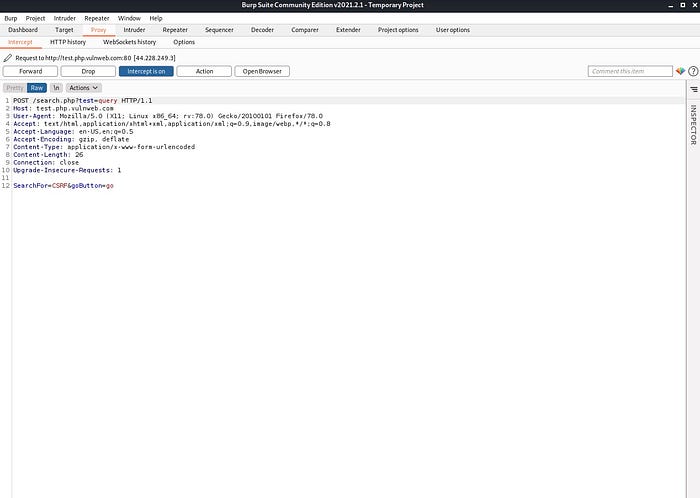
- The above code contains a JavaScript state change request inside the html form code! Once the html page is opened, a "submit request" button will appear. Once clicked, it will send the value of "CSRF" in place of the value "hello". In a real world scenario, a submit request button won't appear, and the attacker's desired request will most likely auto submit the moment the html link is opened. If this works as intended then it would be proof of a CSRF vulnerability; that by a victim clicking a link, an action(even if it is a harmless search query submission in this example) was performed on the web application!
- Turn BurpSuite intercept off, and then on again to clear the previous response. Making sure that intercept is on, open the html file in your browser by copying the full path of the file and pasting it in the address bar of a new tab.

- Once it's open and the "Submit Request" button is visible, click it!
- Looking at the response of BurpSuite shows that the attack was successful and the value was submitted to the web application! We discovered a CSRF vulnerability!
There are multiple different methods besides this one that hackers use to check for CSRF vulnerabilities, but they are out of the scope of this piece! Thanks so much for reading! I hope you learned something new!
Happy Hacking!