

Animating a loader is a topic I felt I should write about given I remember being so confused about how to get a loader when starting out with frontend development.
I'd ask myself questions like…
Do I create a gif?
Personally, I wouldn't recommend using a gif. Depending on your loader, it may be hard to make the background transparent. Gifs also don't scale smoothly, have a limited image quality given their color limit, and are difficult to change.
Do I try to learn how to animate an SVG?
Yes, you can do this if you have a more complex animation in mind. There is a cool tool called SVGator that can help you achieve your desired effect with ease! You just start by providing SVGator with the static image you want to become animated. Here is a great video to refer to if you wanted to give SVGator a try.
Do I use CSS to animate an SVG or PNG?
That works too! The easiest way if you ask me to accomplish getting an animated loader, is to find a static SVG you like (needs to be a circle in this example) and apply some CSS to it. There are some negatives to this approach like performance and browser compatibility (pesky IE!) so bear this in mind when selecting this approach. Let's get to an example, shall we?
Animating an SVG Image
I'm picking the spinner SVG from the font awesome 6 packages. Now, there are two ways we can go about animating our SVG. If we follow along to font-awesome documentation, we can animate our spinner like so:
<i class="fa-solid fa-spinner fa-spin"></i>fa-spin is the class we want to focus on as it enables the animation to take place, by making the icon spin 360° clockwise. Now, I didn't want to install the entire font-awesome package, so I achieved this behavior in a different manner.
I installed the icons on my local device, then created an SVGs folder in my project.
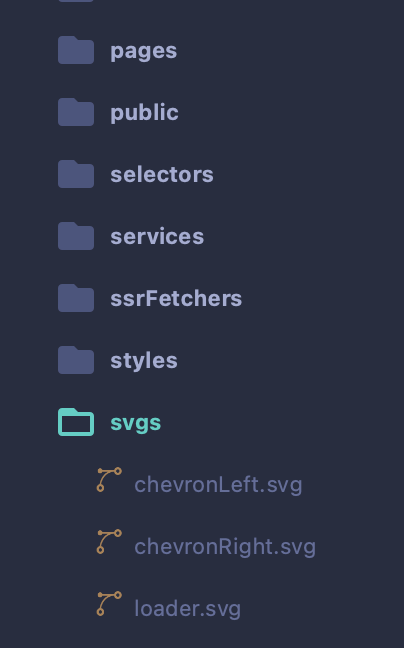
I only copied in the folder the SVGs that I wanted to leverage in my project. I then enabled my project to directly import the SVGs and render them. With this approach, I get the added advantage that I can modify the fill attribute myself and effectively control the color of the SVG as well! To achieve this, I installed svgr for webpack and modified my next.config.js to look like the following (Note that I am using the NextJS framework for my project):
/** @type {import('next').NextConfig} */
module.exports = {
    reactStrictMode: true,
    webpack(config) {
        config.module.rules.push({
            test: /\.svg$/,
            use: ["@svgr/webpack"]
        });
        return config;
    }
};
Now, I have the capability to import and render my SVGs like so:
// SVGS
import Loader from '../svgs/loader.svg';
...
<Loader id="loader" width={30} fill={COLORS.blues.mediumA.color} />
The last step is to animate the loader!
I added the following CSS targets and keyframes:
#loader {
    animation: spin 1s linear infinite;
}
@keyframes spin {
    0% {
        transform: rotate(0deg);
    }
    100% {
        transform: rotate(360deg);
    }
}
This CSS tells my loader to use the keyframe named spin, from 0% to 100% of the animation, I want my loader to start at 0 degrees and end up at 360 degrees by the end of the sequence. We want this to happen within 1s and keep going infinitely in a linear fashion.
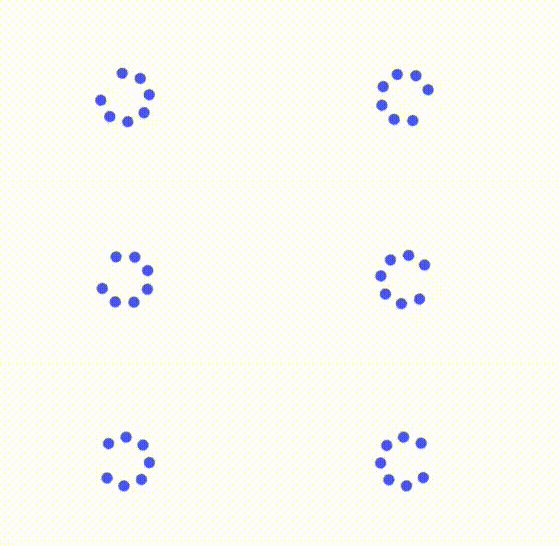
The final result looks like this!
I hope you found this helpful and happy coding!
Hi everyone! I've recently started a new adventure with my personal ByteSizedPieces blog. I developed it from scratch and will continue iterating and improving it while I write new posts about my findings and learnings in the tech industry and beyond. Please support me in joining my newsletter to obtain exclusive access to my newest content! You won't be disappointed!
A developer is a creature that turns coffee into code, so if you like what you've read I'd be much appreciative if you bought me a coffee!
Thanks for reading again! ❤️