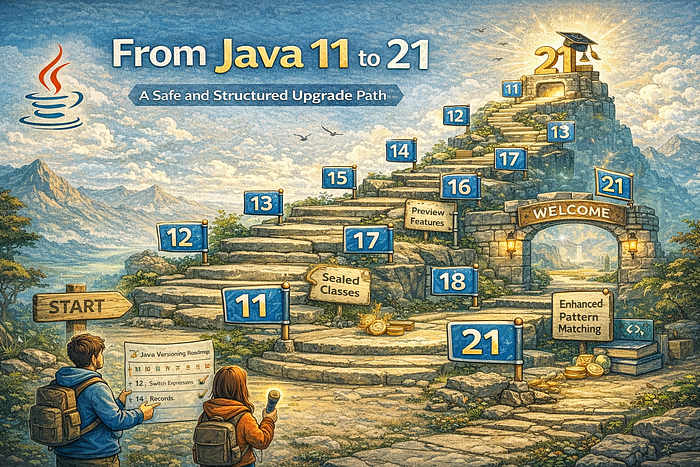

Many teams are still comfortably running on Java 11 while being tempted by the modern features, performance improvements, and productivity gains of Java 21. Moving from Java 11 to Java 21 is not just a routine upgrade but a strategic decision that can shape the future of an application. The key is to approach the migration in a structured, step-by-step manner to ensure a smooth and safe transition without disrupting a stable production environment.
You can read this article for free by clicking here.
Table of Contents
- Why Make the Leap? The Compelling Case for Java 21
- Pre-Upgrade Preparations: Laying the Groundwork
- The Upgrade Journey: A Step-by-Step Migration Guide
- Common Pitfalls and Pro Tips for a Seamless Transition
1. Why Make the Leap? The Compelling Case for Java 21
Staying on an older Java version, even an LTS one like Java 11, means missing out. While Java 11 served us well, Java 21 is a powerhouse of innovation, packed with features that fundamentally change how we write and run Java applications. It's another LTS release, meaning you get long-term stability with cutting-edge capabilities.
So, what's the big deal?
- Performance Enhancements: Every new Java release brings under-the-hood JVM improvements, and Java 21 is no exception. Expect faster startup times, reduced memory footprint, and overall better throughput thanks to advancements in garbage collectors, JIT compilers, and core libraries. Your applications will simply run better.
- Virtual Threads (Project Loom): This is arguably the biggest game-changer. Virtual Threads (JEP 444) drastically simplify writing, maintaining, and observing high-throughput concurrent applications. Instead of struggling with thread pools and complex asynchronous patterns, you can write blocking code that behaves non-blocking, leading to significantly more scalable and readable services.
import java.time.Duration;
import java.util.concurrent.Executors;

public class VirtualThreadsDemo {
    public static void main(String[] args) throws InterruptedException {
        System.out.println("Starting application with Virtual Threads...");

        // Create a custom Virtual Thread Executor
        try (var executor = Executors.newVirtualThreadPerTaskExecutor()) {
            for (int i = 0; i < 10; i++) {
                final int taskId = i;
                executor.submit(() -> {
                    System.out.println("Task " + taskId + " running on Virtual Thread: " + Thread.currentThread());
                    try {
                        Thread.sleep(Duration.ofSeconds(1)); // Simulate blocking I/O
                    } catch (InterruptedException e) {
                        Thread.currentThread().interrupt();
                    }
                    System.out.println("Task " + taskId + " finished.");
                });
            }
        } // Executor automatically shuts down here

        System.out.println("All tasks submitted. Main thread continuing...");
        Thread.sleep(Duration.ofSeconds(2)); // Give some time for virtual threads to execute
        System.out.println("Application finished.");
    }
}- This simple example demonstrates how easy it is to spin up many "blocking" tasks without exhausting OS threads.
- Pattern Matching for
switch(JEP 441) and Record Patterns (JEP 440): These features significantly enhance the expressiveness and safety of Java code, reducing boilerplate and making complex conditional logic much cleaner. No more endlessinstanceofchecks followed by casts!
// Java 11 style
Object obj = "Hello Java 21";
if (obj instanceof String) {
    String s = (String) obj;
    System.out.println("String length: " + s.length());
}

// Java 21 style with Pattern Matching for switch
Object data = new Point(10, 20); // Assume Point is a record `record Point(int x, int y) {}`
String result = switch (data) {
    case Integer i -> "It's an Integer: " + i;
    case String s   -> "It's a String: " + s.length() + " chars";
    case Point(int x, int y) -> "It's a Point at (" + x + ", " + y + ")"; // Record Patterns!
    case null -> "It's null";
    default -> "Unknown type";
};

System.out.println(result);- String Templates (Preview) (JEP 430): A more readable and safer way to compose strings, mitigating injection risks and improving code clarity.
- Sequenced Collections (JEP 431): New interfaces (
SequencedCollection,SequencedSet,SequencedMap) provide well-defined first/last elements and reversed views, standardizing common collection operations. - LTS Status: Like Java 11, Java 21 is an LTS release, offering long-term support and stability, making it an ideal target for enterprise applications.
Upgrading to Java 21 isn't just about getting new features; it's about staying competitive, improving developer experience, and building more resilient, high-performing applications.
2. Pre-Upgrade Preparations: Laying the Groundwork
Before you even think about changing your JAVA_HOME environment variable, a thorough preparation phase is crucial. This is where most of the "safety" in "safe upgrade" comes from.
Audit Your Dependencies:
- Create a comprehensive list of all your project's direct and transitive dependencies.
- Check if these dependencies are compatible with Java 21. Look for newer versions that explicitly support Java 17+ (as Java 21 builds on Java 17's module system and strong encapsulation).
- Pay special attention to frameworks like Spring Boot. Spring Boot 3.x is designed for Java 17+ and is your target for Java 21. If you're on Spring Boot 2.x, you'll need to upgrade it first.
- Tools like
mvn dependency:treeorgradle dependenciesare your friends here.
Update Build Tools:
- Maven: Ensure you're using Maven 3.8.x or newer (ideally 3.9.x or 3.10.x). Update your
maven-compiler-pluginto version 3.11 or later to properly support Java 21.
<properties>
    <maven.compiler.source>21</maven.compiler.source>
    <maven.compiler.target>21</maven.compiler.target>
</properties>
<build>
    <plugins>
        <plugin>
            <groupId>org.apache.maven.plugins</groupId>
            <artifactId>maven-compiler-plugin</artifactId>
            <version>3.11.0</version> <!-- Or newer -->
            <configuration>
                <release>21</release>
                <!-- For preview features, add: -->
                <!-- <compilerArgs>--enable-preview</compilerArgs> -->
            </configuration>
        </plugin>
    </plugins>
</build>- Gradle: Use Gradle 7.6 or newer (ideally 8.x). Update your Java toolchain configuration.
java {
    toolchain {
        languageVersion = JavaLanguageVersion.of(21)
    }
}
// For preview features, add:
// tasks.withType(JavaCompile).configureEach {
//     options.compilerArgs.add('--enable-preview')
// }
// tasks.withType(Test).configureEach {
//     jvmArgs('--enable-preview')
// }
Establish a Robust Testing Strategy:
- Don't skip this! A comprehensive test suite (unit, integration, end-to-end) is your safety net.
- Consider setting up a dedicated CI/CD pipeline stage for Java 21 compatibility testing before merging changes to your main branch.
- Baseline Performance: Record key performance metrics (startup time, memory usage, request latency) on Java 11 so you can compare after the upgrade.
3. The Upgrade Journey: A Step-by-Step Migration Guide
With preparations complete, it's time to dive into the actual migration. This process is iterative; expect to fix issues, recompile, and retest.
Update Your JDK:
- Install Java 21 on your development machine.
- Update your
JAVA_HOMEenvironment variable or configure your IDE (IntelliJ IDEA, Eclipse, VS Code) to use Java 21 for your project.
Adjust Build Tool Configurations:
- Modify your
pom.xml(Maven) orbuild.gradle(Gradle) to target Java 21, as shown in the "Pre-Upgrade Preparations" section. - If using Spring Boot, upgrade to Spring Boot 3.x. This often involves updating
spring-boot-starter-parentand potentially adjusting some deprecated configurations.
Address Deprecated and Removed APIs:
- Java 11 to 21 spans several releases (12, 13, 14, 15, 16, 17, 18, 19, 20, 21). Many things have changed.
- Key removals/deprecations to watch out for:
- Nashorn JavaScript Engine: Removed in Java 15. If you rely on JavaScript execution within the JVM, consider GraalVM JavaScript or migrate to external JavaScript engines.
sun.misc.Unsafe: While still present, its usage is heavily discouraged and its behavior can change. Libraries relying on it might need updates.- Strong Encapsulation: Starting with Java 9 and solidified in Java 17, internal JDK APIs are strongly encapsulated. If your code or libraries reflectively access internal JDK classes (e.g.,
sun.misc.*,com.sun.*), you'll likely encounterInaccessibleObjectExceptionerrors. - Solution: The best approach is to update your dependencies to versions that no longer rely on internal APIs. If that's not possible, you might temporarily use
--add-opensJVM arguments, but this is a workaround, not a solution.
# Example JVM argument to open a module for reflective access
java --add-opens java.base/java.lang=ALL-UNNAMED -jar YourApp.jar- Caution: Using
--add-openscan compromise security and future compatibility. Use sparingly and as a temporary measure. java.xml.bind(JAXB) andjava.activation(JAF): These modules were removed in Java 11. If you still need them, add explicit dependencies tojakarta.xml.bind-apiandjakarta.activation(or their olderjavaxcounterparts if absolutely necessary, but migrate tojakartanamespace).
Leverage New Language Features (Optional, but Recommended):
- Once your application compiles and runs on Java 21, start exploring how to refactor parts of your codebase to use the new features.
- Virtual Threads: Identify blocking I/O operations (database calls, external service calls) and refactor
CompletableFuturechains or traditional thread usage to use Virtual Threads for simpler, more scalable code. - Pattern Matching: Refactor
instanceofchecks andswitchstatements to use pattern matching for improved readability and safety. - Records: If you have simple data carrier classes, convert them to records.
- Stream API Enhancements: Look for opportunities to use new stream collectors or intermediate operations.
Comprehensive Testing:
- Run your entire test suite.
- Perform manual smoke tests.
- Compare performance metrics against your Java 11 baseline.
- Monitor application logs closely for any warnings or errors that didn't appear before.
4. Common Pitfalls and Pro Tips for a Seamless Transition
Even with the best preparations, you might hit a snag. Here are some common pitfalls and how to navigate them:
- The "Works on My Machine" Syndrome: Just because it compiles and runs on your dev machine doesn't mean it's production-ready. Always test in an environment that closely mirrors production.
- Dependency Hell (The Silent Killer): Outdated transitive dependencies often cause obscure runtime errors. Use tools like
mvn versions:display-dependency-updatesorgradle dependencyUpdatesto find newer versions. InaccessibleObjectException/ Strong Encapsulation: This is the most common headache when moving past Java 11/17.
Pro Tip: Look for "modern" alternatives to libraries that rely on internal APIs. For example, if you're using an old JSON library that reflects into
sun.misc.Unsafe, upgrade to Jackson or GSON.
Pro Tip: If you absolutely must use
--add-opens, document it thoroughly and set a reminder to re-evaluate it in future upgrades.
- GC Logger Format Changes: If you parse GC logs, be aware that their format has changed significantly across Java versions. Update your parsing tools or switch to JFR (Java Flight Recorder) for more structured and comprehensive profiling.
- Memory Footprint Increases: While Java 21 generally improves memory usage, new features or changes in default JVM settings could lead to unexpected memory spikes in specific scenarios. Monitor closely and tune JVM arguments (
-Xmx, GC settings) if necessary. - Phased Rollout: For critical applications, consider a phased rollout:
- Deploy to a staging environment.
- Deploy to a small percentage of production traffic (canary release).
- Monitor, gather feedback, and gradually increase traffic.
- Full production rollout.
The journey from Java 11 to 21 is an investment, not just a task. It requires diligence, careful planning, and a good understanding of the changes. But the rewards — improved performance, cleaner code, and access to powerful new features like Virtual Threads — are well worth the effort. Embrace the challenge, and your applications will thank you!
Tags/Keywords: java, spring, spring-boot, java-11, java-21, jvm, upgrade, migration, lts, virtual-threads, pattern-matching, tutorial, guide, software-engineering
References:
- Oracle Java 21 Documentation
- JDK 21 Release Notes
- Project Loom (Virtual Threads)
- Spring Boot 3.x Migration Guide
What aspects of the Java 11 to 21 upgrade do you anticipate being the most challenging for your projects, and why? Share your thoughts below!
If you found this useful, feel free to follow, clap and share.
Support my work: https://buymeacoffee.com/aedesium