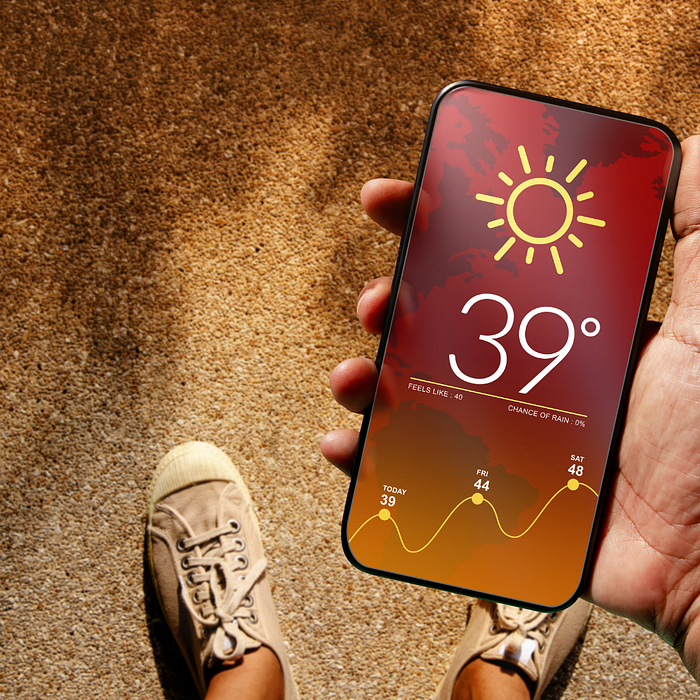

We will start from scratch to develop application.
First of all we will openweather website from this link: https://openweathermap.org/api
Click to Current Weather Data API doc.
We will use that weather data url, https://api.openweathermap.org/data/2.5/weather?lat={lat}&lon={lon}&appid={API key}
At here we will add latitude and longitude from google maps. I will use Istanbul latitude: 41.0053702 and longitude: 28.6825429 for the example.
Below that page there is response JSON:
{
   "coord": {
      "lon": 7.367,
      "lat": 45.133
   },
   "weather": [
      {
         "id": 501,
         "main": "Rain",
         "description": "moderate rain",
         "icon": "10d"
      }
   ],
   "base": "stations",
   "main": {
      "temp": 284.2,
      "feels_like": 282.93,
      "temp_min": 283.06,
      "temp_max": 286.82,
      "pressure": 1021,
      "humidity": 60,
      "sea_level": 1021,
      "grnd_level": 910
   },
   "visibility": 10000,
   "wind": {
      "speed": 4.09,
      "deg": 121,
      "gust": 3.47
   },
   "rain": {
      "1h": 2.73
   },
   "clouds": {
      "all": 83
   },
   "dt": 1726660758,
   "sys": {
      "type": 1,
      "id": 6736,
      "country": "IT",
      "sunrise": 1726636384,
      "sunset": 1726680975
   },
   "timezone": 7200,
   "id": 3165523,
   "name": "Province of Turin",
   "cod": 200
}
After we open the quicktype.io to easily create model. we copy JSON response and paste to quicktype website: and it gives us response model.
Don't forget to name JSON data as WeatherResponse in quicktype.io website.
Open Xcode and paste response model from quicktype.io webpage.
WeatherResponse Model:
import Foundation

// MARK: - WeatherResponse
struct WeatherResponse: Codable {
    let coord: Coord
    let weather: [Weather]
    let base: String
    let main: Main
    let visibility: Int
    let wind: Wind
    let rain: Rain
    let clouds: Clouds
    let dt: Int
    let sys: Sys
    let timezone, id: Int
    let name: String
    let cod: Int
}

// MARK: - Clouds
struct Clouds: Codable {
    let all: Int
}

// MARK: - Coord
struct Coord: Codable {
    let lon, lat: Double
}

// MARK: - Main
struct Main: Codable {
    let temp, feelsLike, tempMin, tempMax: Double
    let pressure, humidity, seaLevel, grndLevel: Int

    enum CodingKeys: String, CodingKey {
        case temp
        case feelsLike = "feels_like"
        case tempMin = "temp_min"
        case tempMax = "temp_max"
        case pressure, humidity
        case seaLevel = "sea_level"
        case grndLevel = "grnd_level"
    }
}

// MARK: - Rain
struct Rain: Codable {
    let the1H: Double

    enum CodingKeys: String, CodingKey {
        case the1H = "1h"
    }
}

// MARK: - Sys
struct Sys: Codable {
    let type, id: Int
    let country: String
    let sunrise, sunset: Int
}

// MARK: - Weather
struct Weather: Codable {
    let id: Int
    let main, description, icon: String
}

// MARK: - Wind
struct Wind: Codable {
    let speed: Double
    let deg: Int
    let gust: Double
}
We finish creating response models.
WeatherRequest Model:
// MARK: - WeatherRequest
struct WeatherRequest {
    var temperature: Double
    var cityName: String
}
We create Constants to keep API key and url.
Constants:
struct Constants {
   static let api_key = "cb9460bd4572175d0b37df1e3bdc78d7"

    static let url = "https://api.openweathermap.org/data/2.5/weather?lat=41.0053702&lon=28.6825429&appid=\(api_key)"
}
API Manager:
We will create client request to server with URLSession.shared.dataTask object. To handle success and failures we will use Result enum in completionHandler.
// URL requests send to server and server response JSON data
class APIManager {
    // APIManager instance
    static let shared = APIManager()

    // Adding security with private init
    private init() { }

    // Full path URL
    let url: String = Constants.url

    func fetchData(completion: @escaping (Result<WeatherResponse, Error>) -> Void) {
   // Putting url to URL(string: ) object and check url object is valid or not
        guard let url = URL(string: url) else { return }

// URL request with
// func dataTask(with: URL, completionHandler: (Data?, URLResponse?, (any Error)?) -> Void) -> URLSessionDataTask
        URLSession.shared.dataTask(with: url) { data, response, error in
// Checking data is valid or not
            guard let data else {
                completion(.failure(DataError.invalidData))
                return
            }
// Checking response status code is between 200 and 299
            guard let response = response as? HTTPURLResponse,  200 ... 299  ~= response.statusCode else {
                completion(.failure(DataError.invalidResponse))
                return
            }

// Decoding JSON data and sharing data to completion success value
// else to .failure()
            do {
                let weathers = try JSONDecoder().decode(WeatherResponse.self, from: data)
                completion(.success(weathers))
            } catch {
                completion(.failure(DataError.message(error)))
            }
        }.resume()
    }
}

// Creating natural DataError to track network errors
enum DataError: Error {
    case invalidData
    case invalidResponse
    case message(_ error: Error?)
}
We create WeatherViewModel to to fetch response to WeatherRequest model structure.
WeatherViewModel:
import Foundation


final class WeatherViewModel: ObservableObject {
// To change values by UI we use @Published
    @Published var weatherRequest: WeatherRequest?

    func fetchWeatherService() {
// Calling APIManager fetchData callback

        APIManager.shared.fetchData { [weak self] response in
// Removing optional self guard let self
            guard let self else { return }
            switch response {
            case .success(let weather):
                let temp = weather.main.temp - 273.15
// Assigning weather data to  weatherRequest property
                weatherRequest = WeatherRequest(temperature: temp, cityName: weather.name)
            case .failure(let error):
                print(error)
            }
        }
    }
}
WeatherView:
struct WeatherView: View {
    // Creating observable object with StateObject
    @StateObject private var weatherViewModel = WeatherViewModel()

    var body: some View {
        ZStack {
    // Linear Gradient Background
            LinearGradient(colors: [.black.opacity(0.67), .white.opacity(0.5)], startPoint: .topLeading, endPoint: .bottomTrailing)
                .ignoresSafeArea()

            if let weather = weatherViewModel.weatherRequest  {
                Rectangle()
                    .foregroundStyle(.thinMaterial)
                    .frame(width: 400, height: 400)
                    .overlay {
                        VStack(spacing: 20) {
                            Text(weather.cityName)
                                .font(.system(size: 40, weight: .semibold, design: .rounded))

                            Text("\(Int(weather.temperature))")
                                .font(.system(size: 60, weight: .semibold))

                            Image(systemName: "cloud.sun.fill")
                                .renderingMode(.original)
                                .resizable()
                                .aspectRatio(contentMode: .fit)
                                .frame(width: 140, height: 140)
                        }
                        .padding()
                    }
                    .clipShape(.rect(cornerRadius: 16))
            } else {
                ProgressView()
            }
        }
        .onAppear {
     // Calling fetchWeatherService() method create request to server
            weatherViewModel.fetchWeatherService()
        }
    }
}

#Preview {
    WeatherView()
}
Resources:
Happy Coding. 🙂