

AI and machine learning have become wildly popular and serve various purposes. Surprisingly, they have even been used for generating fake people!
Can you imagine that this person does not exist?

This photo was generated by StyleGAN, a fake person generator tool.
How To Make Use of the Fake People Generation?
Here are some ideas to consider:
- You're writing an AI algorithm to distinguish fake faces from real ones. You can generate as much dummy data as you wish to train your model.
- You want to sell some of your clothes on the internet. The advertisement looks more attractive if someone wears the clothes. If you wish to hide your face, you can just swap it with a non-existing one.
- You have a marketing campaign and want to show some people in your presentation. It costs money to hire a model. Also, some photos on the internet have copyrights. So, you could opt for a fake photo.
In this article, you'll learn how to:
- Generate fake people using the StyleGan algorithm.
- Use the Face Swap Python project to swap faces easily.
- Create a simple Web UI using the Streamlit library to upload photos and change the face.
- Deploy the app in a few clicks to Streamlit Cloud, and share this fun project with your friends.
Let's get started!
Technology Overview
StyleGAN quick intro
StyleGAN is an open source project that uses a deep learning algorithm to generate realistic images of human faces with different gender and ethnicity combinations.
To see a demo, visit the https://this-person-does-not-exist.com page. It will generate a new face every time you refresh the page.
To learn more about the algorithm, check out their GitHub repository.
Face swap quick intro
Face Swap is a public Python project that enables you to swap faces with someone. It can be used with photos, videos, and even a live camera.
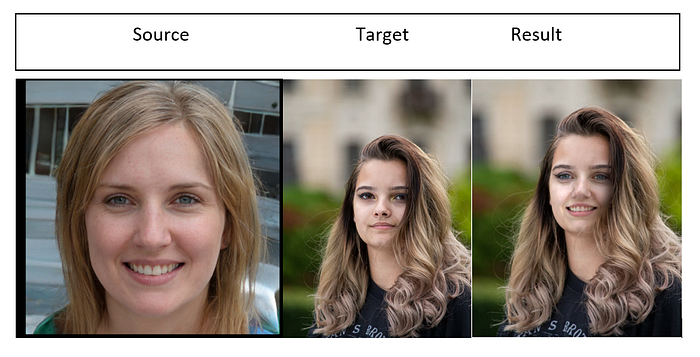
You just need a source and a target image. The code will generate the result of the photo combination.
Streamlit quick intro
Streamlit is an open source Python framework for creating and deploying web apps in a short time. It's primarily used by data scientists. It doesn't require front-end development experience due to its light learning curve.
Prepare the Project
Now you know where to get the fake faces from.
In this step, we'll generate new faces based on source and target images.
Execute these commands to install the Face Swap requirements:
$ git clone https://github.com/wuhuikai/FaceSwap.git
$ cd FaceSwap
$ python3 -m pip install -r requirements.txt
Generating a result image is as straightforward as running this command:
python3 main.py — src {source.jpg} — dst {target.jpg} — out {result.jpg} — correct_color — no_debug_windowArguments explanation:
--srcis the path to the source photo.--dstis the path of the target photo.--outwill be the result photo's path.--correct_colortries to make the photo's color as realistic as possible.--no_debug_windowdisables the debug window.
Script output:
Deploy the Project
So far, we've been using the Terminal to execute the Python script to swap the faces. It would be nice to have a UI where the user can upload the source and the target photo.
We'll use the Streamlit API to create a simple UI for the original Face Swap code. The easiest way to achieve this is to fork their GitHub repository and modify the main.py file.
For the sake of brevity, I'm not going to paste the original code here. If you want to see it, check the References section below.
Here is the modified code:
Main changes:
- Added
streamlitandPILdependencies. - Created Browse buttons for the UI using
st_uploader. - Converted the
PILimage tocv2format usingcv2.cvtColor(numpy.array(source_image), cv2.IMREAD_COLOR). This is needed because the original code expectscv2. - Displayed the image using
st.image(output,width=500).
Next, modify the requirements.txt file that Streamlit needs for the deployment:
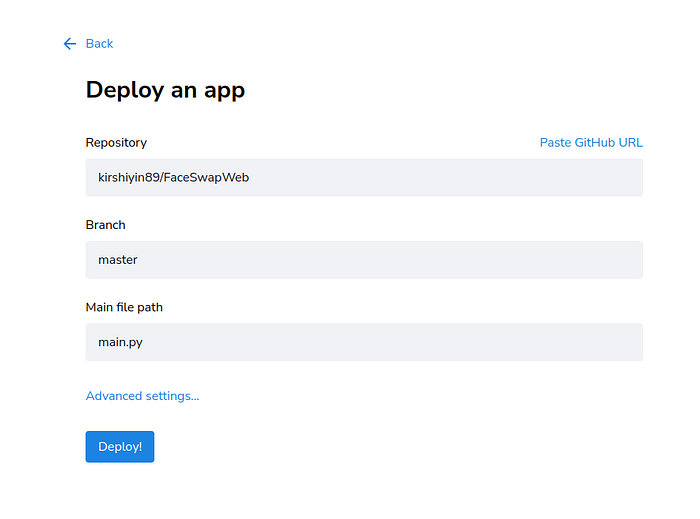
Log in to your Streamlit account https://share.streamlit.io/.
Select your app's GitHub repo and click deploy:
That's it!
The deployment process will take a few minutes. Grab a coffee, and then enjoy your new app.
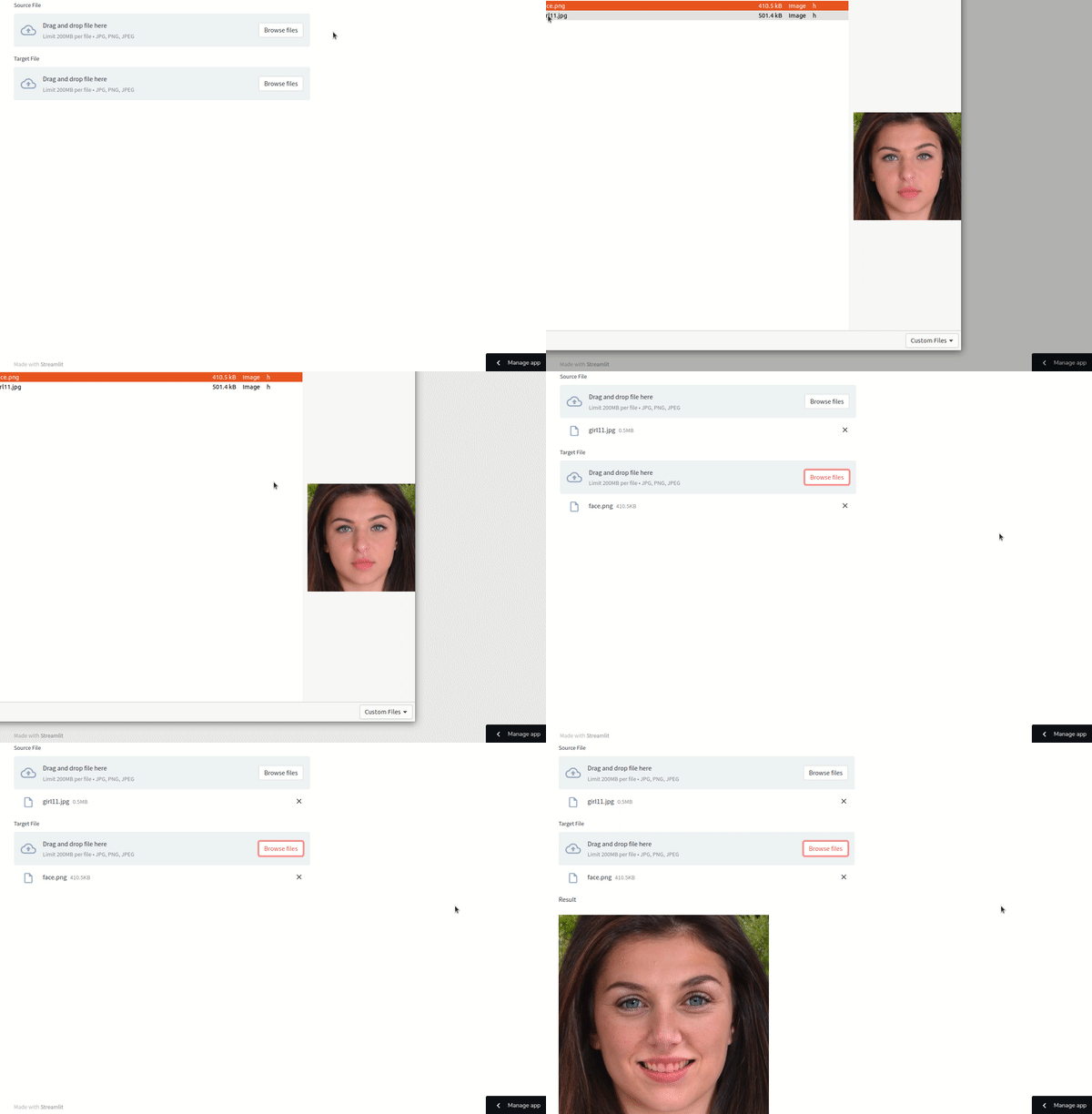
Pretty impressive! The result is not bad. Note that for better results, you should choose similar posture and lights. If you want to perfect the result, you can use your Photoshop skills.
Click on Share to share the app with your friends. They can try out the app in a browser via the invitation link.
Conclusion
In this tutorial, you learned an easy way to generate and swap faces using Face Swap and StyleGan. You also know how to deploy and share the web app with others using Streamlit.
The app's UI is minimal for demo purposes. I encourage you to explore Streamlit's API reference if you wish to make it fancier.
I hope that you've enjoyed this article. Thank you for reading, and see you next time!