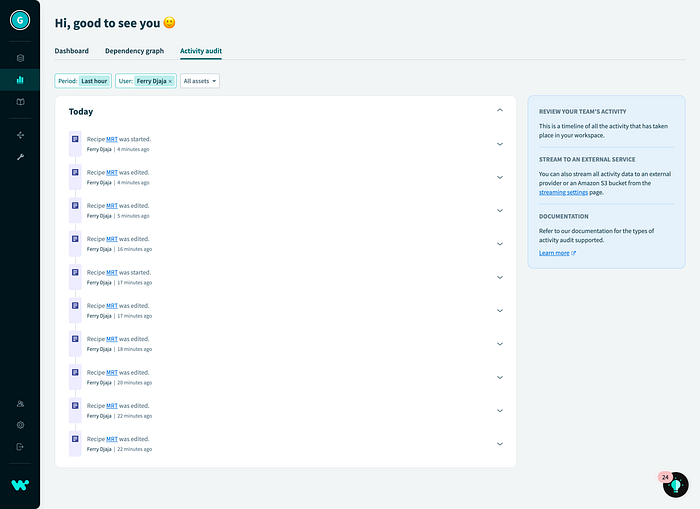

I built the user activity monitoring in the Workato platform with Raspberry Pico which will notify me with sound (buzzer) and visual (LED light on) whenever there are recent user activities (e.g. start/stop the recipe, deploy the manifest, update the Lookup Table, etc) in the platform.
The reason I built this is that I wanted to know if there are any changes in the production instance without needing to go to the Workato Dashboard platform to check the activity audit logs.
What is the activity audit log?
Activity audit logs provide a simple, powerful interface for Workato administrators to comprehensively track changes in their accounts. These changes include user activity such as logins and invitations, recipe modifications and events, start/stop recipes and more.
Using activity audit logs, we can quickly identify changes made by users over time and analyze their impact.

High Level Design

In the high level design, the microPython code running on the Raspberry Pico does the following:
- Login to Workato Prod instance.
- Get the activity audit log for the particular user id for the last an hour.
- Get the total number of activities, compare with the total number from the previous iteration. If there is any difference, i.e., the user has done some activities, turn on the LED light and buzzer.
Let's implement the design above in the microPython.
Coding with uPython
First we need to install the micropython-urllib.parse, do this by running the following code in Raspberry Pico in Thonny.
If you can't import upip, please use mip as is upip replaced by mip in the 1.19 release of micropython. https://docs.micropython.org/en/latest/reference/packages.html
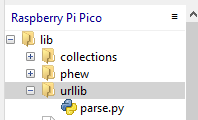
import mipOnce you have successfully installed, you will see them under lib folder in Raspberry Pico.
Login to Workato Prod Instance
The getSignSession() method is to get the token and the workato app session.
The getSession() method is to get further session and token. In this method, we need to put the Workato userid and password in the body.
The getAuditLog() method is to get the list of activities for the last one hour for the particular userid. The reason why I filter out by the particular userid is because of the limitation of the Raspberry Pico memory.
To get the userid, check the user_id value in the URL.
https://app.workato.com/dashboard/audit?range=1.hour&sort=failed_job_count&user_id=111982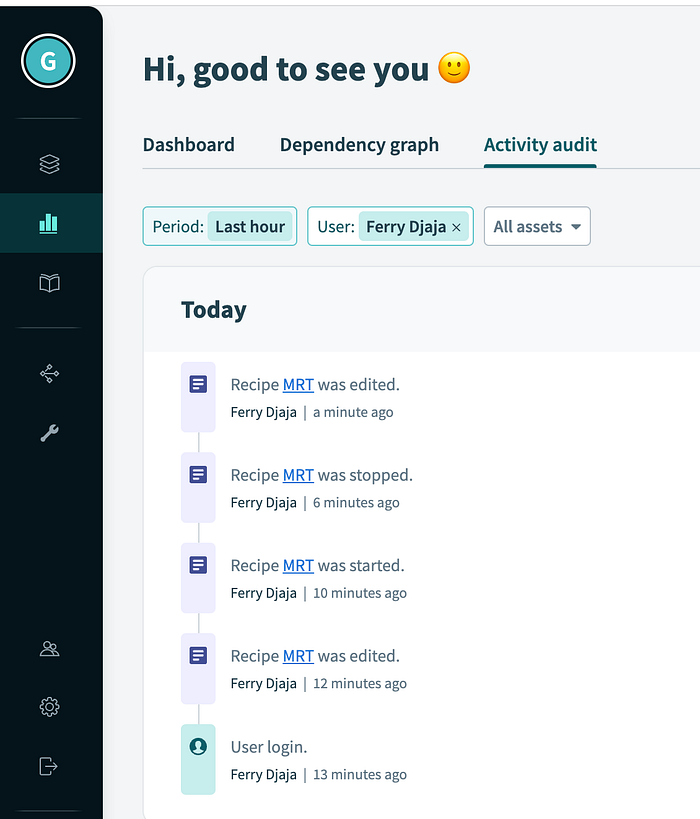
I need to exclude the Workato service account in the iteration (line 38 — replace the WORKATO_SVC_ACCOUNT with your service account), I am not sure why the Workato service account is being captured every time in the audit log, so I need to exclude them, else the count will not be accurate.
If the total activities different from the total activities from the previous iteration (e.g. user has modified the recipe or start the recipe), ring the buzzer and turn on the LED light, and turn off both of them after a while.
And finally, we need to put all of them in iteration to run it.
Next Step
With this approach, you can monitor other things, for example, the job execution with this endpoint.
https://app.workato.com/dashboard/flows.json?recipe_id=909733&sort_term=failed_job_count&sort_direction=asc&recipe_type=errors_onlyAnd parse the data from the result.
Here is quick demo video.
Reference
Monitoring Workato On-Prem Agent with Raspberry Pico Wireless