
With the rise of attacks against Active Directory Certificate Services (ADCS), defenders can't treat Certificate Authority as a black box anymore. A single bad template can turn an Authenticated User into Domain Admin in minutes. Think ESC1 (enrollee can set Subject/SAN and the CA honors it). This post shows how to read and analyze the raw ADCS database file (.edb), map who requested a certificate template that is vulnerable for ESC1, and spot whether your CA has been attacked in the past or not.
The first step is to identify where your Certificate Authority is running. You can use the certutil -dump command to gather that information.
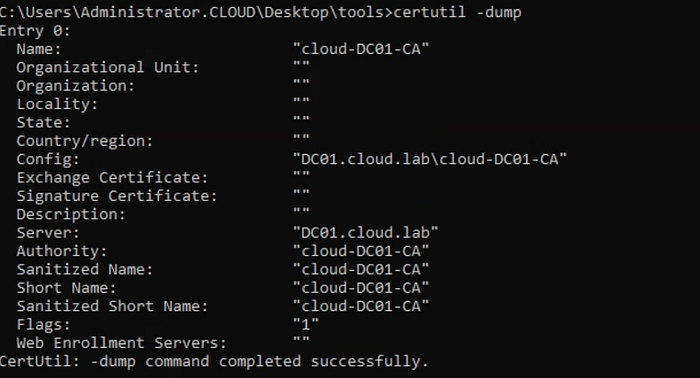
certutil -dump, showing the local CA name, server, and configuration string.On the CA server, run certutil -db -v -restrict "Request.Disposition=20" -out all to dump raw data from the ADCS database. The Request.Disposition=20 filter returns only successfully issued certificate requests.
The first thing you'll notice after running the command is that it fails to open the ADCS database because the file is locked. To fix that, stop the Active Directory Certificate Services (ADCS) service temporarily.

Once you stop the ADCS service and re-run the command, the database opens successfully. Below is a snippet of the expected output.
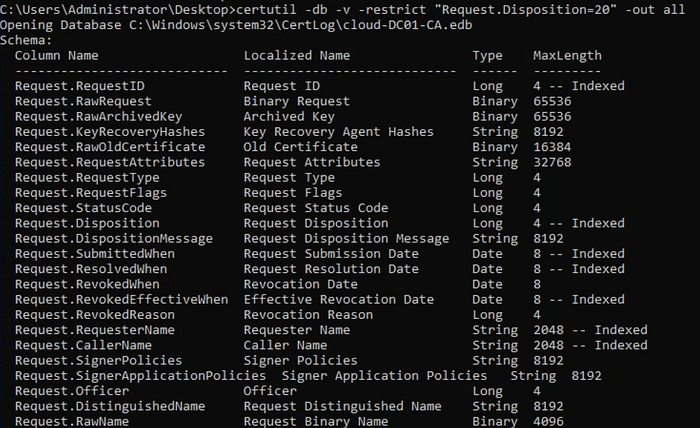
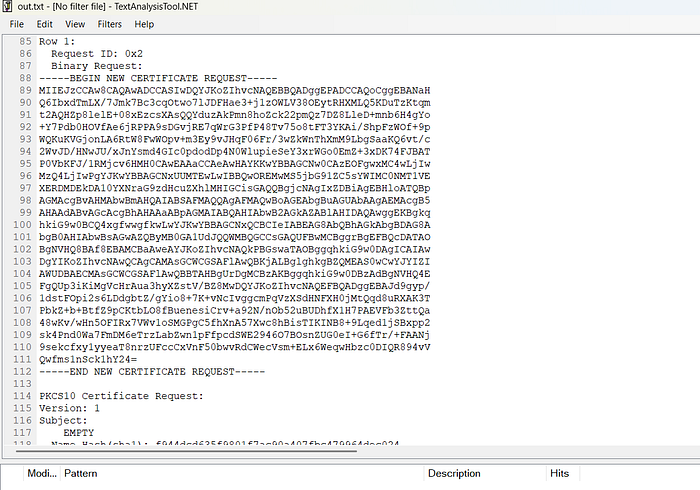
The raw output can be difficult to work with directly in the console, so it's a good idea to save it to a .txt file using certutil -db -v -restrict "Request.Disposition=20" -out all > out.txt, which you can then open with tools like TextAnalysisTool.NET to make the (offline) analysis easier.
If a certificate template allows client authentication and lets the requester specify the SAN, any user with enrollment rights can request a certificate for another user like a Domain Admin just by setting the UPN. The following diagram from Mandiant shows this attack path at a high level:

The raw ADCS database logs every certificate enrollment, and each entry typically starts with a row number followed by a Request ID.
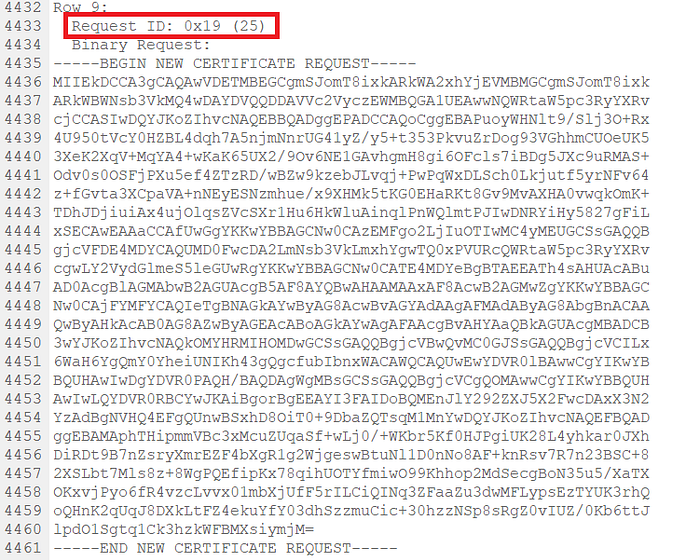
Now let's get back to the analysis. To find any certificate requests where a UPN was manually set in the Subject Alternative Name (SAN), you can use the following regex directly in your search: SAN=upn=([^\s]+). This will match any value that appears after SAN=upn= and capture the specified UPN.
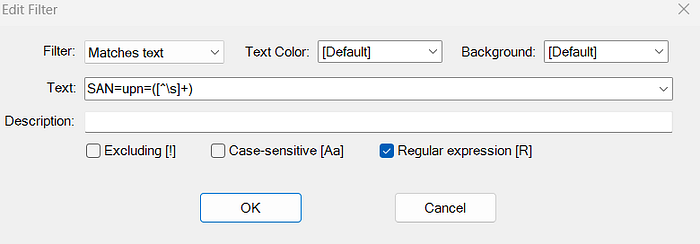
Scrolling further down in this example, you can see who submitted the certificate request and which account the certificate was issued to. The presence of a manually set UPN in the SAN field, along with the Client Authentication EKU, are strong indicators of an ESC1 scenario.
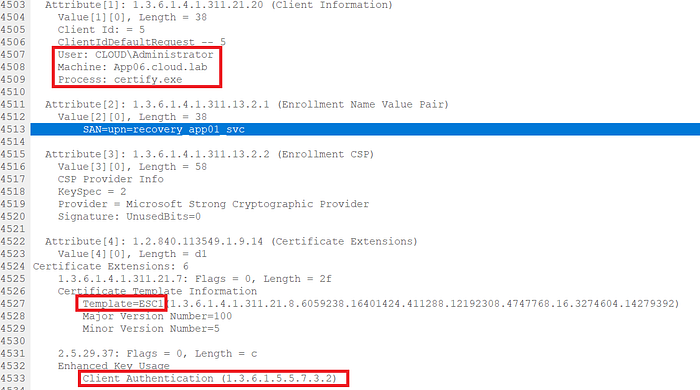
The raw ADCS database also shows who requested the certificate, when it was submitted, and other key details tied to the request.

I didn't realize just how much detail is stored in the ADCS database or how useful it can be for uncovering attacks like ESC1, so I decided to put together a quick blog post to dig into it.