

Let's be honest, most of us already know a ton of AI tools like ChatGPT, Claude, NotebookLM, Leonardo AI, and so on.
Yet, we keep collecting new ones like Pokémon cards.
We sign up for free trials, poke around for 5 to 10 minutes, feel impressed, and then… nothing actually changes.
That's because we're stuck in an infinite loop.
You need to understand that AI tools aren't slowing down. New ones will keep getting released every day, louder, shinier, and more promising than the last.
But here's the brutal truth: you don't need dozens of AI tools to be productive. You only need a couple of really good ones that fit into your workflow and actually save you time.
That's why I test 100+ new AI tools every week and write posts like this, so you don't have to waste your time chasing every new release.
Note: This post was originally published in my newsletter, AI Made Simple. It's basically where I document what actually works for me with AI, in real workflows.
With that said, let's get started.
1. aicofounder
You may be seeing that everyone is starting their own startups, and even the average employee is thinking about building something using LLMs, AI website and app builders, and similar tools.
But most of us struggle to find a solid idea, validate it, turn it into a real product, and then market it to attract users.
In short, we all need a proper roadmap to guide us through each step of the process.
That's where I came across aicofounder.
As the name suggests, it is an AI tool that walks you through the real stages of building a business, from idea validation and market research to website building and marketing.
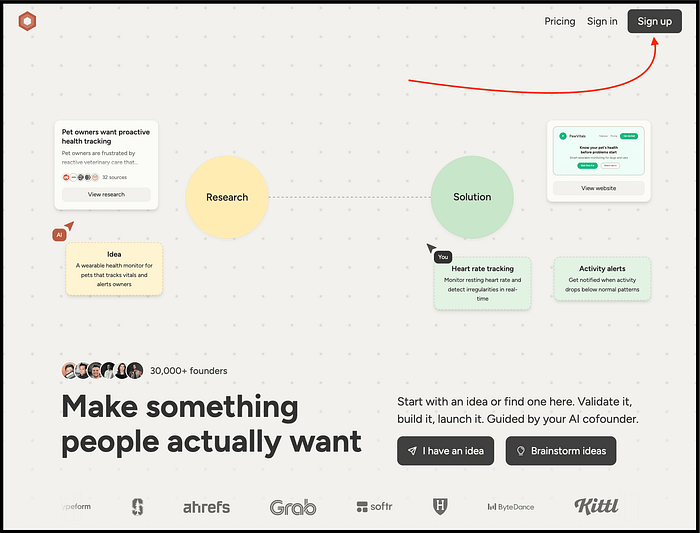
To get started, simply visit their website, sign up to create your account, and choose the phase you want to work on.
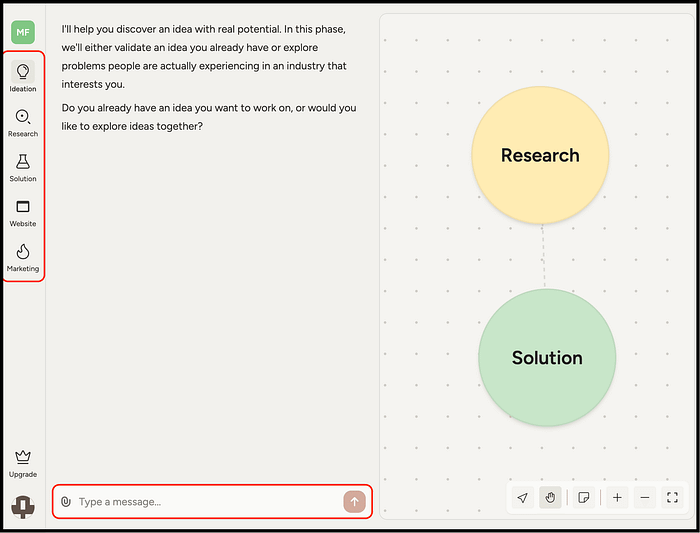
It works like a mentor, helping you find an idea, validate it with real data, build it step by step, and even market it using proven techniques.
As for pricing, you can get started for free and access most of these features.

2. Tripo
Let's be honest, we all know multiple AI image generators, AI headshot generators, AI voice generators, different LLMs, and so on.
But if I ask you to suggest an AI tool that can turn text prompts or 2D images into fully formed 3D models, most of you might have no idea.
That's where I want to talk about Tripo.
But Nitin, what does it do? At its core, Tripo lets you generate high-quality 3D models from text prompts or 2D images in seconds. But calling it just a "3D model generator" seriously undersells it.
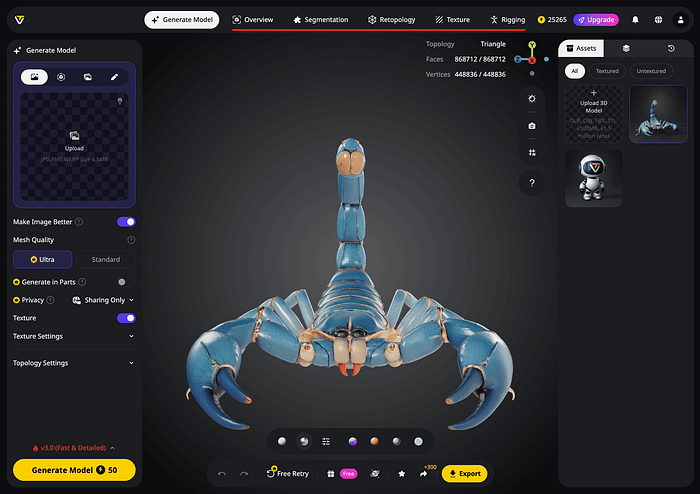
Unlike most tools that stop at generation, Tripo is built as an all-in-one 3D creation platform. After generating a model, you can refine the geometry, apply textures, adjust details, rig characters, and even prepare models for animation, all inside the same workflow.
This is what makes Tripo different.

To get started, simply visit their website and click the "Start for Free" button to create your account.
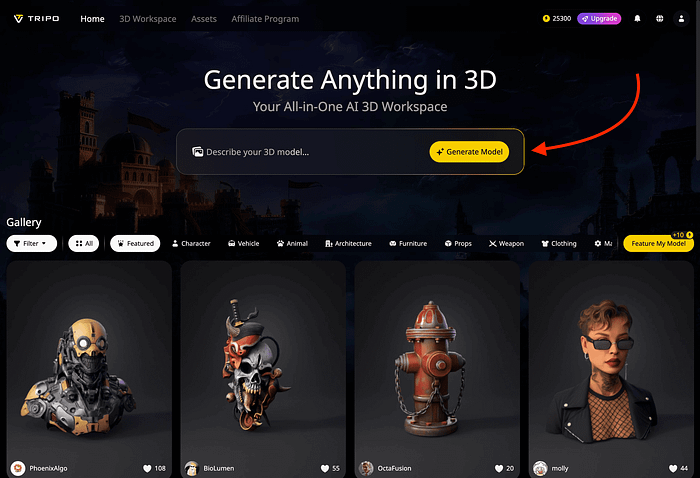
Then, write a detailed prompt describing the 3D model you want to generate.
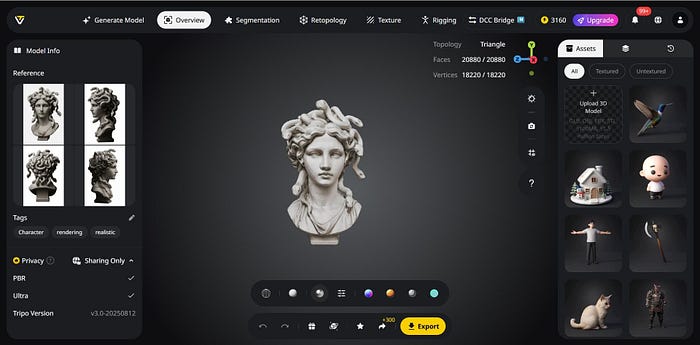
The best part? You can generate 3D models from 2D images in seconds, and it has premium features like multi-view and batch generation, one-click generation of part models, part segmentation and completion, exporting models with skeletons, and more.
Here's a great video if you want to get started and learn more:
When it comes to pricing, you can get started for free with 300 credits every month.

Just so you know:
Everything I've shared here is something I actually use.
If this post changed how you use AI even a little, that didn't happen in isolation. It came from a much bigger shift in how I use AI overall.
That's why I put that entire system down inside "The (Unfair) AI Workflow Playbook" with everything you need.
It's the exact set of workflows I use daily to run my work faster than feels normal, and if you apply even a few of them, you'll save hundreds of hours.
You can spend months figuring this out on your own, or you can steal my entire playbook right now.
3. Google Antigravity
We can clearly see how Gemini has pulled ahead of ChatGPT, even though earlier it was nowhere close.
And now, the same pattern could repeat with Google Antigravity.
But Nitin, what is Google Antigravity? You can think of it as a Cursor killer.
To be precise, it's a next-generation IDE developed by Google, packed with AI features designed to make your development process faster and easier.
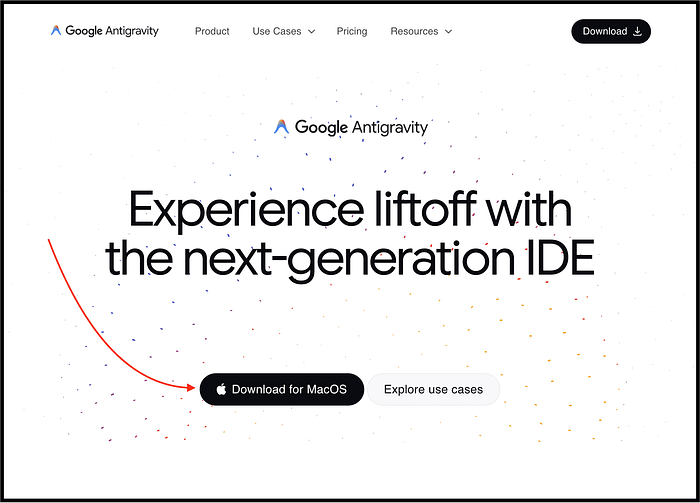
To get started, simply visit their website and click the "Download for macOS" button.
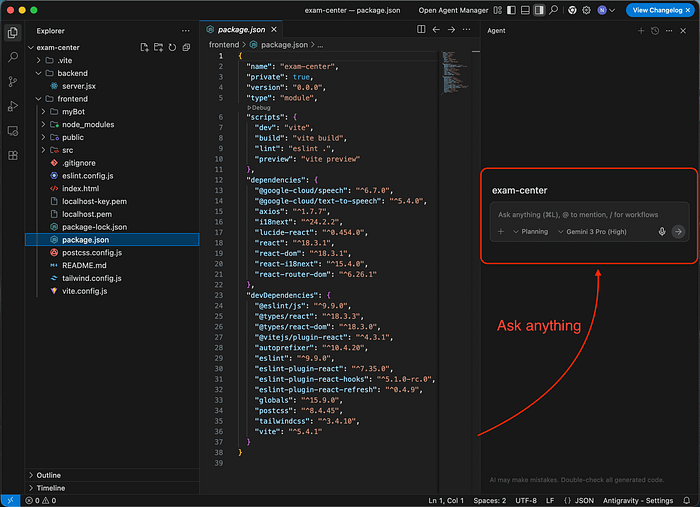
The interface looks very similar to VS Code, but the platform is split into three main surfaces: a high-performance Editor, a built-in Browser, and the Agent Manager.
That last one is the real game-changer, allowing you to run multiple autonomous agents across different projects at the same time.
The best part? You can get started for free and choose between Gemini, Claude, and ChatGPT models.
Here's what it offers:

4. Figy AI
You know, I'm a huge fan of NotebookLM and have been using it in different ways.
If you're even using it, you may know that it has a flashcard feature that automatically turns the documents and sources you upload into interactive flashcards for active learning and memorization.
Recently, I tried an AI tool called Figy AI that goes beyond that and turns any topic or content into smart flashcards that actually stick.

To get started, simply visit their website, create your account, and upload your content to generate flashcards.
Based on the content you upload, it generates flashcards that you can further edit, view in different formats, download, and more.
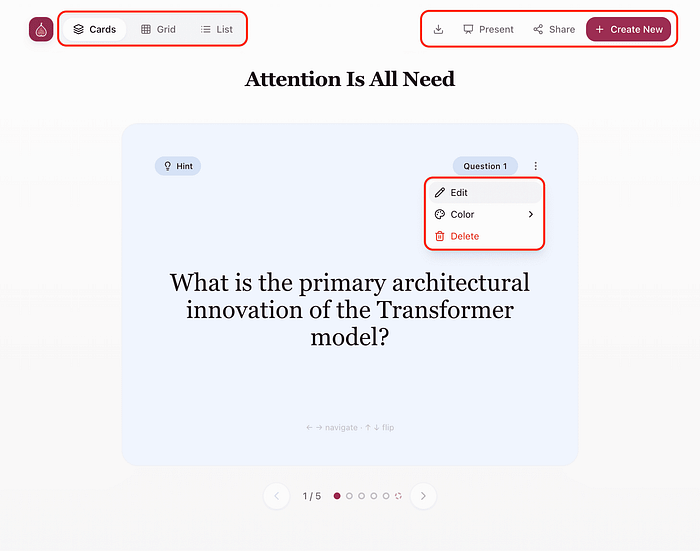
When it comes to pricing, you can generate up to 15 cards per request for free, and try it out multiple times.
So if your goal is to turn passive reading into durable knowledge quickly, Figy is one of the most surprisingly practical AI tools I've tested this month.
It's simple, free, dynamic, and most importantly, it pushes you to actually think, not just scroll.
5. Mastra
If you're a developer, chances are you've used Gatsby and loved it.
Well, the team behind Gatsby has now launched a new framework for building AI-powered applications and agents using a modern TypeScript stack.
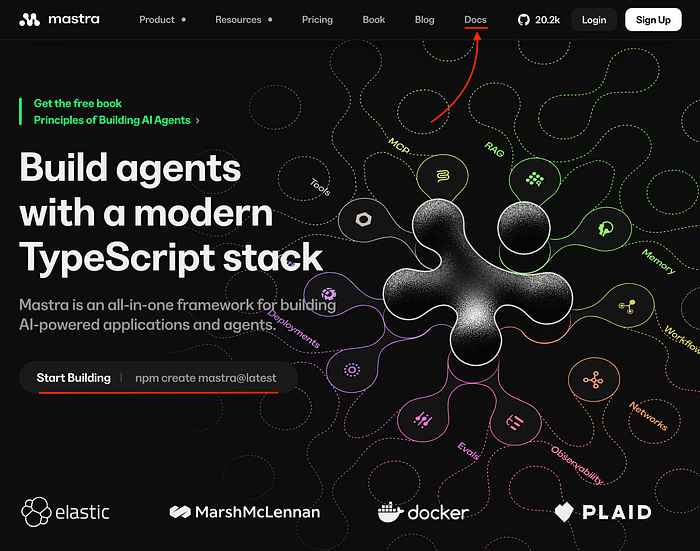
I'm talking about Mastra.
It's an open-source TypeScript framework built for developers that lets you build, iterate, and deploy AI agents locally. Think of it as the infrastructure layer that sits between your LLM and your actual application logic.
And here are some of its key features:
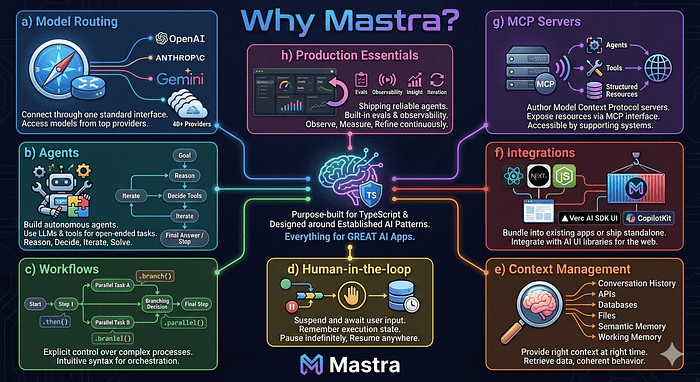
If you want to learn more about it, you can watch this YouTube video.
You can also read the documentation to get started and explore how to work with agents, workflows, MCP, and more.
6. CanvasGPT
Let's be honest, we're all using ChatGPT, Gemini, Perplexity, and Claude for text-based responses.
And many of you may not enjoy reading text every day.
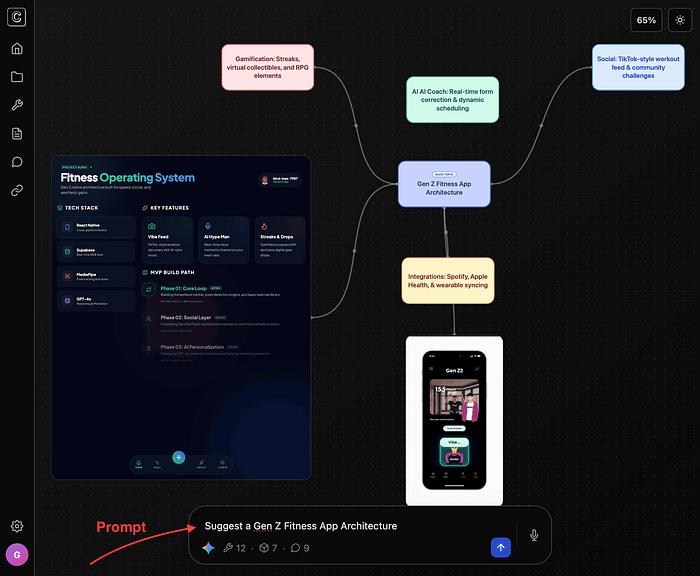
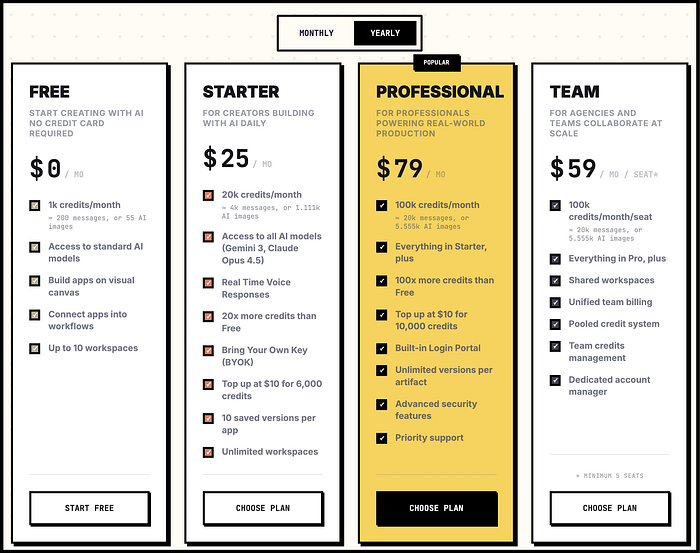
That's where CanvasGPT comes in. It gives you an infinite canvas where ideas don't just live as text, they actually grow into things you can use.
The best part? This all-in-one visual space is driven by AI agents that help you think, plan, research, build, automate, and even prototype.
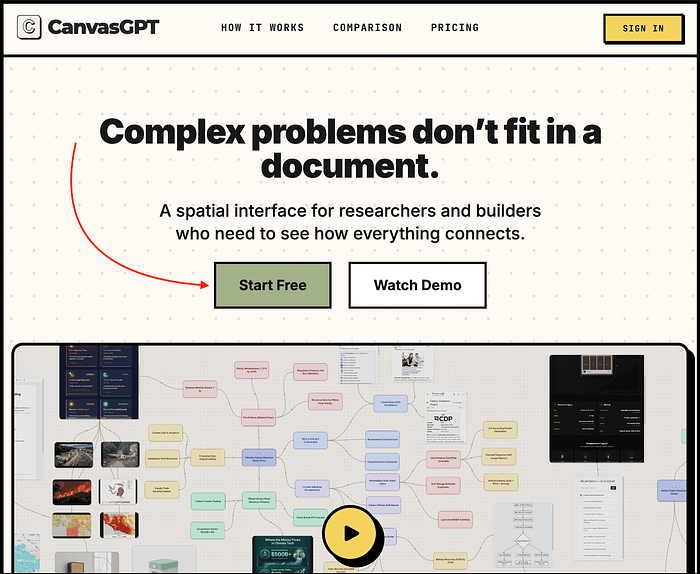
To get started, simply visit their website and click the "Start Free" button to create your account.
Then you can prompt it with what you want to generate.
When it comes to pricing, you get 1,000 credits every month for free and can use most of these features.
7. Montella
You know, I've used almost every popular project management app like Asana, Trello, Jira, and more.
But the problem is that I feel motivated for a while and then don't want to download another app or visit a website every day. It adds an extra step and makes the whole process feel tedious.
That's where I started using Montella. It's actually a Chrome extension that gives you a minimal, privacy-first project manager that lives right inside your Chrome tab.
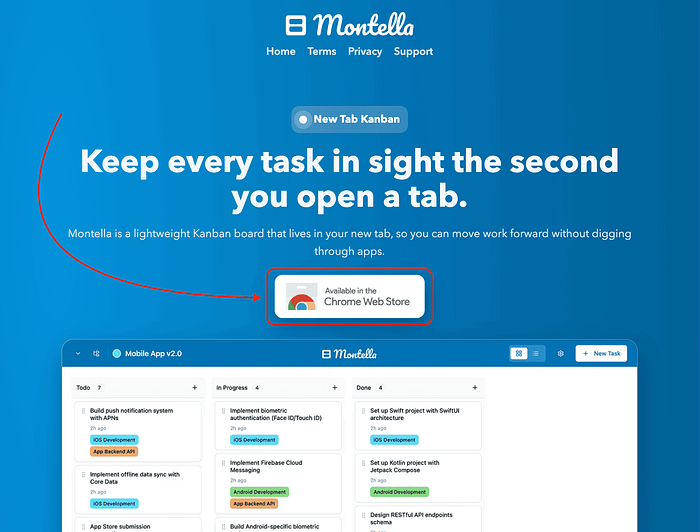
To get started, you just need to visit their website and download the Chrome extension.

Once installed, it sits directly in your Chrome toolbar, which makes it especially convenient for people like me who work almost entirely within the browser.
And yes, it has all the functionality you need to manage projects, or more specifically, your everyday tasks.
8. Documentation
I'm seeing that almost everyone right now is building AI tools using ChatGPT wrappers. And we all know it's become much easier thanks to tools like Claude Code, Cursor, Lovable, and more.
At the same time, a growing number of frameworks for building AI-powered applications are being launched.
Each of these frameworks, and even your own tool, requires detailed documentation so users can understand how to use it and follow the right processes.
That's where Documentation AI comes in. It helps you create and publish beautiful, AI-optimized product documentation, API references, and help centers that update automatically. This helps teams onboard users faster and reduce support tickets.
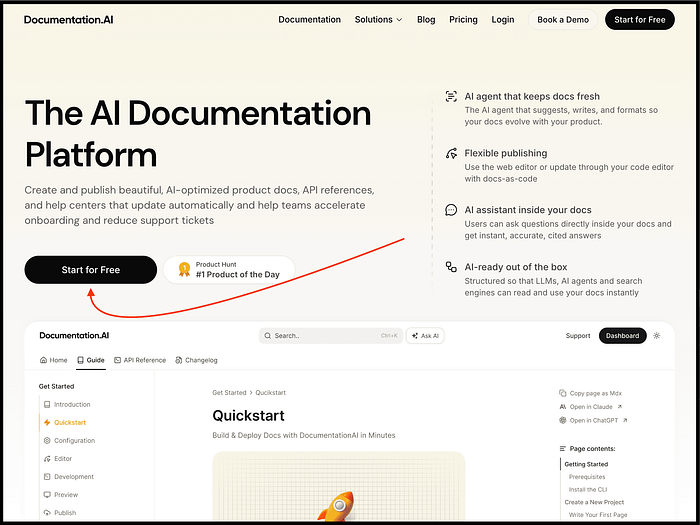
To get started, simply visit their website and click the "Start for Free" button to create your account.
It was ranked the #1 Product of the Day on Product Hunt, so you get a good idea of how strong the product is.
As for pricing, you can get started for free and use it forever with most of its features.
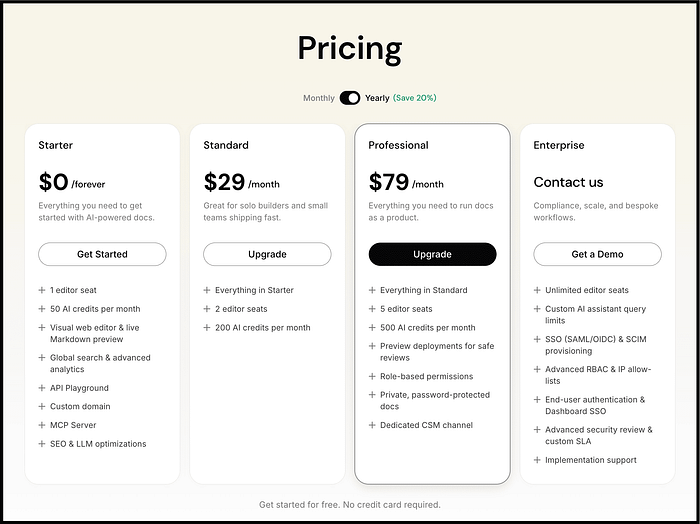
If you need more advanced features, you can always upgrade to one of their paid plans.
9. Opttab
If you follow me, you may know that I've been writing online for over 5 years now.
And most of my posts easily rank on Google, and even on LLMs like Perplexity, Claude, and ChatGPT.
Sure, Google Analytics helps you track your Google rankings.
But what about boosting your AI visibility, tracking how you appear in AI search results, improving your GEO score, and more?
Well, that's where you can use Opttab.
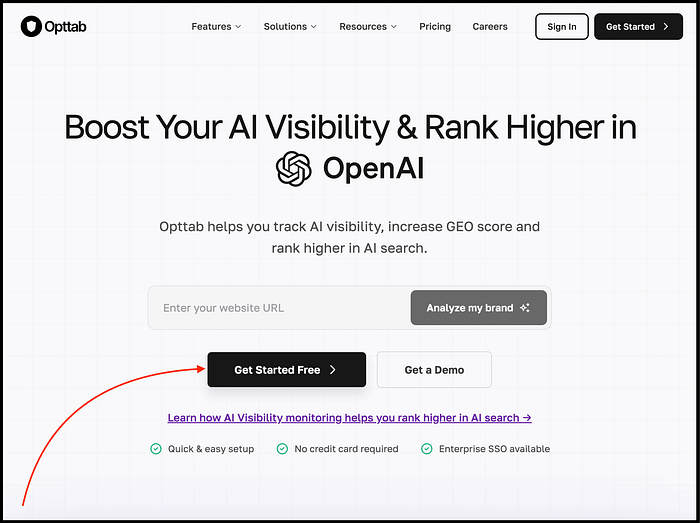
To get started, simply visit their website and click the "Get Started Free" button to create your account.
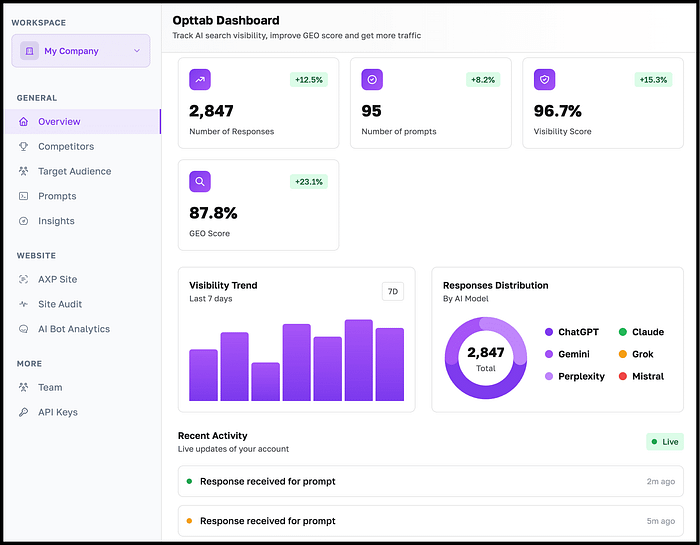
After that, you just need to add your information and your website, and then you can track your AI search visibility, improve your GEO score, and more from the dashboard.
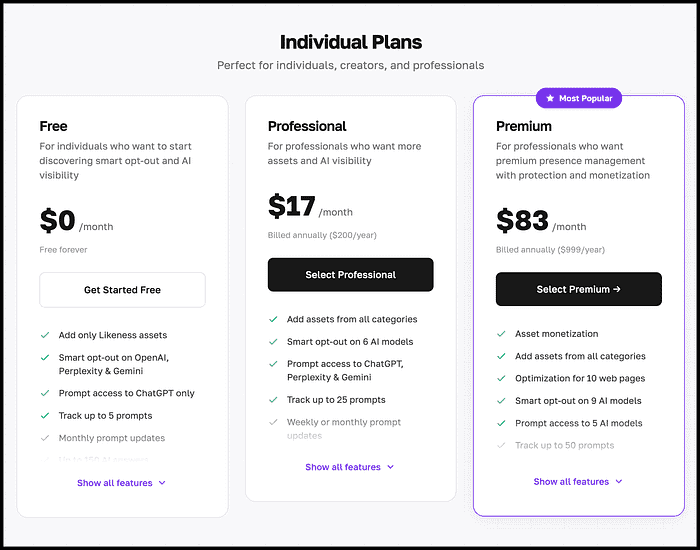
As for pricing, you can get started for free and track up to five prompts on ChatGPT.
Hope you like it.
That's it, thanks.
Also, don't forget to check out "The (Unfair) AI Workflow Playbook" where I shared the exact set of AI workflows I use daily to run my work faster than feels normal.