

This is my first post! I would like to share you with a telegram bot which I have built. Actually, it was evolved from an assignment for a specialized diploma which I have took after work. The motivation to evolve the chat bot is for me to continue practicing the language (javascript)and tools (nodejs) which I have pick up while building it.
So here we go…
Imagine…
You have planned to go to some places but you need to know whether there are any nearby car parks to park your car.
At some hours of time, some parking lots can be expensive and you wanted to avoid these periods. However, you don't know when are these periods.
Although you have reached the car park, you are unable to park as there are no vacant lots left.
What if you could know all of the above in advance ?
That's what sgCarparkBot can help you to find out!
It is a telegram bot…
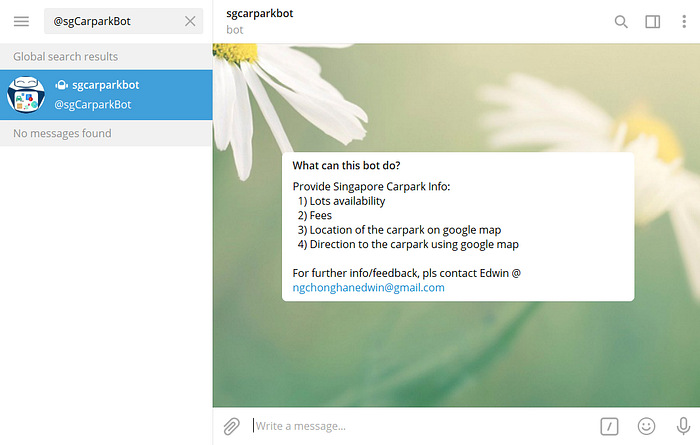
Like any users in the messaging app, Telegram, sgCarparkBot (bot name in telegram: @sgcarparkbot) is a telegram bot that responds to inputs from user and query for relevant information from API services or cloud storage. These information is then responded back to the user.
How it works…
Before finding out how the telegram bot works, here is some explanation about the car parks types used in the bot. The car parks are categorized into 2 types, namely HDB and LTA. HDB car parks are parking lots that are for residential buildings whereas LTA car parks are parking lots that are for commercial buildings such as hotels, shopping mall or land mark places.
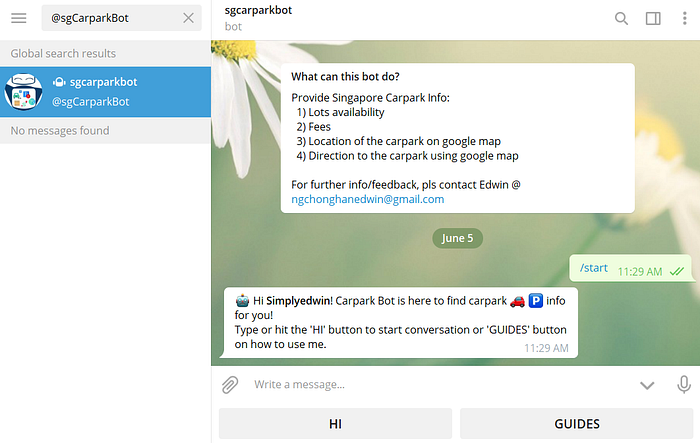
The conversation started with the bot prompting the user to type or click onto the "Hi" button to start the query or "Guides" button for guidance in using the bot.
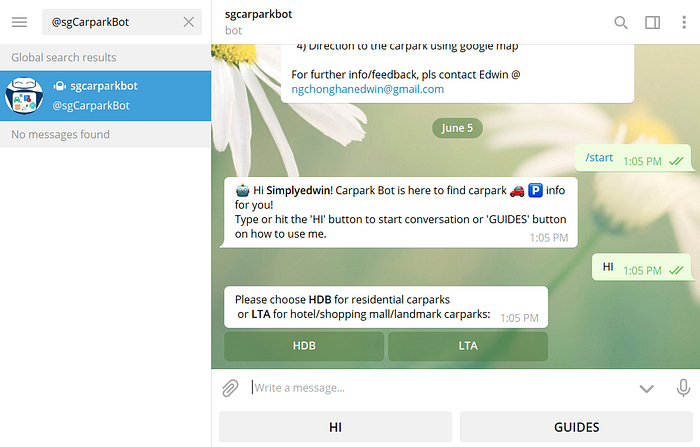
Once the query started, 2 options will prompted for user to choose: HDB car parks and LTA car parks. For this post, I will focus on the HDB car parks option and so will leave the LTA car parks option for you to explore!

The bot will asked the user for a road name. Alternatively, the user could also use his/her current location to query by clicking onto the "MY LOCATION" button.
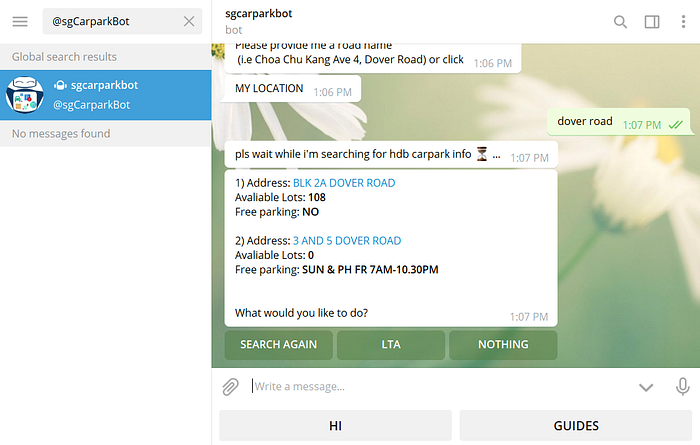
The bot will then used the provided address, which is dover road for this case, to fetch for information of car parks that are near to the address. The return result are capped at 3 car park information with most empty lots if the bots found that there are more than 3 car parks based on the queried address. The reply from the bot will show the car park address, number of vacant lots and free parking period.
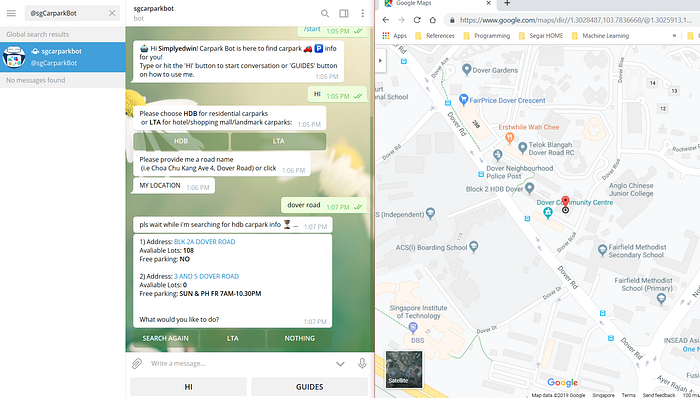
The user could also retrieve the location of the car park onto google map by clicking onto the address of the car park. A prompt will appear to the user to request for permission to open the address in google map. The user could then use the direction feature on the google map to get the direction to the car park.
Below is a video demo of the telegram bot in action !
There's all for the intro of sgCarpark bot. I hope that after reading this post, you will download the telegram app and search for @sgcarparkbot to give it a try!
Cheers !