

Right after graduation, I really wanted to try building my own tech startup and so I started diving deep into learning about everything from business stuff, to applying for grants, to pitching to TONS of people. I even got to the point where I got two other technical people to help me out and had to struggle through learning and designing the tech stack myself while figuring out how to split the tasks. Trying to juggle between all these tasks was overwhelming to say the least and I got really frustrated and wanted to just get a grant and hire people to code for me 🙃.
However, after I've heard stories from a CTO friend about how he had to rewrite the entire code base after the version written by their freelancer and after reading the book "Company Of One" by Paul Jarvis and other similar books, I came to realize that patiently struggling through the entire tech stack and understanding it inside out is really important for tech founders. You don't necessarily have to code everything out yourself for sure but I (personally) think strong domain knowledge is indispensable (I got schooled — learnt this the hard way).
So this beginner friendly guide is a cumulation of all the info and learnings I've gathered throughout these six months (from technical people I've talked to, to technical guides I've learned from online). At the beginning, I felt really overwhelmed because things felt like its all over the place. Like this tutorial says do this but then that other person says NOT to do that and it just keeps going in so many different directions.
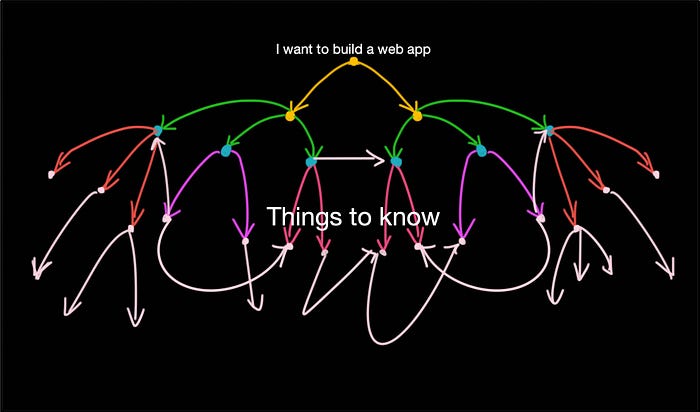
I'll be separating this guide into two sections — the first being the development part (using your web app locally), the second will be the deployment stuff (deploying your web app online) and lastly things to consider in general. Let's get started!
Ideation
Drawings + Sketches
As mentioned above, I originally wanted to present a prototype to investors and get a startup fund to build my mvp and I designed it with Figma. I've never used Figma before this but I managed to pick it up rather easily. Alternatively (if you're going at it solo and so presenting the prototype isn't very important), pen + paper might actually work better because I find that it allows people to just easily scratch things off then redraw them and ideas seem to flow more naturally.
Figure out and label how many pages (e.g. www.yourWebsite.com/pageA) there needs to be and then after you have a wire-frame of each individual page, start figuring out which components there are in each page.
Web App Development
I code on Visual Studio Code and the make commits to GitHub. If you're working in a team, it might be a good idea for the admin to protect the master branch so the master branch version remains bug free.
Front-end
Recommended Framework: React
I chose React instead of Angular mainly because I felt like React is just easier to start with and learn. If you're building a Single Page Application (which is recommended because it is better to off with a small sized version and user-validate along the way rather than head straight to a large application using a full-blown framework). Furthermore, (not sure how legit) but I've read that Angular is losing popularity. Also, it may be worth mentioning that React is more than sufficient for most use cases (Websites built with React — Airbnb, Asana, Atlassian, Facebook, Netflix).
What I started off with — A Learn React in 5 Hours video, two other React courses from Udemy.
Most React courses will probably teach you class based components (since hooks and functional components are relatively newer). I personally would recommend using functional components and hooks as much as possible. This is because, functional components are easier to write, simpler and can avoid the this mess that comes with classes. If you'd like to read more about why functional components are "taking over" and more detailed explanations, check this link out.
Consider using React with: Redux, Redux-Promise or Redux-thunk, Redux-Devtools-Extension and the tons of other packages available from npm.
Back-end
Recommended Frameworks to consider: Express, Django, Flask
There are various backend architectural styles to go for but if you're new to this, I highly recommend just going ahead with a monolithic architecture (but organizing it in such a way that different services are properly separated into different files or folders). This is because, even though the micro-services architecture is better (in terms of scalability and flexibility), it adds on extra complexities as well. Here's a guide if you want a beginner friendly tutorial for micro-services.
If you need a user verification service (e.g. sending of activation link to user's email), check out services like Twilio's SendGrid.
Database I personally used: MongoDB (with Mongoose)
MongoDB is a nosql database and in Mongoose, the biggest concurrency concern is what happens when application code modifies two copies of the same document at the same time. However, optimistic concurrency is introduced in Mongoose 5.10 and it is basically a stricter version of Mongoose's default versioning and can help maintain a consistent view of the database. However, if you're trying to build a finance related app or an app where data validity is SUPER important, perhaps sql databases may be more appropriate. SQL databases include — PostgreSQL, Oracle and MySQL.
Web App Deployment
Buying your domain name — There are various sites where you can visit to buy a domain name. Additionally, things to consider when deciding the site to buy from includes: A reliable DNS service provider is important because your website's redundancy, security and speed. If having a "always available" site is a requirement, then consider having multiple DNS providers. It is common practice to configure one of the DNS providers as primary and the other as secondary, slaved to the primary provider. You will then need to point this to an IP (this IP thing we'll talk about in the very next section — you'll get it from the server you've deployed your code to)
Deploying on the server — Even though deploying on your own machine is technically possible. It is a better idea to deploy on a virtual machine instead (like on AWS EC2). Deploying on AWS will probably be more expensive than other options like Heroku, DigitalOcean or Azure. However, the good thing is that AWS offers a one year free tier option so you can take this time to scale your start up and until you exceed a certain number of users, you won't be charged (if you select all the free options). Now, because AWS offers TOO many services, it may be pretty overwhelming to figure out which ones you need or don't need. Here's a few that will (probably) be relevant:
- EC2 (for deployment),
- DynamoDB (storage),
- ELB & Route53 (network and content delivery),
- Cloudformation (service provision & management),
- SQS (application integration),
- Kinesis (Media Service)
Check out this course if you'd like to learn more about the "essential" AWS services!
Testing
Testing can lead to 40–80% reduction in bug density. Google Test Driven Development (TDD) to find out more.
For React, consider: RITEway, React Testing Library (RTL), Jest, Enzyme
For NodeJS, consider: Mocha, Chai, Jest
Continuous Integration
Consider checking out: Jenkins, CircleCI and GitHub Actions
General things to note and consider
Just start first. It doesn't matter if the first version is messy or not scalable. I freaked out once when a senior told me that monolithic back-end architecture isn't a good idea and I should be using and designing a micro-service based back-end architecture instead. And how important it is to use TypeScript instead of JavaScript and code it in XYZ way. Needless to say, I felt extremely frustrated because right when I felt like I have it figured out, the very next moment I'm told that there's a better way of doing things.
The thing is, there'll probably always been a better way of doing things. Like micro-services architecture has obvious benefits over monolithic architectures. That being said, do consider if the benefits of using Micro-services + Docker + Kubernetes (and then there's the Clean architecture etc) outweighs the cons of delaying release (of mvp) by X months. And even if coding with the monolithic architecture, separate each service into different files or sections so if you eventually do want to rewrite your backend codes in a micro-service based architecture, it'll be easier to do so.
It's probably a good idea to plan out the API endpoints first (sketching out what actions from the frontend will trigger a specific set of return values, figuring out what needs to be loaded on each page, and what needs to be updated.
Remember to always encrypt your user's passwords before saving them to database. Also, nothing on the frontend is secure since all the endpoints are exposed and so remember to do authentication and validation stuff on the backend!
Add-ons:
Nginx — an open-source web server that, since its initial success as a web server, is now also used as a reverse proxy, HTTP cache, and load balancer. You can use Nginx for — reverse proxy with caching, IPv6, Load balancing, FastCGI support with caching, WebSockets, Handling of static files, index files, & auto-indexing, and TLS/SSL with SNI.
SOAP Web API — More secure than REST APIs but more complex and poorer performance. Used for enterprise apps, high-security apps, distributed environment, financial services, payment gateways, telecommunication services.
Security attacks to be aware of — SQL injections, Cross-site forgery, File inclusion, Cross-site-scripting (XSS) and DDoS attacks
That's about it! I would just like to clarify that I'm not suggesting that this is the BEST way of building a web app (in fact it really varies a lot depending on your specific use case). What I really wanted to do here is to present a "starter pack" that can help build the first version. If I've missed things out or if you disagree with some of the things written here, please feel free to drop me a message or add a comment so I can update this article! :) Thanks for reading!
Happy Web-Apping!