

In this course we have to design 3D solid modelling and surface, produce 2D drafting from 3D modelling, generate 3D animation and rendering using the related software. Computer-Aided Design, is the technology for design and technical documentation, which replaces manual drafting with an automated process. CAD are use of dedicated computer software to draft, draw and design objects and structures. It can be used to produce either two-dimensional or three-dimensional diagrams, which can then when rotated to be viewed from any angle, even from the inside looking out. The software that we used in this course is CATIA V5
The challenging during this task are difficult to take the measurement of the parts because the parts are so tiny. The surface helicopter cover difficult to scan for 3D scanner. The types of surfaces cause the light to be distorted in such a way that it interferes with the data acquisition process. When scanning difficult surfaces, it cause light scatters and bounces in uncontrollable directions.
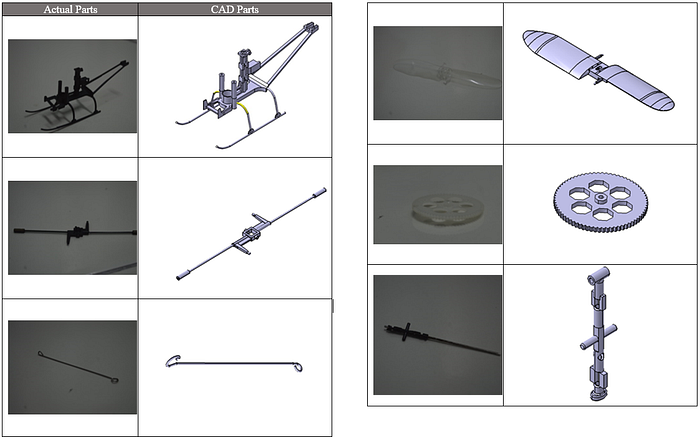
Below are all components which are drawn from CATIA V5 along with three other teammates.


The surface design was used to draw the RC body. To take this challenge, I'm volunteering myself. Initially, the actual part is scanned on 3D scanner and the file is converted to.stl so it can be read on CATIA V5. We scan only half the body and reflect the part in CATIA to have the design of the symmetry.


For this project we used Digital Mock up(DMU) Kinematics and Fitting workbench which enable us to create mechanisms between parts inside the product and simulate them. This workbench will show how a machine moves in the actual world if it is built and also can generate velocity, acceleration, time graphs for the entire motion of the product.
Video link: https://youtu.be/WujuagkUroM
Colour Scheme Rendering


