
Telegram Bots are powerful tools to simplify your life. This article will introduce the easy steps to create a fully automated Telegram bot.
1. Create a New Bot in Telegram
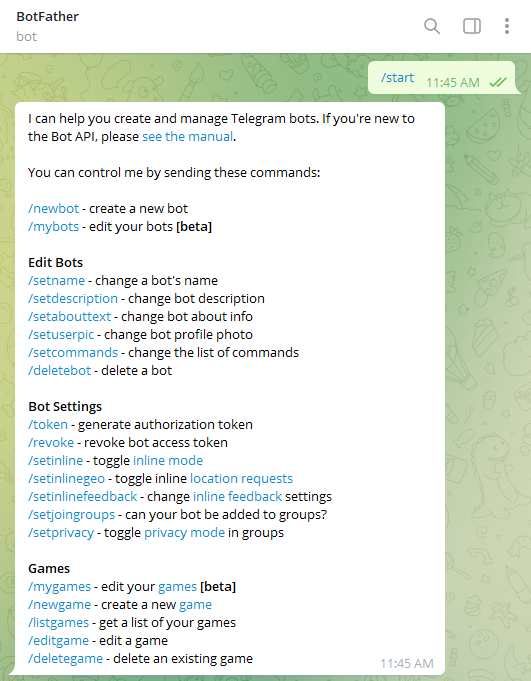
Search for @BotFather in Telegram:

Start and create a new bot as follows:
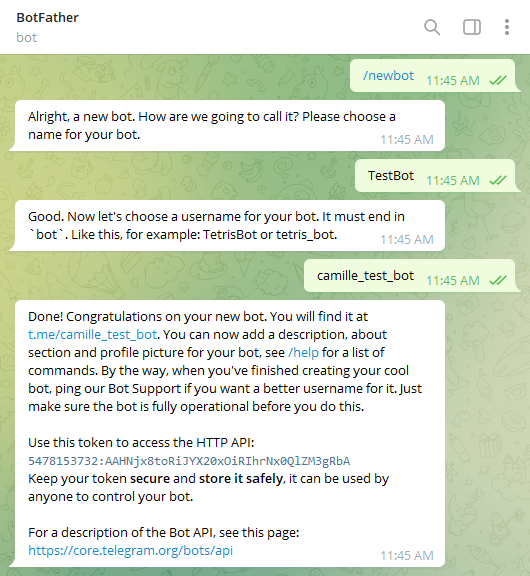
Just like that, you have your own bot created, click into the link given by @botFather and you can access and interact with your bot now:
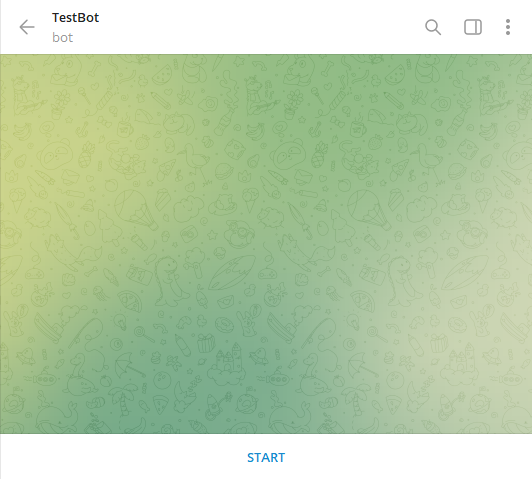
The bot won't response to any command or test just yet, hence moving on to the second step: code the responses in Python.
Make sure you have the HTTP API stored securely for later as well.
2. Code to Start the Bot
A few libraries we will need for this part, installation as follows in your Python console:
pip install python-telegram-botTo start the bot and register handlers, for commands such as the default /start for every bot:
def main():
    # start the bot
    updater = Updater(API_TOKEN, use_context=True)
    # dispatcher to register handlers
    dp = updater.dispatcher
    dp.add_handler(CommandHandler("start", start_command))
    # non-blocking
    updater.start_polling()
    updater.idle()
Here the code associates the command /start with function start_command . Each command function should follow the format below to take in 2 parameters update and context , and to respond using function update.message.reply_text("some text") . The /start command as follows:
def start_command(update, context):
    update.message.reply_text("Welcome to Test Bot!")
The complete program as follows:
from telegram.ext import Updater, CommandHandler
from datetime import datetime
API_TOKEN = "5478153732:AAHNjx8toRiJYX20xOiRIhrNx0QlZM3gRbA"
def start_command(update, context):
    update.message.reply_text("Welcome to Test Bot!")
def main():
    # start the bot
    updater = Updater(API_TOKEN, use_context=True)
    # dispatcher to register handlers
    dp = updater.dispatcher
    dp.add_handler(CommandHandler("start", start_command))
    # non-blocking
    updater.start_polling()
    updater.idle()
if __name__ == '__main__':
    main()
Once the program is started, /start command will respond accordingly:

3. Additional Command Functionalities
Let's add a command for to report the time and a help command for all the available commands:
from datetime import datetime
def time_command(update, context):
    update.message.reply_text(f"Time now: {datetime.now()}")
def help_command(update, context):
    update.message.reply_text("Available commands: start, time, help" )
Additional line under main() as well to associate the function with the key word to trigger it: dp.add_handler(CommandHandler("time", time_command)
Restart the program:

Final Note
There are unlimited possibilities as to what a bot can do. The objective of this article is simply to show the steps of creating a new bot with basic functionalities. Feel free to comment if you face any problems in the process. In the meantime, don't hesitate to follow me for more updates!