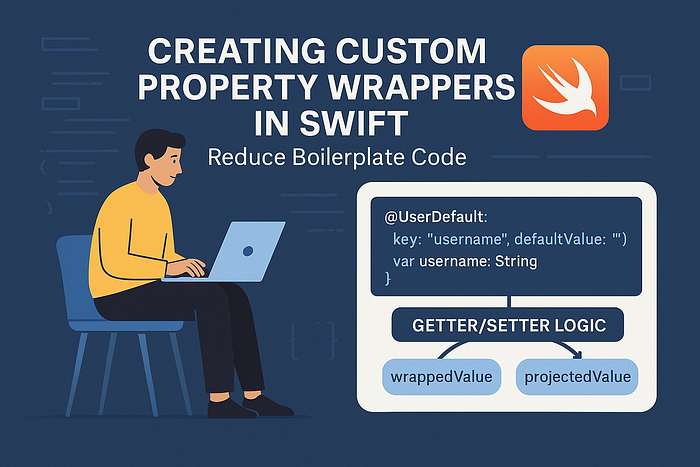


🔄 The Repetitive Code Problem
Look, we've all been there. You're scrolling through a codebase and suddenly you're hit with that déjà vu feeling. Wait, didn't I just see this exact same pattern three files ago?
Swift developers are notorious for writing the same boilerplate code over and over again. And honestly? It's not our fault. The language gives us powerful tools, but sometimes we end up building the same scaffolding repeatedly.
Let's look at some real examples that'll probably make you cringe with recognition.
UserDefaults Hell:
class SettingsManager {
    var username: String {
        get { UserDefaults.standard.string(forKey: "username") ?? "" }
        set { UserDefaults.standard.set(newValue, forKey: "username") }
    }

    var isNotificationsEnabled: Bool {
        get { UserDefaults.standard.bool(forKey: "isNotificationsEnabled") }
        set { UserDefaults.standard.set(newValue, forKey: "isNotificationsEnabled") }
    }

    var theme: String {
        get { UserDefaults.standard.string(forKey: "theme") ?? "light" }
        set { UserDefaults.standard.set(newValue, forKey: "theme") }
    }

    // ... and 15 more properties just like this
}
Ugh. That's a lot of typing for what should be simple property storage, right?
Validation Nightmare:
struct User {
    private var _email: String = ""
    var email: String {
        get { _email }
        set {
            guard !newValue.isEmpty else { return }
            guard newValue.contains("@") else { return }
            _email = newValue
        }
    }

    private var _username: String = ""
    var username: String {
        get { _username }
        set {
            guard !newValue.isEmpty else { return }
            guard newValue.count >= 3 else { return }
            _username = newValue
        }
    }

    private var _age: Int = 0
    var age: Int {
        get { _age }
        set {
            guard newValue >= 0 else { return }
            guard newValue <= 120 else { return }
            _age = newValue
        }
    }
}
Now here's where it gets really annoying. You're writing basically the same validation logic pattern, just with different rules. The structure is identical — check some conditions, bail if they fail, otherwise assign the value.
Thread Safety Boilerplate:
class DataCache {
    private let queue = DispatchQueue(label: "cache.queue", attributes: .concurrent)
    private var _data: [String: Any] = [:]

    var userData: [String: Any] {
        get {
            return queue.sync { _data }
        }
        set {
            queue.async(flags: .barrier) { self._data = newValue }
        }
    }

    private var _settings: [String: String] = [:]
    var settings: [String: String] {
        get {
            return queue.sync { _settings }
        }
        set {
            queue.async(flags: .barrier) { self._settings = newValue }
        }
    }
}
See the pattern? Same queue setup, same sync/async dance, just different backing storage.
The thing is, each of these examples follows the exact same structure. We're essentially building the same architectural patterns but typing them out manually every single time. It's like writing HTML without CSS — technically it works, but you're doing way more work than necessary.
What's worse is that this repetitive code isn't just tedious to write. It's error-prone (miss one guard statement and your validation is broken), hard to maintain (want to change the validation rules? Better find all 12 places you implemented them), and honestly kind of embarrassing when a new team member asks why we have the same 20 lines of code scattered everywhere.
There's got to be a better way, right? Spoiler alert: there is.
✨ Property Wrappers: The Solution
Alright, so what if I told you that Swift has a feature that can turn all that repetitive mess into something clean and reusable? Property wrappers are basically Swift's way of saying "hey, stop copy-pasting that validation logic everywhere."
Here's the thing about property wrappers — they're not some fancy new concept. They're just a way to encapsulate the getter/setter logic that you're already writing. Think of them as little code templates that Swift applies to your properties automatically.
Let's see what happens when we take that UserDefaults nightmare from before and wrap it up properly:
@propertyWrapper
struct UserDefault<T> {
    let key: String
    let defaultValue: T

    var wrappedValue: T {
        get {
            UserDefaults.standard.object(forKey: key) as? T ?? defaultValue
        }
        set {
            UserDefaults.standard.set(newValue, forKey: key)
        }
    }
}
Now here's where it gets interesting. Instead of writing all that boilerplate for each property, you just do this:
class SettingsManager {
    @UserDefault(key: "username", defaultValue: "")
    var username: String

    @UserDefault(key: "isNotificationsEnabled", defaultValue: false)
    var isNotificationsEnabled: Bool

    @UserDefault(key: "theme", defaultValue: "light")
    var theme: String
}
Wait, what? That's it? Yep, that's literally it. Swift takes your property wrapper and automatically generates all the getter/setter code for you. No more typing the same UserDefaults pattern over and over.
But property wrappers aren't just for UserDefaults. Remember that validation mess? Here's how we can clean that up:
@propertyWrapper
struct Validated<T> {
    private var value: T
    private let validation: (T) -> Bool

    init(wrappedValue: T, validation: @escaping (T) -> Bool) {
        self.validation = validation
        self.value = wrappedValue
    }

    var wrappedValue: T {
        get { value }
        set {
            if validation(newValue) {
                value = newValue
            }
        }
    }
}
And then your User struct becomes way cleaner:
struct User {
    @Validated(validation: { !$0.isEmpty && $0.contains("@") })
    var email: String = ""

    @Validated(validation: { !$0.isEmpty && $0.count >= 3 })
    var username: String = ""

    @Validated(validation: { $0 >= 0 && $0 <= 120 })
    var age: Int = 0
}
Look at that! No more repetitive getter/setter patterns. No more private backing variables scattered everywhere. Just clean, declarative property definitions that tell you exactly what they do.
The best part? Property wrappers are completely type-safe and compile-time checked. Swift handles all the heavy lifting for you. You write the pattern once, and then you can apply it anywhere you need it.
Actually, let me be honest here — when I first encountered property wrappers, I thought they were just syntactic sugar. "Why complicate things?" I wondered. But once you start using them in real projects, you realize they're not just about reducing typing. They're about creating consistent, reusable patterns that make your code more maintainable and less error-prone.
The @State and @Binding wrappers in SwiftUI? Those are property wrappers too. Apple's been using this pattern extensively because it works so well for encapsulating common behaviors.
Ready to build some custom ones that'll actually solve your day-to-day problems?
🏗️ Building Your First Custom Wrapper
Alright, let's get our hands dirty and build something useful. I'm going to walk you through creating a property wrapper that actually solves a real problem — because honestly, there's no point in learning syntax if it doesn't make your life easier.
We'll start with something straightforward but genuinely useful: a wrapper that automatically trims whitespace from strings. You know how many times you've had to call .trimmingCharacters(in: .whitespacesAndNewlines) on user input? Yeah, too many.
@propertyWrapper
struct Trimmed {
    private var value: String = ""

    var wrappedValue: String {
        get { value }
        set { value = newValue.trimmingCharacters(in: .whitespacesAndNewlines) }
    }
}
Now you can use it like this:
struct UserForm {
    @Trimmed var firstName: String
    @Trimmed var lastName: String
    @Trimmed var email: String
}

var form = UserForm()
form.firstName = "  John  "
print(form.firstName) // "John" - automatically trimmed!
Simple, right? But here's where property wrappers start to show their real power. Let's build something more sophisticated — a wrapper that handles both validation AND provides feedback about what went wrong.
@propertyWrapper
struct ValidatedInput {
    private var value: String = ""
    private let validator: (String) -> ValidationResult

    enum ValidationResult {
        case valid
        case invalid(reason: String)
    }

    init(wrappedValue: String = "", validator: @escaping (String) -> ValidationResult) {
        self.validator = validator
        self.value = wrappedValue
    }

    var wrappedValue: String {
        get { value }
        set {
            switch validator(newValue) {
            case .valid:
                value = newValue
            case .invalid:
                // Keep the old value, but you could log the error
                break
            }
        }
    }

    // This is where it gets interesting - projected value
    var projectedValue: ValidationResult {
        validator(value)
    }
}
Now here's the cool part. You can use the projected value (accessed with $) to check validation status:
struct User {
    @ValidatedInput(validator: { input in
        guard !input.isEmpty else { return .invalid(reason: "Email cannot be empty") }
        guard input.contains("@") else { return .invalid(reason: "Invalid email format") }
        return .valid
    })
    var email: String
}

var user = User()
user.email = "invalid-email"

switch user.$email {
case .valid:
    print("Email is valid")
case .invalid(let reason):
    print("Validation failed: \(reason)")
}
Wait, what's that $ syntax? That's the projected value - it's like a bonus feature your property wrapper can provide. You've probably seen this with @State in SwiftUI, where $someProperty gives you a binding. Same concept here.
Actually, speaking of SwiftUI state management, if you're working with SwiftUI and want to understand how @State, @Binding, and friends work under the hood, this is exactly the same pattern. Check out Mastering SwiftUI State Management: @State vs @Binding vs @ObservedObject vs @StateObject (2025 Guide) - it'll help you understand how Apple built those property wrappers.
But let's keep building. Here's a property wrapper that's saved me countless debugging sessions — automatic logging:
@propertyWrapper
struct Logged<T> {
    private var value: T
    private let name: String

    init(wrappedValue: T, _ name: String) {
        self.value = wrappedValue
        self.name = name
        print("🔧 \(name) initialized with: \(wrappedValue)")
    }

    var wrappedValue: T {
        get {
            print("📖 Reading \(name): \(value)")
            return value
        }
        set {
            print("✏️ Setting \(name) from \(value) to \(newValue)")
            value = newValue
        }
    }
}
Use it like this:
struct Settings {
    @Logged("theme") var theme: String = "light"
    @Logged("username") var username: String = ""
}

var settings = Settings()
// Output: 🔧 theme initialized with: light
// Output: 🔧 username initialized with:

settings.theme = "dark"
// Output: ✏️ Setting theme from light to dark
Now, here's something important — property wrappers follow the same principles that make good Swift code in general. They should be focused, reusable, and follow clear patterns. If you're interested in writing better Swift code overall, definitely check out SOLID Principles in Swift Made Easy — the single responsibility principle especially applies here.
One thing to watch out for though: don't go crazy with property wrappers. I've seen developers try to wrap everything, and that's not the point. Use them when you find yourself writing the same getter/setter pattern multiple times. If it's a one-off thing, just write regular code.
🪄 How Property Wrappers Actually Work
When you write this:
struct User {
    @UserDefault(key: "username", defaultValue: "")
    var username: String
}
Swift doesn't just magically make it work. Behind the scenes, it's doing some serious code transformation. Let me show you what's really happening.
The Compiler Transform:
When Swift sees that @UserDefault property, it essentially rewrites your code to this:
struct User {
    private var _username: UserDefault<String> = UserDefault(key: "username", defaultValue: "")

    var username: String {
        get { _username.wrappedValue }
        set { _username.wrappedValue = newValue }
    }

    var $username: UserDefault<String> { _username }
}
Wait, what? Yeah, Swift is literally generating three things for you:
- A private stored property that holds the wrapper instance
- A computed property with your original name that forwards to
wrappedValue - A projected value property (the
$one) that gives you access to the wrapper itself
Let's Break This Down:
The wrappedValue is the key. When you define:
@propertyWrapper
struct UserDefault<T> {
    var wrappedValue: T {
        get { /* your logic */ }
        set { /* your logic */ }
    }
}
You're essentially telling Swift: "When someone accesses the property, call my wrappedValue getter. When they assign to it, call my wrappedValue setter."
The Mental Model:
Think of it like this — the property wrapper is a middleman. When you write:
user.username = "John"What actually happens is:
- Swift calls the
usernamecomputed property setter - Which calls
_username.wrappedValue = "John" - Which runs your custom setter logic in the
UserDefaultwrapper
Why This Matters:
Understanding this transformation explains a lot of quirks:
struct Settings {
    @UserDefault(key: "theme", defaultValue: "light")
    var theme: String
}

var settings = Settings()
Now, here's what's really happening in memory:
settingscontains a_themeproperty of typeUserDefault<String>- The
UserDefaultinstance was created once during initialization - Every time you access
settings.theme, you're calling through to that same wrapper instance
The Projected Value Mystery Solved:
When you access settings.$theme, you're getting the actual wrapper instance. That's why this works:
let wrapper = settings.$theme
print(type(of: wrapper)) // UserDefault<String>
You're literally getting access to the UserDefault object that's stored in _theme.
Initialization Order:
This is where it gets interesting. When you write:
@UserDefault(key: "username", defaultValue: "")
var username: String
The UserDefault(key: "username", defaultValue: "") part runs once when the containing type is initialized. Not every time you access the property.
Multiple Instances:
If you create multiple instances:
var settings1 = Settings()
var settings2 = Settings()
Each gets its own UserDefault wrapper instance. They don't share the wrapper - they each have their own middleman.
The wrappedValue Contract:
The reason property wrappers work is because Swift knows to look for a property called wrappedValue. That's the contract. You could have other properties in your wrapper:
@propertyWrapper
struct Example<T> {
    var wrappedValue: T  // This is what Swift forwards to
    var someOtherProperty: String = "ignored"  // Swift ignores this
}
Only wrappedValue gets the special treatment.
Why Initialization Parameters Work:
When you write @UserDefault(key: "username", defaultValue: ""), those parameters go to the wrapper's initializer. Swift transforms this:
@UserDefault(key: "username", defaultValue: "")
var username: String
Into this:
private var _username: UserDefault<String> = UserDefault(key: "username", defaultValue: "")The initializer runs once, creating the wrapper instance that'll handle all future property access.
Now property wrappers should make a lot more sense. They're not magic — they're just a code generation feature that creates computed properties and middleman objects for you.
Ready to see some property wrappers that you'll actually want to use in real projects?
🔧 Real-World Property Wrappers
Okay, enough theory. Let's look at property wrappers that'll actually make your day-to-day Swift development less painful. These are the ones I find myself reaching for in real projects — not academic examples, but solutions to problems you probably face every week.
Thread-Safe Properties
If you're dealing with concurrent code (and let's be honest, who isn't these days?), this wrapper will save you from a lot of headaches:
@propertyWrapper
struct ThreadSafe<T> {
    private var storage: Storage<T>
    private let queue = DispatchQueue(label: "threadsafe.queue", attributes: .concurrent)

    private class Storage<K> {
        var value: K
        init(_ value: K) {
            self.value = value
        }
    }

    init(wrappedValue: T) {
        self.storage = Storage(wrappedValue)
    }

    var wrappedValue: T {
        get {
            queue.sync { storage.value }
        }
        set {
            let storage = self.storage
            queue.async(flags: .barrier) {
                storage.value = newValue
            }
        }
    }
}
Now instead of writing queue management code everywhere:
class DataManager {
    @ThreadSafe var cache: [String: Any] = [:]
    @ThreadSafe var userSettings: UserSettings = UserSettings()
    @ThreadSafe var isLoading: Bool = false
}
Done. Thread-safe properties with zero boilerplate.
Clamped Values
Instead of writing min/max validation everywhere, let's create a wrapper that keeps values within bounds:
@propertyWrapper
struct Clamped<T: Comparable> {
    private var value: T
    private let range: ClosedRange<T>

    init(wrappedValue: T, _ range: ClosedRange<T>) {
        self.range = range
        // Clamp the initial value too
        self.value = max(range.lowerBound, min(range.upperBound, wrappedValue))
    }

    var wrappedValue: T {
        get { value }
        set {
            // This is where the magic happens - every assignment gets clamped
            value = max(range.lowerBound, min(range.upperBound, newValue))
        }
    }
}
The key insight: when you assign control.volume = 150, Swift calls the wrappedValue setter, which automatically clamps it to 100. The wrapper instance holds both the current value and the range, so it can validate every assignment.
struct VolumeControl {
    @Clamped(0...100) var volume: Int = 50
    @Clamped(0.0...1.0) var opacity: Double = 1.0
}
Validation with Status Reporting
Now here's where things get interesting. What if you want both the validated value AND the ability to check if validation passed? This is where the projected value comes in handy.
First, let me explain what projected values are. When you define a property wrapper with a projectedValue, Swift creates a third property with the $ prefix that gives you access to additional functionality beyond just getting/setting the wrapped value.
@propertyWrapper
struct Validated<T> {
    private var value: T
    private let validator: (T) -> ValidationResult
    private var lastResult: ValidationResult = .valid

    enum ValidationResult {
        case valid
        case invalid(reason: String)
    }

    init(wrappedValue: T, validator: @escaping (T) -> ValidationResult) {
        self.value = wrappedValue
        self.validator = validator
        self.lastResult = validator(wrappedValue)
    }

    var wrappedValue: T {
        get { value }
        set {
            let result = validator(newValue)
            lastResult = result
            if case .valid = result {
                value = newValue
            }
        }
    }

    // This is the projected value - accessible via $propertyName
    var projectedValue: ValidationInfo {
        ValidationInfo(result: lastResult, currentValue: value)
    }
}

struct ValidationInfo {
    let result: Validated<Any>.ValidationResult
    let currentValue: Any

    var isValid: Bool {
        if case .valid = result { return true }
        return false
    }
}
Now you can use it like this:
struct User {
    @Validated(validator: { email in
        guard !email.isEmpty else { return .invalid(reason: "Email cannot be empty") }
        guard email.contains("@") else { return .invalid(reason: "Invalid email format") }
        return .valid
    })
    var email: String = ""
}

var user = User()
user.email = "invalid"         // This is the wrappedValue - tries to set email
print(user.$email.isValid)     // This is the projectedValue - checks validation status
if case .invalid(let reason) = user.$email.result {
    print("Validation failed: \(reason)")
}
The $email gives you access to validation info, while email gives you the actual value. This is the same pattern SwiftUI uses - @State var text: String gives you the string value, while $text gives you a Binding<String>.
Debounced Input
This wrapper manages timing state internally and uses the projected value to expose control over the debouncing:
@propertyWrapper
final class Debounced<T: Equatable> {
    private var value: T
    private var workItem: DispatchWorkItem?
    private let delay: TimeInterval
    private let action: (T) -> Void

    init(wrappedValue: T, delay: TimeInterval, action: @escaping (T) -> Void) {
        self.value = wrappedValue
        self.delay = delay
        self.action = action
    }

    var wrappedValue: T {
        get { value }
        set {
            value = newValue
            workItem?.cancel()

            let item = DispatchWorkItem { [weak self] in
                self?.action(newValue)
            }
            workItem = item

            DispatchQueue.main.asyncAfter(deadline: .now() + delay, execute: item)
        }
    }
}
Usage:
class SearchViewModel {
    @Debounced(delay: 0.5, action: { query in
        print("Searching for: \(query)")
    })
    var searchQuery: String = ""
}

let viewModel = SearchViewModel()
viewModel.searchQuery = "swift"      // Starts debounce timer
viewModel.$searchQuery.flush()       // Immediately triggers search
// or
viewModel.$searchQuery.cancel()      // Cancels pending search
The Pattern
Property wrappers work by creating persistent middleman objects that intercept property access. The wrappedValue handles the basic get/set operations, while the optional projectedValue (accessed via $) exposes additional functionality like control operations, meta information, or alternative interfaces.
When you understand that these are stateful objects that live alongside your data, the whole system makes sense. You're designing custom property behavior by designing the middleman that handles all property access.
🚀 Wrapping Up
Property wrappers are one of those Swift features that seem complex until they click. Once you understand that they're just persistent middleman objects intercepting property access, the whole concept becomes straightforward.
The key takeaways:
- They're code generators — Swift creates getter/setter boilerplate for you
- They're stateful objects — the wrapper instance lives alongside your data
- Use them for patterns, not one-offs — if you're writing the same property logic repeatedly, wrap it
- Keep them focused — each wrapper should solve one specific problem well
Start with the simple ones like @UserDefault and @Clamped. Once you're comfortable with those, you can tackle more complex patterns like validation with projected values or debouncing.
The best part? These wrappers become part of your personal Swift toolkit. Write them once, use them everywhere.
Want to level up your Swift skills further? Follow me for more practical iOS development content:
- Twitter for quick tips and industry insights
- LinkedIn for career-focused content
- Medium for in-depth tutorials like this one
Found this helpful? Buy me a coffee to support more content like this!