
Hi everyone today we will look how to use RxSwift in tableView with pagination. Also our project will contain refresh control. In my example project I will use MVVM design pattern.
Let's start to create project as usual. After creating your project add RxSwift and RxCocoa. (How to add your project => https://github.com/ReactiveX/RxSwift)
Now we are ready to create our UITableView, UIActivityIndicatorView and UIRefreshControl in PaginationController. My example project has been written by programmatic usage but it's same as .Xib or Storyboard.
As you see we have define our objects and set our layout. To prevent memory leak also we define a dispose bag. (You can get details from https://github.com/ReactiveX/RxSwift )
We assign our UIRefreshControl to UITableView's to capture swipe action while tableView is on top and swiped down.
Binding part is same as we use in RxSwift cause of that I'm not explaining this part. On this step our controller is almost ready. It gets action when try to refresh but there isn't any action for pagination. Let's add it also.
The working principle of pagination works by checking which point of the scrollable length of the tableview you are. If you get close to the end of the tableview, at this point you need to throw a request.
Based on this information, we add our code to perform instant scroll operations inside the tableViewBind function.
Now are finished basic of PaginationController it's turn for PaginationViewModel but we firstly need any dummy service to test our code.
This service will allow us to return data 8 seconds after the request for pagination is triggered. I limited the number of pages to 5 to ensure every condition , so we can test all scenarios as end of the pagination.
After creating our dummy service, what we need to do is to manage the requests in the PaginationViewModel. At this point, I will explain function function as much as possible.
It is ensured to listen to instant triggers by subscribing refresh control and fetchMore Datas PublishSubjects within the bind function.
refreshControlTriggered function, as soon as the refresh control is triggered, previous requests are canceled and old data is deleted.
refreshControlTriggered function cancel all previous requests and delete old datas has been fetched from service. It is ensured that a request is sent as if a request was made for the first time.
With the fetchDummyData function if the page length in the service is available and there is no request already it makes a service request. While performing these operations it set's tableView's footer view and refresh controls state.
With the handleDummyData function, the data from the service is added to the tableview and the service page arrangements are made for the next request.
After all of these changes we need to add some code to our PaginationController to react changes.
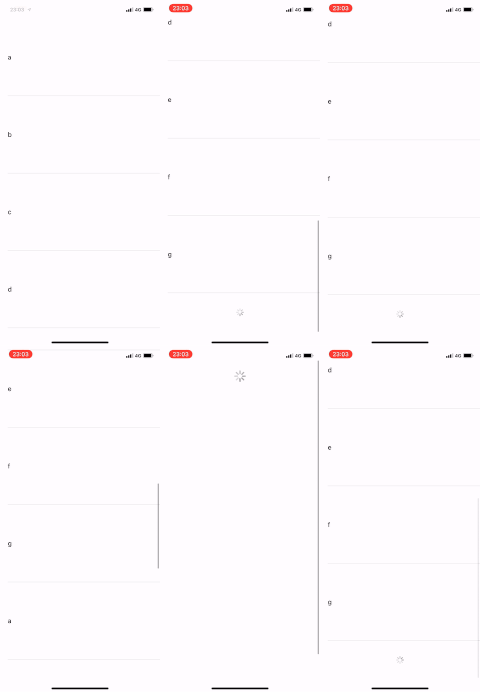
As a result, we have a tableview with pagination and refresh control that works perfectly. See you in the next article.
For example project => https://github.com/ferhanakkan/RxSwiftPagination