

Requirements
Before jumping in into the code / test script, we need to fulfilled some necessary requirements first :
Requirement 1 : Code Editor
Install any Code Editor you're comfort with. I personally suggest VS Code.
Requirement 2 : Install python
I will personally suggest to install python version 3.9.10, as it is the one I use on this project (having no error or weird encounter with this version). You can install it from python.org, or use any python version management tools. If you need Guideline for installing python version management, you can try pyenv. Please refer to my article here, it will cover guideline for Windows, MacOS, and Linux (Ubuntu) :
Also make sure that pip is installed together with python. If by a weird chance it is not automatically installed, refer to Python Crash Course.
Make sure both python and pip are installed correctly on your Local Machine by running these command on your cmd / terminal :
python -V
pip --version
Requirement 3 : Install Appium and all of its dependencies
I already create one specific article of guideline for installing Appium, please check it out :
Or, you can also google it yourself. There are plenty of tutorials and other guidelines out there related with Appium Installation. It's a bit of journey and might quite challenging, but you'll find it'll be so satisfying once it is completed 😃!
Note : You need to install appium 2.x for this project. If your local machine only have Appium 1.x, please refer to below article to migrate it.
Requirement 4 : Install Demo Apps
Download and install this Demo Apps into your Android Device (credit to Wim Selles). Open the Apps on your Android Device, just make sure it can be opened normally.
Repository Sample
To speed up the process, please go to my GitHub Repository here :
https://github.com/ahmadazerichandrabhuana/robotframeworkandroid
Just clone it or download it. It's free 😃
Repository Dependencies
After all of the requirements are fulfilled and the repository is cloned / downloaded, open it using your Code Editor (preferably VS Code).
For the repository dependencies, all of them are already listed inside file requirements.txt. So, please run this command on your Editor's terminal :
pip install -r requirements.txt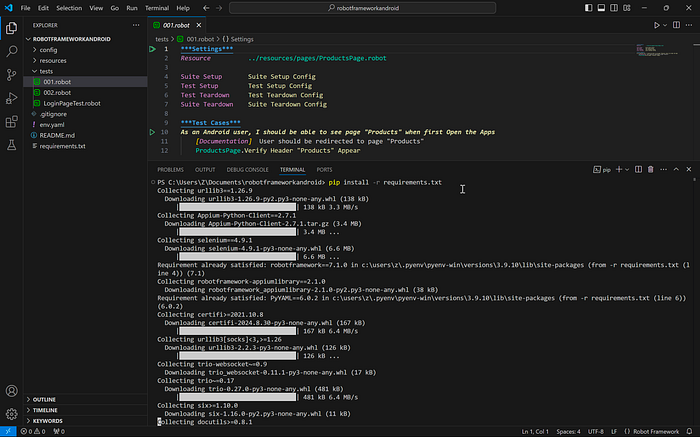
Troubleshoot :
- If you got error when run command
pip install -r requirements.txt, try to downgrade your python version. When I wrote this article, python version on my Local Machine is3.9.10and the script works, when I tried it on other machine using python3.13.0somehow I got error.
Next, you need to connect your Android Device into your local machine, and check it's UDID :
adb devices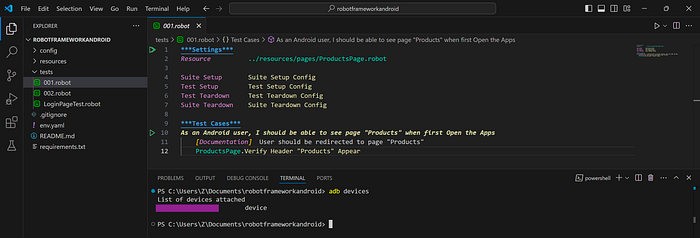
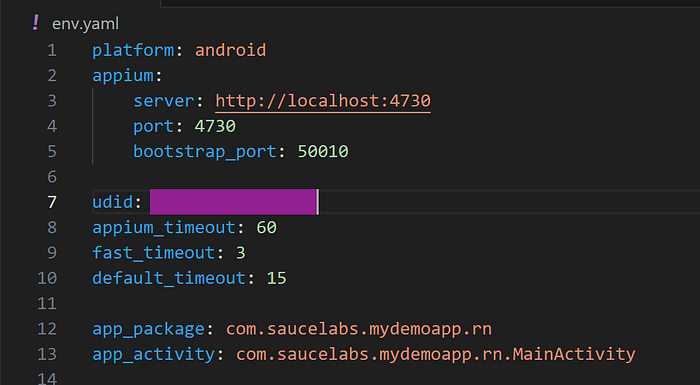
then open file env.yaml and change line 7 with your Device's UDID :
Run Test
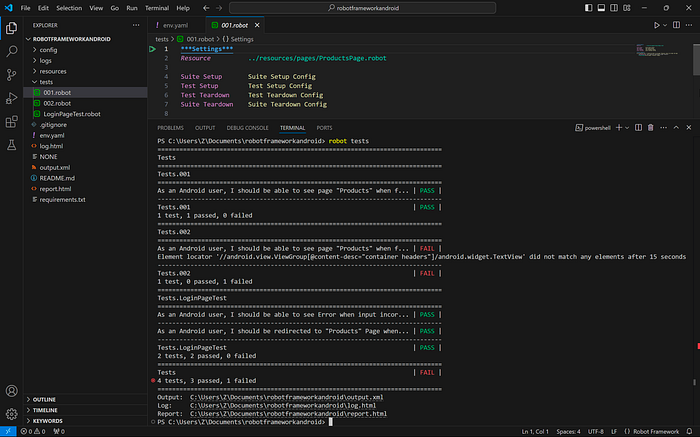
On your Editor's terminal, run the test using command :
robot testsit will open the Android Application on your Android Device several times and execute each test cases on each test files (new session of Application for each of them).
When the test execution is finished, you will see the result on the terminal.
Open Report File and Log File
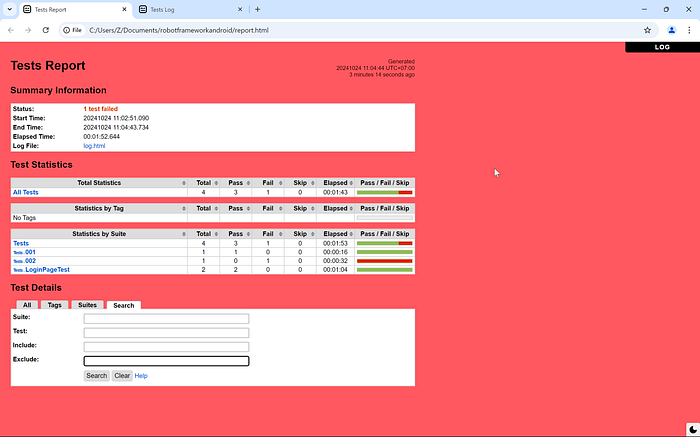
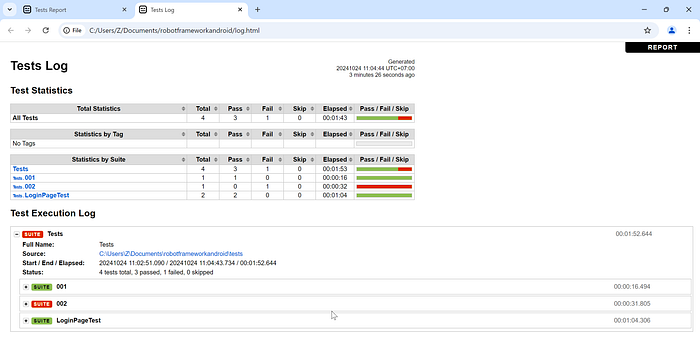
After the test execution is finished, there will be some new files created : log.html , output.xml , playwright-log.txt , and report.html.
We can check report.html or log.html, and ignore the others. Just open them using your Browser (or drag and drop those file into your Browser).
Open report.html :
Open log.html :
And that's it!
That's all we need for Test Automation on Android Apps using Robot Framework.
For short, what we need to do is :
- Install all requirements
- Get the sample repository
- Connect your device and put the UDID into the project's yaml file
- Run the test
- Open the Report File or Log File
If you want to see how Robot Framework is used for Web Automation, you can refer to my other article here :
If you want to know why there is Failed Test Result, you can check here 😉 :
As information, the repository on this article and my other articles above are actually using similar structure. The difference is this repository specifically created for Android Apps Automation, and the other repository is created specifically for Web Automation.
Thanks for reading this far, and see you on other topic 👋