

Exploring Android World
I was debugging a deep link issue into the App, there I discovered a lot of Apps have some issues on deeplink as stated in the article below.
When performing more investigation, exploring how to fix it, then I came across this issue which could be a loophole on Android itself.
The background
As we know if we want to have our App to support certain URL to deeplink into our App by default (without asking if it should open in Chrome), we can do it as per recommended by the document
1 Register our URL accordingly with the host, scheme, path, etc, as shown in the example code below, also ensure android:autoVerify="true"
<activity ...>
  <intent-filter android:autoVerify="true">
    <action android:name="android.intent.action.VIEW" />
    <category android:name="android.intent.category.DEFAULT" />
    <category android:name="android.intent.category.BROWSABLE" />
    <data android:scheme="http" android:host="www.example.com" />
    <data android:scheme="https" />
  </intent-filter>
</activity>
2 Setup the assetlink.json file in our respective host domain correctly, with the relevant information, as shown below
[{
  "relation": ["delegate_permission/common.handle_all_urls"],
  "target": {
    "namespace": "android_app",
    "package_name": "com.example",
    "sha256_cert_fingerprints":
    ["14:6D:E9:83:C5:73:06:50:D8:EE:B9:95:2F:34:FC:64:16:A0:..."]
  }
}]
If everything is done correctly, then you'll get the registered URL deeplink into your App without asking you like below.
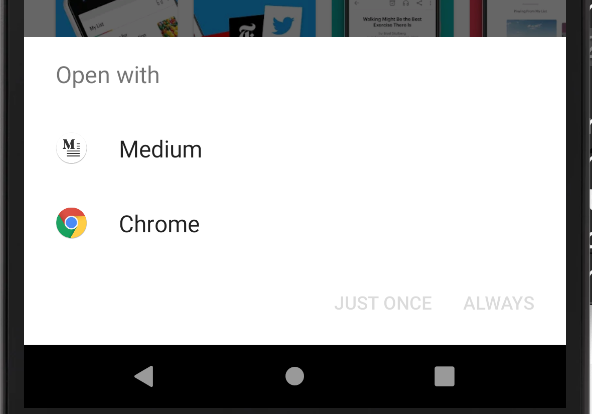
You are only allowed to deeplink URL registered
So when you test it out, you can only deeplink that you have defined as your data in your AndroidManifest.xml file i.e. https://www.example.com
If you try on any other URL, it will not deeplink into your App. This is expected, all good.
Trying to hack with registering more URL
Even if you try to be funny and add other popular URL (e.g. Facebook, Google, Apple, CNN, etc) like below, and install the App for the first time, it will just ask the user if they want to deeplink these URL into your App.
<activity ...>
  <intent-filter android:autoVerify="true">
    <action android:name="android.intent.action.VIEW" />
    <category android:name="android.intent.category.DEFAULT" />
    <category android:name="android.intent.category.BROWSABLE" />
    <data android:scheme="http" android:host="www.example.com" />
    <data android:scheme="https" />
    <android:host="www.google.com" />
    <android:host="www.facebook.com" />
    <android:host="www.apple.com" />
    <android:host="www.cnn.com" />
  </intent-filter>
</activity>
Not only it doesn't default link into your App for those URLs (since you don't have your assetlink.json in those hosts, it also breaks your official URL that you are supposed to get deeplink by default.
So that's all good.
So what's the hack?
Okay, let's do what's legitimate for the first time, where you only have your URL that you own the domain, with proper assetlink.json up there.
<activity ...>
  <intent-filter android:autoVerify="true">
    <action android:name="android.intent.action.VIEW" />
    <category android:name="android.intent.category.DEFAULT" />
    <category android:name="android.intent.category.BROWSABLE" />
    <data android:scheme="http" android:host="www.example.com" />
    <data android:scheme="https" />
  </intent-filter>
</activity>
You compile and ship your app. Users start clicking them and the app has been "approved" to have the default URL linked into it without question asked.
Ship a new version of the App with more domains.
So in your next version of the App, adds more URL (even though you don't own their domain)
<activity ...>
  <intent-filter android:autoVerify="true">
    <action android:name="android.intent.action.VIEW" />
    <category android:name="android.intent.category.DEFAULT" />
    <category android:name="android.intent.category.BROWSABLE" />
    <data android:scheme="http" android:host="www.example.com" />
    <data android:scheme="https" />
    <android:host="www.google.com" />
    <android:host="www.facebook.com" />
    <android:host="www.apple.com" />
    <android:host="www.cnn.com" />
  </intent-filter>
</activity>
Compile and ship it.
Now the user just upgrades the App without reinstalling it. This user has previously performed deeplink with your www.example.com, and your App has been verified
If there's any link that you defined above (e.g. Facebook, Google, Apple, CNN, etc) link came in, and the user clicks on it…. It will automatically deeplink to your App WITHOUT ANY FURTHER VERIFICATION!
That means if you register many many domain hosts in your deeplink, then your app will get lots of redirected visits!
I sincerely hope Google patch up this, to avoid this loophole being taken advantage of by some parties. I have reported to Google here
Thanks for reading. You can check out my other topics here.
You can subscribe here or follow me on Medium, Twitter, Facebook, and Reddit for little tips and learning on mobile development, medium writing, etc related topics. ~Elye~