
What's Firecrawl, Anyway?
You need stuff from a website — blog posts or product details — for your project. Normally, you'd be stuck untangling messy HTML or dodging anti-bot traps. Firecrawl takes a URL, digs through the site (even the hidden corners), and hands you neat markdown or structured data your AI can actually use. No sitemap, no stress. It tackles tricky stuff like JavaScript pages, PDFs, and even those annoying CAPTCHAs.
You can use the hosted API for instant results or run the open-source version on your own machine if you're feeling nerdy. It's reliable, which means no cursing at error codes when you're on a deadline.
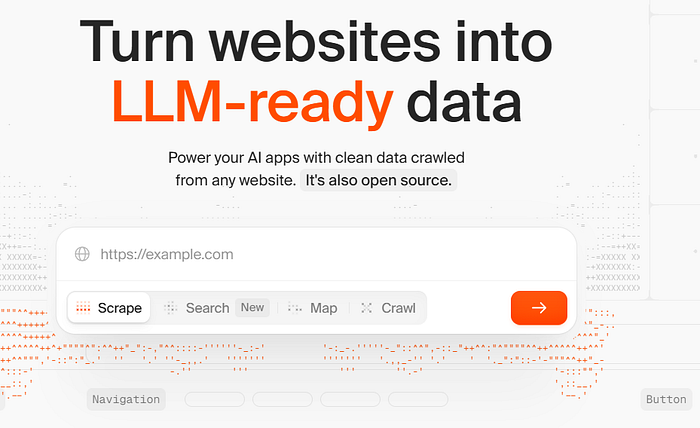
Getting Started: No PhD Required
Head to firecrawl.dev and grab an API key. The free plan's fine to start, and you can upgrade if you're going big. Your key (let's call it fc-YOUR_API_KEY) is your golden ticket.
Firecrawl works with Python or Node.js. To install the Python SDK, just run:
pip install firecrawl-pyIf Node's your thing:
npm install @mendable/firecrawl-jsPop your API key into an environment variable (FIRECRAWL_API_KEY) or toss it into your code. Takes two minutes, tops.
What Firecrawl Can Do
Firecrawl's got a bunch of tricks — scraping, crawling, mapping, searching, and extracting. I'll break them down like I'm explaining my favorite app to a buddy, with code to show you how it works.
Scraping
Scraping's like picking up a single magazine. Give Firecrawl a URL, and it spits out the content in markdown or HTML, plus extras like the page title.
Python example:
from firecrawl import FirecrawlApp

app = FirecrawlApp(api_key="fc-YOUR_API_KEY")
result = app.scrape_url("https://firecrawl.dev", formats=["markdown"])
print(result["markdown"])  # Clean text, no junk
I tried this on Firecrawl's homepage, and it was like getting a perfectly formatted Word doc in seconds.
Crawling
Crawling's like raiding a bookstore. Start at one page, and Firecrawl checks out all the linked pages up to a limit you pick. Great for grabbing everything for an AI project.
Python example:
crawl_result = app.crawl_url(
    "https://firecrawl.dev",
    limit=30,  # Don't go crazy
    scrape_options={"formats": ["markdown"]}
)
for page in crawl_result:
    print(page["metadata"]["title"])  # Titles of all pages
I ran this and got a list of Firecrawl's pages. If it's a big job, it runs in the background, and you can check on it later.
Mapping
Mapping's like skimming a menu. It lists all the URLs on a site, and you can filter with a search term to focus on what you want.
Python example:
map_result = app.map_url("https://firecrawl.dev", search="docs")
for link in map_result["links"]:
    print(f"{link['title']} -> {link['url']}")
This gave me a tidy list of Firecrawl's docs pages. Super handy for planning what to crawl.
Searching
Searching's like Googling but getting full content instantly. Ask something like "what's Firecrawl?" and get results with markdown or links.
Here's a curl example (you can do this in Python too):
curl -X POST https://api.firecrawl.dev/v2/search \
    -H "Content-Type: application/json" \
    -H "Authorization: Bearer fc-YOUR_API_KEY" \
    -d '{"query": "what is firecrawl?", "limit": 3}'
I got back Firecrawl's main pages with summaries. Saved me ages when I was researching for a client.
Extracting
Extraction's the cool part. Need specific info, like a company's mission? Firecrawl's AI can pull it from one page or a whole site, using a schema or just a prompt.
Python with a schema:
from pydantic import BaseModel
class Company(BaseModel):
    mission: str
    open_source: bool
doc = app.scrape_url(
    "https://firecrawl.dev",
    formats=[{"type": "json", "schema": Company}]
)
print(doc["json"])  # Mission and open-source status, neat and tidy
I tested this and got Firecrawl's mission in a clean JSON. No schema? Just say, "Pull the mission statement."
Bonus: Actions and Batch Jobs
Firecrawl can click buttons, type stuff, or snap screenshots before grabbing data. It's like having a bot do your browsing.
Curl example for searching Google:
curl -X POST https://api.firecrawl.dev/v2/scrape \
    -H "Content-Type: application/json" \
    -H "Authorization: Bearer fc-YOUR_API_KEY" \
    -d '{
        "url": "google.com",
        "formats": ["markdown"],
        "actions": [
            {"type": "click", "selector": "textarea[title=\"Search\"]"},
            {"type": "write", "text": "firecrawl"},
            {"type": "press", "key": "ENTER"}
        ]
    }'
This searches Google for "firecrawl." I used it to scrape a tricky login page — worked perfectly.
Batch scraping lets you tackle multiple URLs at once, async. Great for big projects.
Open Source or Cloud? Pick Your Style
Firecrawl's open-source (AGPL-3.0) on GitHub if you want to run it yourself. It's still a bit rough for full self-hosting, but check CONTRIBUTING.md for tips.
The cloud version at firecrawl.dev is my pick for speed — no setup, plus features like actions and batch jobs. The team keeps it running smoothly so you don't have to fiddle with servers.
Why I Dig Firecrawl
I'm picky about tools. Firecrawl's a winner because it's dead simple and delivers. I used it to pull data for a market research project — what used to take a weekend took a few hours. The SDKs are easy, the API's solid, and the data's clean.
Give it a try at firecrawl.dev. Mess around in their playground and see what clicks.