
Boost string performance with StringBuilder pooling.
StringBuilder.Pool boosts all string operations in C# under .NET Core. A stepwise approach with code examples, illustrative images, and pro tips for faster string processing with less memory footprint.
If you have ever felt that your C# app is crawling away very slowly and string operations consuming memory and time, I understand.
I went through the same pain watching my code choke on multiple string concatenations until I knew about StringBuilder Pool.
So this article is your rescuing course, teaching you how to use the StringBuilder Pool in .NET to speed up string manipulations and avoid performance issues. I'll share with you some code snippets, diagrams, and practical tips based on what I've learned the hard way so that you can make your string operations fast and efficient. Say goodbye to performance pain and say hello to an untapped power speed hack in C#.
📦 What's Inside
- 💡Grasp StringBuilder Basics
- 🔄 Understand StringBuilder Pool
- 🛠️ Set Up a .NET Core Project
- ✅ Use StringBuilder Pool for Efficiency
- 🎯 Integrate Pooling in Real Scenarios
- ⚖️ Compare Pooling vs. Non-Pooling
- 🛠️ Handle Pooling Edge Cases
- ⚡ Optimize StringBuilder Performance
Grasp StringBuilder Basics
StringBuilder solves all issues when it comes to efficient string manipulation, but pooling enhances it beyond that. I came upon this knowledge in the struggle of dealing with slow string operations.
A StringBuilder will reduce memory allocations relative to string concatenation because the latter comprises immutable copies. Key features are:
- Mutable strings: Append, insert and replace without any new objects.
- Capacity management: Pre-allocation to, in-order to reduce the chance of re-sizing, may be considered.
- Thread safety: Not thread-safe; so, under concurrent situations, it must be handled carefully.
👉 Use the StringBuilder for concatenating strings, like producing reports and logs:
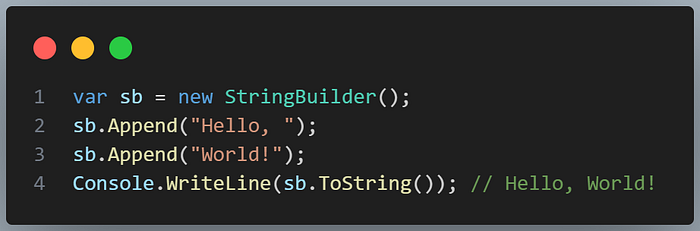
As every StringBuilder instance allocates new memory without pooling, which can really pile up when in high-frequency operations.
StringBuilder: your footing for rapid string management.
Understand StringBuilder Pool
The Microsoft.Extensions.ObjectPool class is reusing instances to keep the overhead of allocations low. I came across this after suffering some memory spikes while accessing my application.
StringBuilder Pool was introduced in .NET 8 in the Microsoft.Extensions.ObjectPool namespace to provide a shared pool for renting and returning StringBuilder instances. Thus, it brings many benefits along with :
- Reduced allocations: Instead of making new ones, recycle the usual ones.
- Lower GC pressure: Fewer objects for collection of garbage.
- High-performance scenarios: Great for looping over or modifying string operations several times!
var stringBuilderPool = new DefaultObjectPoolProvider().CreateStringBuilderPool();When used, the pool will be gotten through Get() and returned via Return(). It is designed for performance-critical code but needs to be handled carefully to avoid leaks.
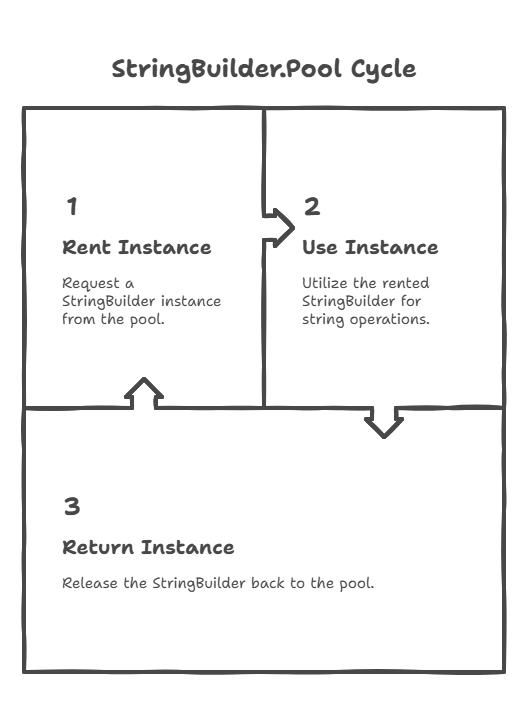
StringBuilder.Pool: recycle for speed.
Set Up a .NET Core Project
StringBuilder. Pool will be utilized at the right time if only a project setup is right.
You can make a .NET 8 console application using stringbuilder.pool, but for this feature to work, you will need to ensure that .NET 8 and above are installed in the system:
dotnet new console -o StringBuilderPoolDemo
cd StringBuilderPoolDemo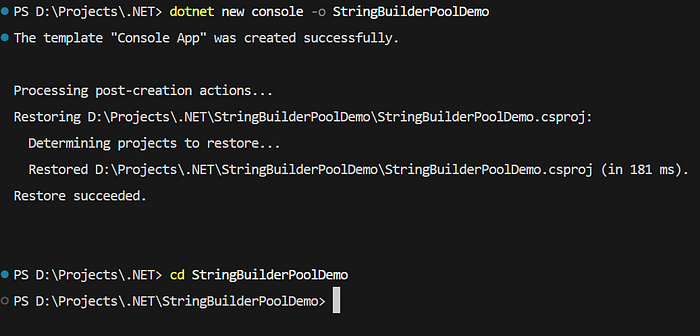
📌 Update the file Program.cs for Basic String Operations:
Console.WriteLine("StringBuilder Pool Demo");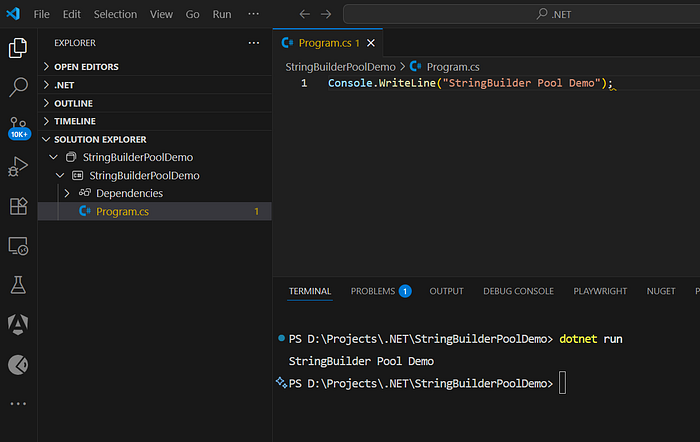
📌Ensure that your project is targeting .NET 8:
<!-- StringBuilderPoolDemo.csproj -->
<PropertyGroup>
  <TargetFramework>net8.0</TargetFramework>
</PropertyGroup>
📌R Lt's add a sample data to test the looping:
var data = new[] { "Mango", "Pomegranate", "Orange" };This gives us a potentially high-performing project for string manipulation.
Use StringBuilder Pool for Efficiency
In my experience, StringBuilder 's Pool property is so fast. String instances are reused; thus avoiding memory bloat in my application.
📌 Rent and Release a StringBuilder:
using Microsoft.Extensions.ObjectPool;

var data = new[] { "Mango", "Pomegranate", "Orange" };
var stringBuilderPool = new DefaultObjectPoolProvider().CreateStringBuilderPool();
var sb = stringBuilderPool.Get();
try
{
    foreach (var item in data)
    {
        sb.Append(item).Append(", ");
    }
    Console.WriteLine(sb.ToString()); // Mango, Pomegranate, Orange,
}
finally
{
    stringBuilderPool.Return(sb);
}
Key practices:
- Always return: Use the finally block of code to ensure the instance is returned.
- Clear on rent: If required, it may be necessary to clear past data by calling
stringBuilderPool.Clear(). - Avoid long holds: Please, return the key to keep pool available.
This design minimizes allotment in loops or repetitive control tasks.
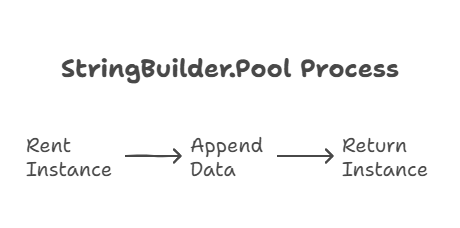
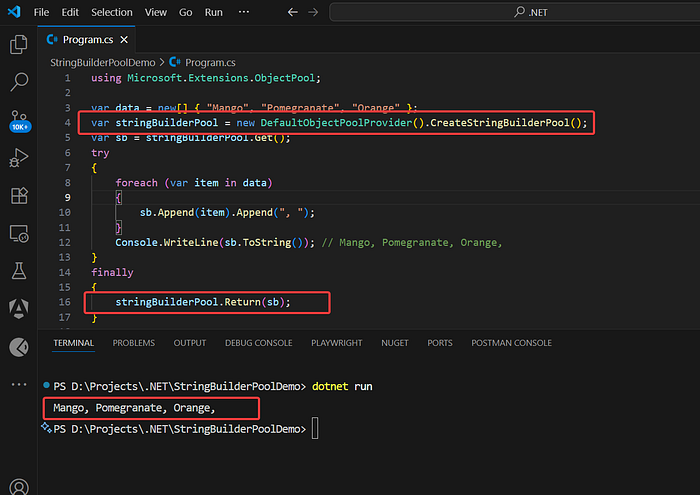
Pooling is quite well known for its less memory usage and quicker speed.
Integrate Pooling in Real Scenarios
Pooling shines in situations like the logging or report generation scenario. It was acquired by me after extreme string builds.
📌 Generate a CSV string with pooling:
using Microsoft.Extensions.ObjectPool;

var records = new[] { (Id: 1, Name: "Pomegranate"), (Id: 2, Name: "Banana") };
var stringBuilderPool = new DefaultObjectPoolProvider().CreateStringBuilderPool();
var sb = stringBuilderPool.Get();
try
{
    sb.AppendLine("Id,Name");
    foreach (var record in records)
    {
        sb.AppendLine($"{record.Id},{record.Name}");
    }
    File.WriteAllText("output.csv", sb.ToString());
}
finally
{
    stringBuilderPool.Return(sb);
}
Use cases:
- Web APIs: Efficient JSON response building.
- Batch processing: Handle large volumes of data with very little overhead.
- Logging: Concatenate log messages without allocating memory spikes.
Ensure Clear() if you are reusing the same instance for more than a single operation.
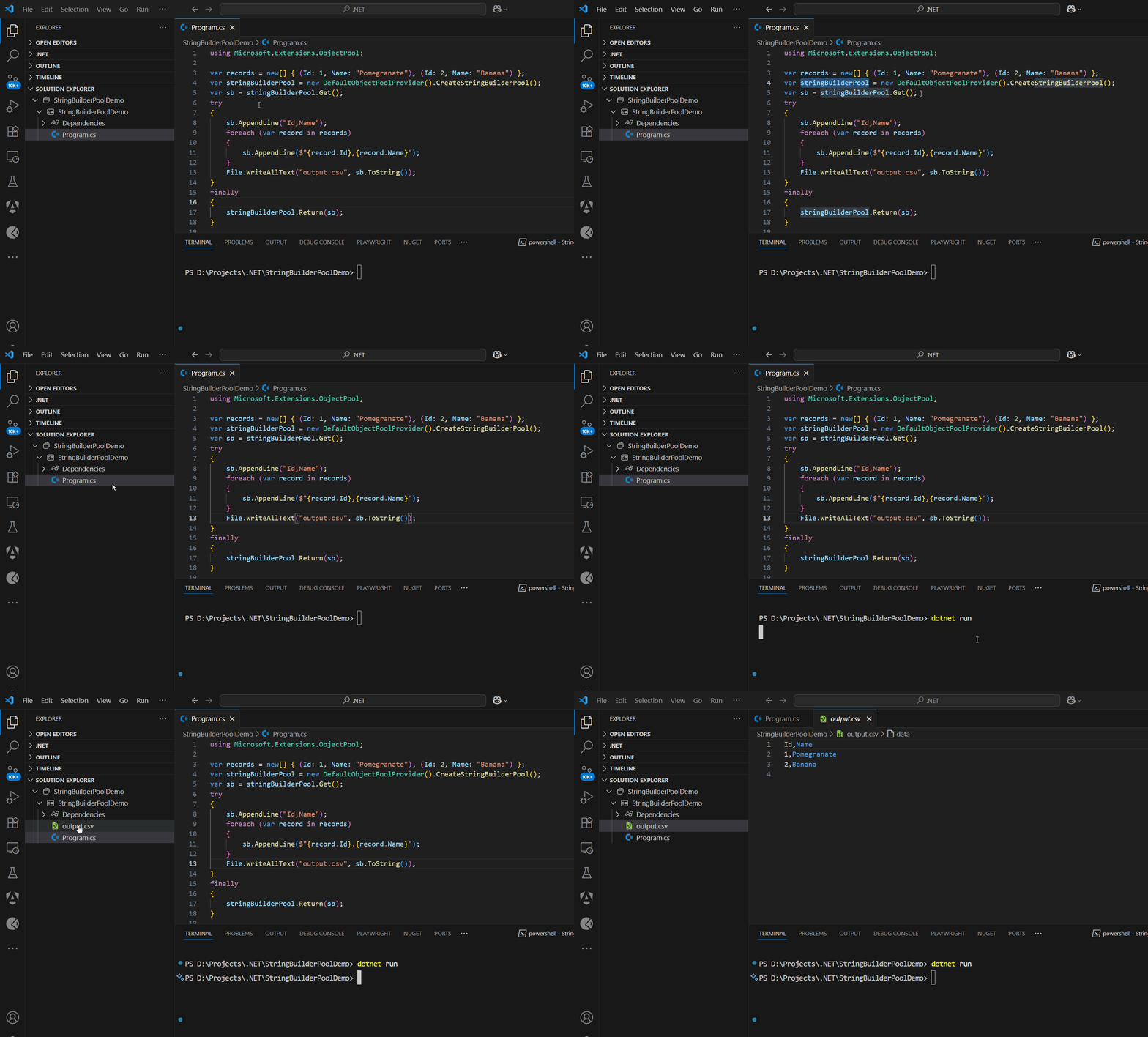
Pooling allows working on real-world string tasks.
Compare Pooling vs. Non-Pooling
Pooling isn't the answer. It is rare that I have found it necessary after exceeding big-time with something as simple as this!
📌 Distinguish between pooling and a standard StringBuilder :
using System.Text;
using Microsoft.Extensions.ObjectPool;

// Non-pooling
var sb = new StringBuilder();
sb.Append("Test");
Console.WriteLine(sb.ToString());

// Pooling
var stringBuilderPool = new DefaultObjectPoolProvider().CreateStringBuilderPool();
var pooledSb = stringBuilderPool.Get();
try
{
    pooledSb.Append("Test");
    Console.WriteLine(pooledSb.ToString());
}
finally
{
    stringBuilderPool.Return(pooledSb);
}
When to use:
- Pooling: High-frequency operations, loops, or server apps.
- Non-pooling: Single string builds are pretty straightforward.
- Avoid pooling: Tasks that do not good perform against overhead.
Pool reduces garbage collection pressure but introduces managerial complexities.
Select pooling for high-performance necessitates.
Handle Pooling Edge Cases
Pooling sometimes tends to get caught up in some issues that might catch you unawares; after a set of memory leaks crippled my app, however, they have been avoided ever since.
⚠️ Common issues:
- Unreturned instances: Forgetting Return starves the pool:
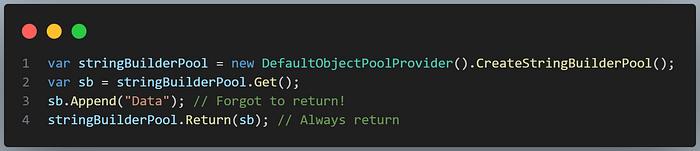
- Residual data: Pooled instances tend to maintain historical data:
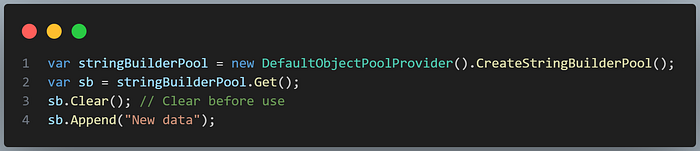
- Concurrency: The
StringBuilderis not thread-safe:
var tasks = new List<Task>();
for (int i = 0; i < 5; i++)
{
    tasks.Add(Task.Run(() =>
    {
        var stringBuilderPool = new DefaultObjectPoolProvider().CreateStringBuilderPool();
        var sb = stringBuilderPool.Get();
        try
        {
            sb.Append($"Thread {i}");
        }
        finally
        {
            StringBuilder.Pool.Return(sb);
        }
    }));
}
await Task.WhenAll(tasks);
Have one instance per thread or synchronize access.
Pay attention to the edge cases to keep pooling safe.
Optimize StringBuilder Performance
Pooling improves performance, though fine-tuning boosts speed. I was observing slowness on large loops and refined my code in response.
📌 Optimize with pooling:
using System.Text;
using Microsoft.Extensions.ObjectPool;

var data = Enumerable.Range(0, 1000).Select(i => $"Item{i}").ToArray();
var stringBuilderPool = new DefaultObjectPoolProvider().CreateStringBuilderPool();
var sb = stringBuilderPool.Get();
try
{
    sb.Capacity = 10000; // Pre-allocate
    foreach (var item in data)
    {
        sb.Append(item).Append(',');
    }
}
finally
{
    stringBuilderPool.Return(sb);
}
Tips:
- Set capacity: You will prevent resizing by pre-allocating them.
- Use async: For I/O-bound tasks, use async methods (eg, file writes).
- Minimize operations: Combining appends to decrease calls.
- Profile: Use
BenchmarkDotNetto measure.
Enhance pooling for the blazing-fast strings.
🔗 TL;DR Wrap-up
- Master StringBuilder: Use for efficient string manipulation.
- Leverage StringBuilder Pool: Rent instances for less memory use.
- Set up .NET 8: Ensure project supports pooling.
- Use pooling: Rent and return for repetitive tasks.
- Apply in scenarios: Ideal for CSVs, logs, or APIs.
- Compare approaches: Pool for high-frequency, non-pool for simple tasks.
- Handle edge cases: Avoid leaks and concurrency issues.
- Optimize performance: Pre-allocate and profile for speed.
Thank you for reading! 👏👏👏 Hit the applause button and show your love❤️, and please follow➡️ for a lot more similar content! Let's keep the good vibes flowing!
I do hope this helped. If you'd like to support me, just go ahead and do so. here.☕
If you fancy reading anything else on C#, then check out.