


Secure Socket Shell (SSH) is a UNIX-based protocol that is used to access a remote machine or a virtual machine (VM).
Pod, by definition, is analogous to VM as it allows the containers to behave as if they are running on isolated VMs. If you are inside the cluster — the simplest way is to use kubectl exec command
But, Is it possible to SSH into a K8 Pod from outside the cluster?
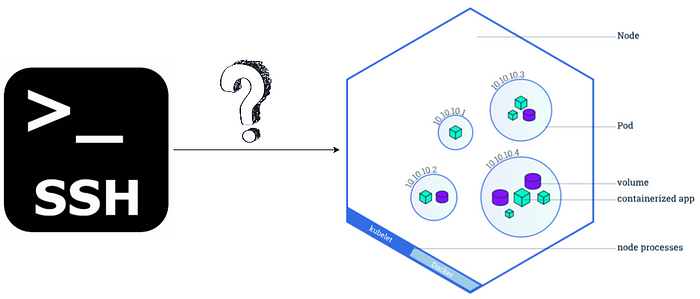
Yes. It's possible! — But only after incrementally answering the below questions…
How to Reliably Access a K8 Pod?
By definition, Pods are ephemeral in nature and a service is a stable abstraction point for a set of pods. So, a K8 Pod can be reliably accessed through a service.
What is the appropriate service type to access the pod from outside the Kubernetes cluster?
ClusterIP, NodePort, and LoadBalancer are the three possible service types.
However, the ClusterIP service can never be accessed from outside the cluster and hence, it is not an option.
The NodePort service provides a cluster-wide port that can be accessed through the cluster node. But given that the node is also ephemeral in nature, NodePort is not a stable way to access the Pod.
The LoadBalancer service is the only appropriate service type to access the Pod from outside the Kubernetes cluster, because this service type provides an external IP address that can be tied to a public load balancer like Google's HTTPS load balancer.

Below is snippet of a LoadBalancer service that opens the SSH port for communication.
How to Enable a Pod as a SSH Server?
In order to SSH into the Pod, the Pod should have SSH server installed. This can be provisioned by installing OpenSSH Server as part of the Docker image tied to the Pod.
The following commands should be included in the Dockerfile associated with the container tied to the Pod.
So, even though the Pod is ephemeral, the Pod will have openssh-server capability each time it's re-created and is configured with a default user to SSH.
Finally…
How Do We SSH Into a K8 Pod From Outside the Kubernetes Cluster?
Given that the Pod is accessible through the service and can be reached via the LoadBalancer service, serviced by a public load balancer; the user can SSH into the K8 Pod from outside the Kubernetes cluster by executing the classic ssh command as below:
#Example
ssh -f testuser@<external-load-balancer-ip-address>
(Enter password on prompt to establish the SSH connection)
Alternative approach — SSH keys instead of user credentials
If SSH keys need to be used as the authentication mechanism, then the client's public SSH keys can be mounted to the Pod as a secret.
This will ensure that the client's public keys are available in the Pod as authorized keys and subsequently, the client can connect by authenticating the authorized keys on the Pod with the client's private key.