
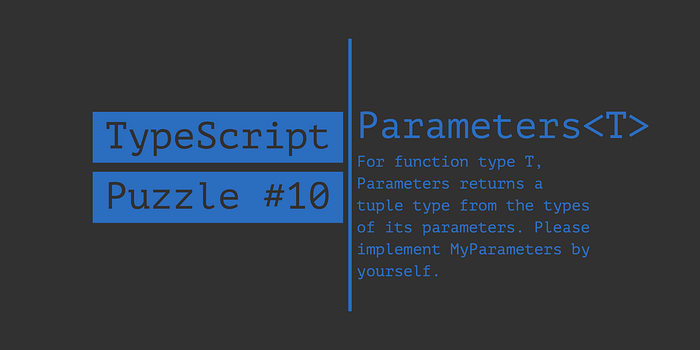
Puzzle
Concepts
Conditional Types
In TypeScript, conditional types are used to express non-uniform type mappings. They allow you to define a type that depends on a condition, which can be based on the type of a generic parameter or any other type.
Conditional types are distributive over union types, which means that when evaluated against a union type, the conditional type applies to all the members of the union.
Spread operator
In TypeScript, the spread operator (...) can also be used within types to create new types by merging properties from other types, especially when working with mapped types, tuple types, and union types.
Here are some examples of spreading in TypeScript types:
Merging object types
You can use the spread operator to merge properties from different object types into a new object type.
type A = { a: number };
type B = { b: string };
type Merged = { ...A, ...B };
// Merged is now { a: number, b: string }
In this example, we define two object types A and B. We then create a new object type Merged by spreading the properties from A and B. The resulting type Merged is an object type with properties from both A and B.
Merging tuple types
You can use the spread operator to merge elements from different tuple types into a new tuple type.
type TupleA = [number, string];
type TupleB = [boolean, symbol];
type MergedTuple = [...TupleA, ...TupleB];
// MergedTuple is now [number, string, boolean, symbol]
In this example, we define two tuple types TupleA and TupleB. We then create a new tuple type MergedTuple by spreading the elements from TupleA and TupleB. The resulting type MergedTuple is a tuple type with elements from both TupleA and TupleB.
Conditional spreading with union types:
You can use the spread operator within a conditional type to merge elements from union types.
type Elements = string | number | boolean;
type ArrayOrTuple<T> = T extends Elements
  ? T[]
  : [T, ...ArrayOrTuple<Exclude<Elements, T>>];
type Result = ArrayOrTuple<number>;
// Result is now [number, string[], boolean[]]
In this example, we define a union type Elements containing string, number, and boolean. We then create a recursive conditional type ArrayOrTuple, which checks if the input type T is part of the Elements union. If it is, the type is wrapped in an array, otherwise, it creates a tuple with the current element and calls the ArrayOrTuple type recursively with the remaining elements in the union. The Result type shows how the ArrayOrTuple type works when provided with number.
These examples demonstrate the power of the spread operator in TypeScript types, allowing you to create more flexible, dynamic, and expressive types.
rest parameters are a feature that allows a function to accept an indefinite number of arguments as an array. The rest parameter syntax consists of three dots (...) followed by the name of the array that will hold the arguments. The type of the rest parameter is an array of the expected argument type.
Rest parameters are useful when you want to create a function that can handle a varying number of input arguments without having to manually manage an array in the function call.
Here's an example of using rest parameters in TypeScript:
function sum(...numbers: number[]): number {
  let total = 0;
  for (const num of numbers) {
    total += num;
  }
  return total;
}
const result = sum(1, 2, 3, 4, 5); // result will be 15
In this example, the sum function uses the rest parameter ...numbers with a type of number[]. This means that the numbers parameter will be an array of numbers. The function then iterates over the numbers array to calculate the sum.
When calling the sum function, you can pass any number of numerical arguments, and they will be collected into the numbers array as specified by the rest parameter.
Inference
TypeScript's infer keyword is a powerful feature that enables the type system to infer types within the context of a generic type or conditional type. This allows you to extract or "infer" types from other types and create more flexible and reusable type definitions.
infer is used within a TypeScript conditional type.
T extends SomeType ? IfTrueType : IfFalseType;Here, T is a type variable, SomeType is the condition we're checking against, IfTrueType is the type returned if the condition is true, and IfFalseType is the type returned if the condition is false.
The infer keyword allows you to introduce a new type variable within the SomeType part of the conditional type, and the TypeScript compiler will try to infer that type based on the input type.
Here's an example using the infer keyword in TypeScript to create a utility type that removes the first element from a tuple type:
type Tail<T extends any[]> = T extends [infer _, ...infer R] ? R : never;In this example, we define a utility type Tail, which takes a single type argument T. We constrain T to be an array type using the extends any[] constraint. We then check if T can be decomposed into a tuple with the first element and the rest of the elements. We use the infer keyword to introduce two new type variables, _ (a convention to indicate that we won't use this inferred type) for the first element and R for the rest of the elements. If the condition is true, we return R, otherwise, we return never.
Now, let's see how this utility type works with a tuple:
type ExampleTuple = [number, string, boolean];
type TailOfTuple = Tail<ExampleTuple>;
// TailOfTuple is inferred as [string, boolean]
In this example, we define a tuple type ExampleTuple with three elements: number, string, and boolean. When we use the Tail utility type with ExampleTuple, the TypeScript compiler infers the type [string, boolean] as the tail of the tuple.
Solution
type MyParameters<T extends Function> = T extends (...args: infer K) => any
  ? K
  : never;