

Why the hell setState() sometimes does not work?
How many times have you called setState() and nothing on the screen has changed even though the internal State of the Widget has changed? I know I have, many times :)
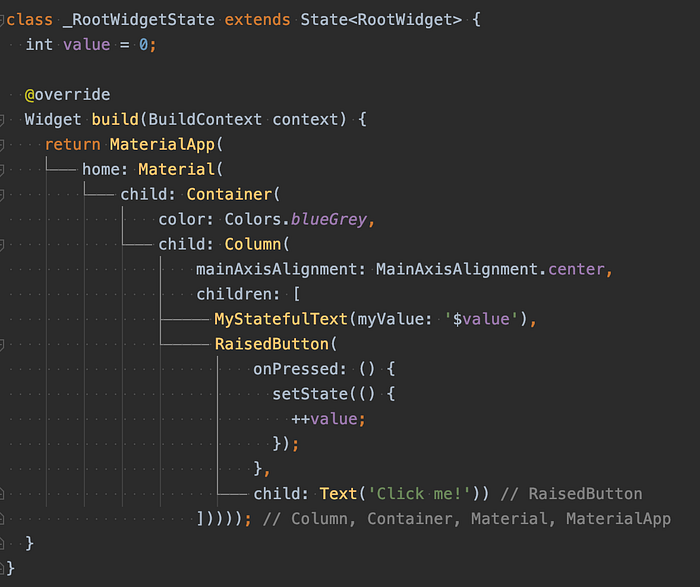
So, simple screen with a Text that displays current value that gets incremented each time user presses the button. This would be a no brainer if we were using a stateless Text Widget -> it would be rebuilt each time user clicks the button.
But, our implementation of the Text looks like this:
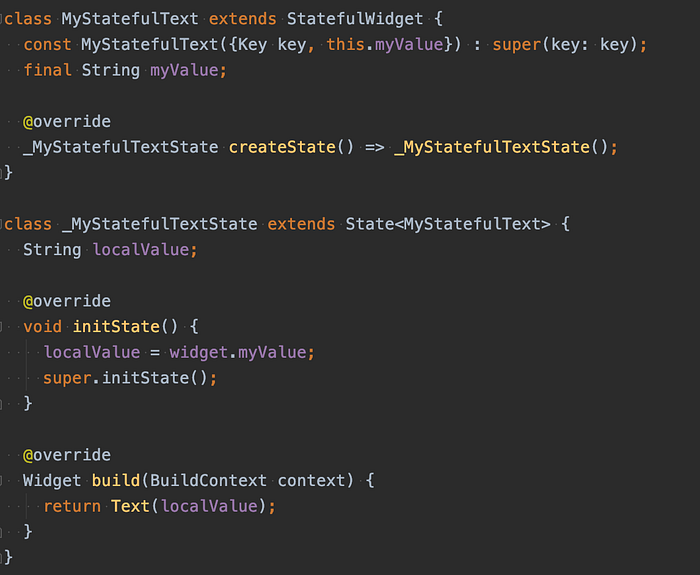
We take initial value from the Widget and store it locally in the State object during the initState() execution. initState() gets called only the first time when user presses the button, never again and this is why we do not see the changes on the screen. But why is this happening?
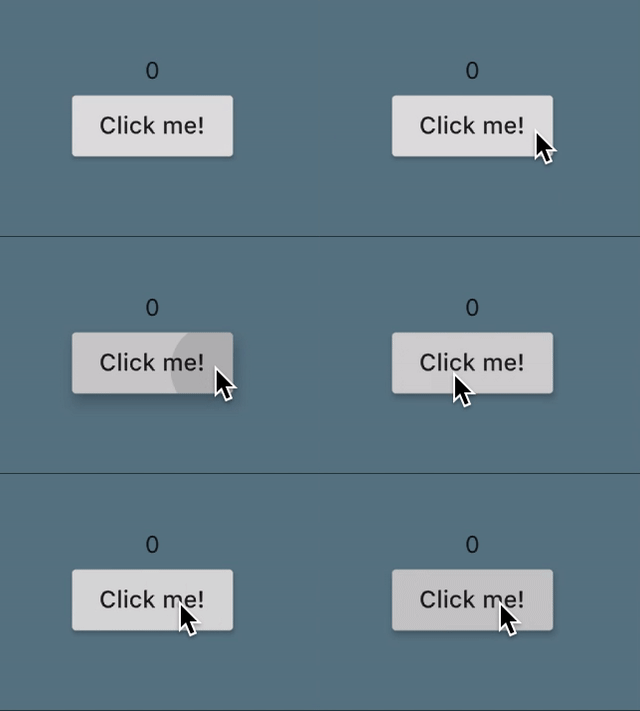
Well, this is actually how Flutter works - tries to keep Stateful Widget's State.
Widgets are immutable, which means they need to be rebuilt on each setState() but their State is kept until, on the same position in the tree(Element tree), a new Widget appears with a different TYPE or a different KEY!
In our example, our Widget is at the same place as before(same Widget, so of-course the same type) and we did not use Keys, so from the point of the Element tree, nothing has changed and State gets preserved.
We do not want to change type of our Widget but we can introduce Keys! :)
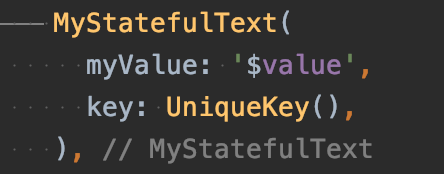
By adding a UniqueKey, during RootWidget's setState() MyStatefulText's State will be rebuilt from the scratch and its initState() will be called each time user presses the button.
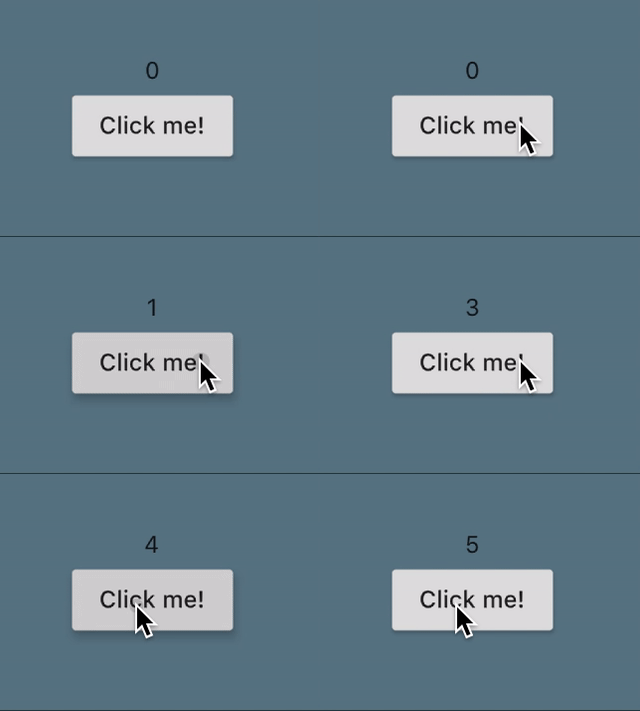
Yay, it works! :)
But, most of the times you do not want your Widget to redraw each time a parent performs the setState(), which will you be doing by using the UniqueKey, from our example.
If you want to perform your redraw only in special occasions, you could use a ValueKey. By setting this kind of Key, your redraw will be performed only if the value of this Key changes.
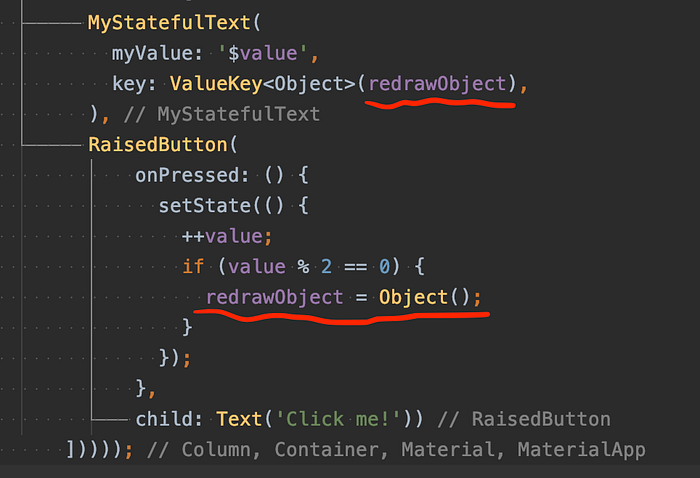
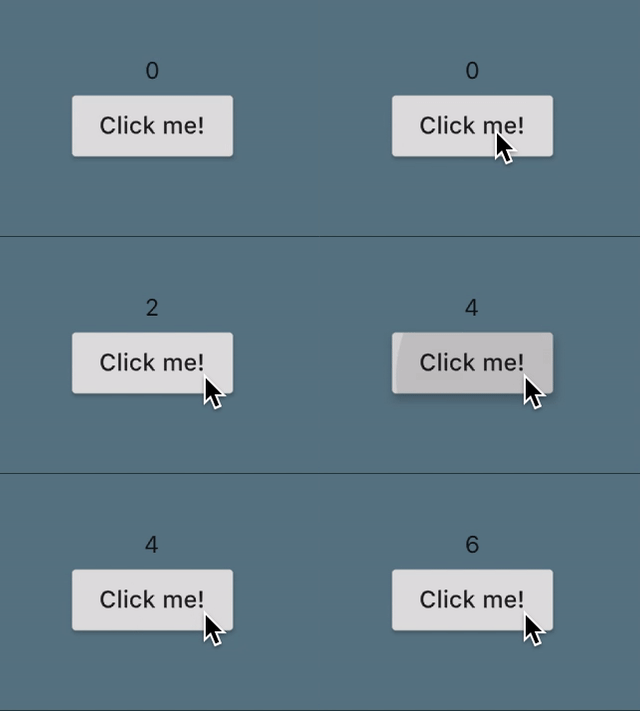
redrawObject is a property inside _MyStatefullTextState class!What we basically do here is, on the every second click, redraw MyStatefulText. And this is how it looks now:
Interested in joining Medium from my referral link? 💙 Thanks! :)
… and if you liked this article, please clap few times :)