Why I Built This?
Modern applications generate a continuous stream of user events. Clicks, logins, cart additions, payments.
I wanted to understand how these events are handled in real-time production systems, not just in theory. So, I built a minimal, production-style serverless analytics pipeline on AWS.
This is also a demonstration of different stages of Data Engineering.
The Problem
An e-commerce platform generates many events like user views a product they add something to cart and then completes a purchase
These events must be captured in real time, stored cheaply at scale, easily analyzed using SQL. Traditional databases are not ideal for this type of event-driven analytical data.
Architecture Diagram
The pipeline follows this flow:
E commerce events → Kinesis → Lambda → S3 → Athena
Each service has a single responsibility:
- Data Ingestion- Kinesis Data Stream
- Data Processing- AWS Lambda
- Data Storage- Amazon S3
- Data Analytics & Querying- Amazon Athena
This keeps the system simple, scalable, and easy to extend.

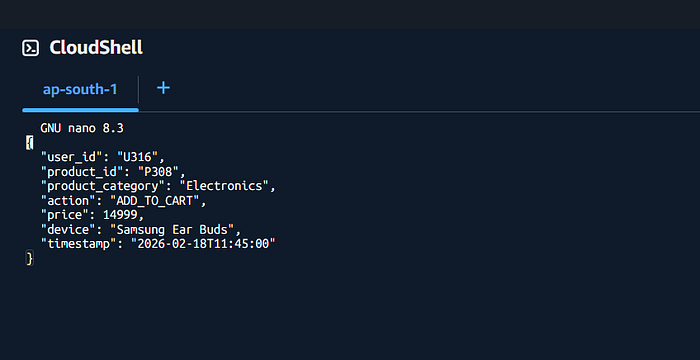
Sample Event Data
{ "user_id": "U205", "product_id": "P1023", "product_category": "Electronics", "action": "ADD_TO_CART", "price": 49999, "device": "mobile", "timestamp": "2026–02–19T11:05:00" }
This represents a real user action in an e-commerce application.
Step-by-Step Implementation
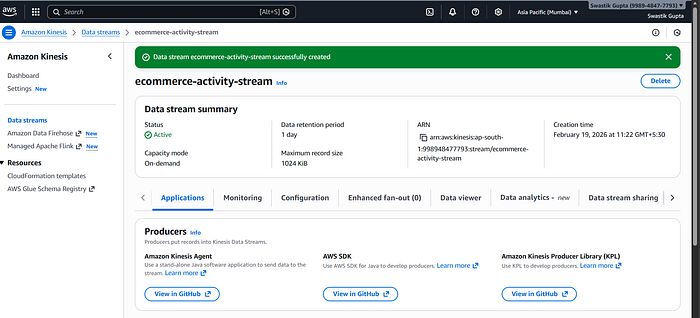
1. Real-Time Ingestion with Amazon Kinesis
Kinesis acts as the entry point for all incoming events.
- Handles high-throughput data
- Buffers events safely
- Enables real-time processing
This ensures no data is lost during traffic spikes.
Note:
In this pipeline, Amazon Kinesis Data Streams is used for real-time ingestion. Data Streams is a streaming-only service and does not deliver data directly to storage like S3. Therefore, AWS Lambda is used as a consumer to process the stream and write data to Amazon S3.
However, using Lambda provide data validation, custom filtering and full control over business logic.
If Kinesis Firehose were used, Lambda would not be required for basic S3 delivery.
2. Event Processing with AWS Lambda
Lambda is triggered automatically when new data arrives in Kinesis.
It decodes the event, parses JSON, optionally validates fields, writes clean data to storage.
This is a classic event-driven architecture.

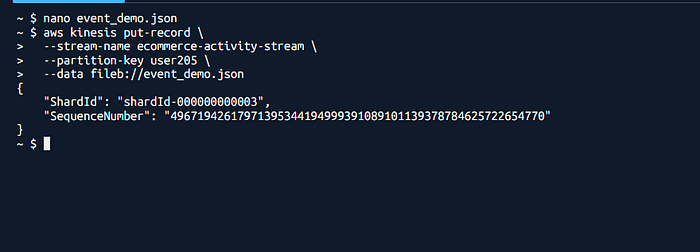
Sending Events via AWS CLI (Demo Purpose)
For this demonstration, events are sent to the pipeline using the AWS CLI instead of a frontend or API.
The CLI is used to simulate real application behavior in a controlled and reproducible way, without building additional components. In production, the same JSON events would be sent by a web application, mobile app, or API Gateway.
This approach keeps the focus on validating the data pipeline itself, rather than the event source.
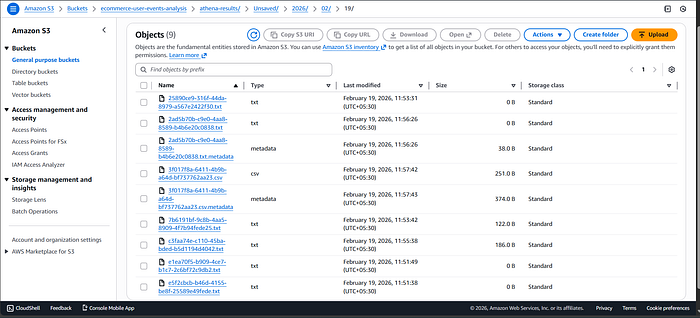
3. Storage Using Amazon S3
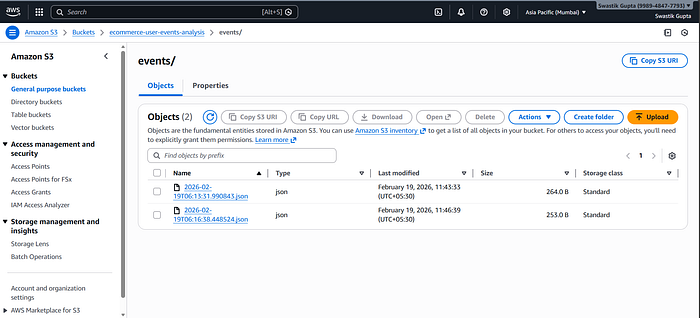
Processed events are stored in S3 as JSON files.
S3 acts as a data lake because it's highly durable, low cost, infinitely scalable. This is ideal for analytical workloads.
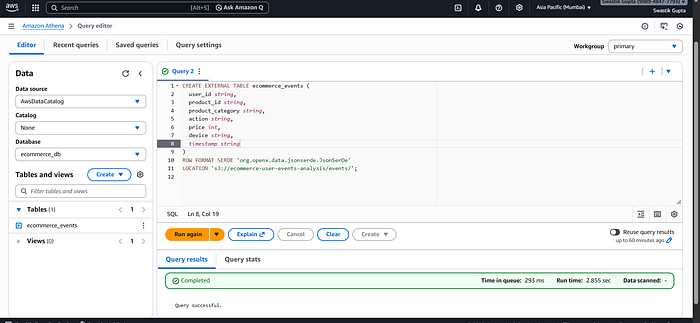
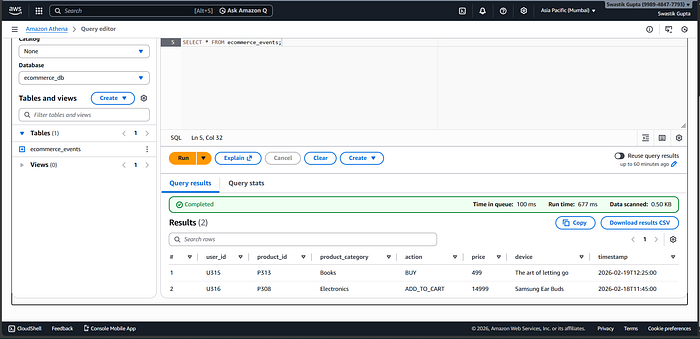
4. Analytics with Amazon Athena
Athena allows querying data directly from S3 using SQL.
Example query:
SELECT product_category, COUNT(*)
FROM ecommerce_events
WHERE action = 'ADD_TO_CART'
GROUP BY product_category;
No servers. No database management.
What Insights This Enables
With this pipeline, we can analyze:
- Most added-to-cart product categories
- Device-wise user behavior
- Cart trends over time
- High-value product interest
All using simple SQL.
What I'd Improve Next
If I extend this further:
- Replace CLI with API Gateway
- Partition S3 data by date
- Visualize insights using QuickSight( this is a part of Data Visualization & Consumption)