

What's Up? M | Platform Features
[Note: There is an affiliate link in below story and explained at the bottom].
I noticed it over about a month ago. (We mentioned it in Wrap-Up 15). But it must have happened just earlier to that. (Based on some "Updated" dates, it would appear end of September but could have been a little earlier to that). You may have noticed as well.
The Help Center of this platform got a makeover.
It's not only updated for necessary verbiage to incorporate their new initiatives, like the Referred Membership which happened end August (so we could probably hypothesize it happened around then), but they revamped the entire look.
It's way more streamlined and organized looking at the front page (this we noticed back in October in our earlier Wrap-Up):
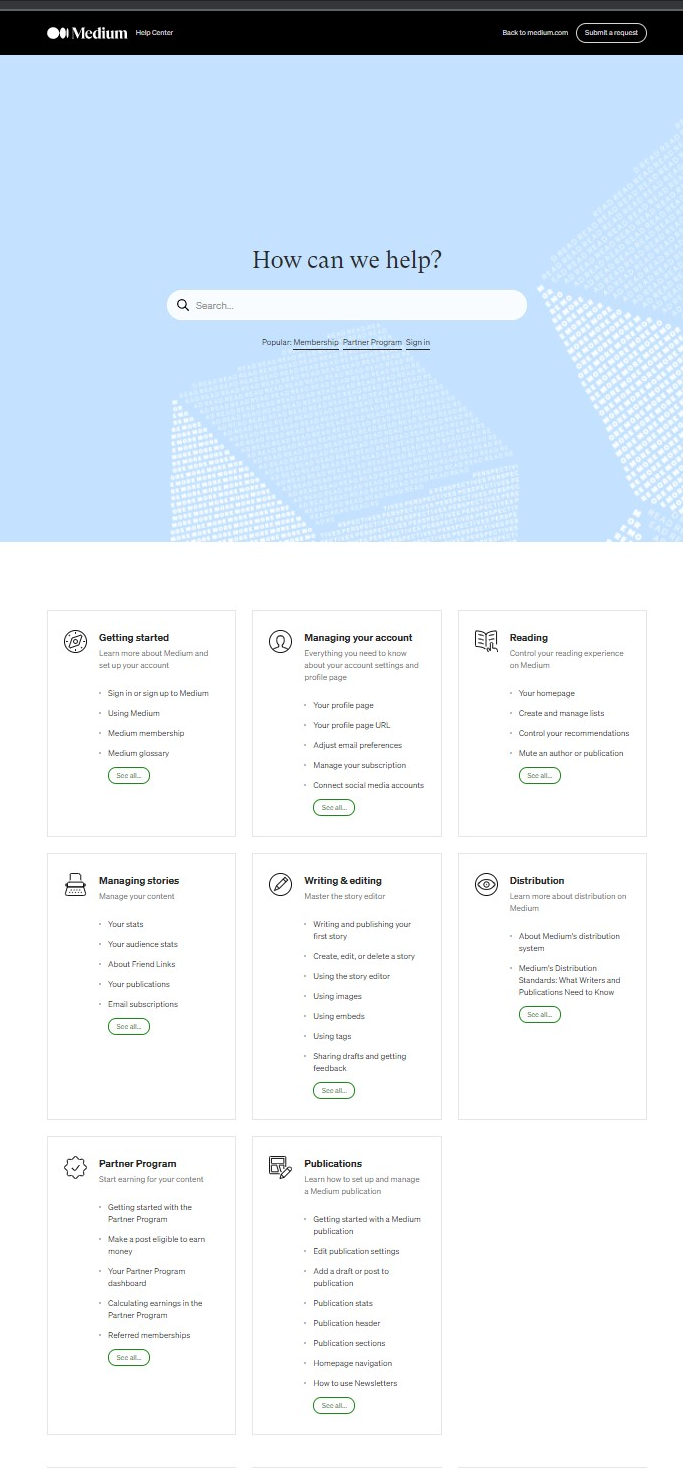
But they also have cleaned up the individual pages so it is more black-and-white, not only in laying out the 'how-to's but also in making it easier to read with large black-colored blocked headers and with much cleaner and better screenshots. I mean, it's a world of difference than before if you've been around long enough to remember what it was like before.
The point being is, they don't tell you by email or notifications on here when they have changed something in their own Help Center, so now that it's all "renovated", it's worth checking out again at length, and also printing a digital copy for keep reference (as things obviously do change).
As I was doing so, looking into the details of something else, I found this interesting tidbit that was not obvious or known about before:
Source: "Using images" (URL link below also):
https://help.medium.com/hc/en-us/articles/215679797-Using-images
If you scroll to the bottom of that link, it'll tell you that in Desktop mode, you could add links to your embedded images:
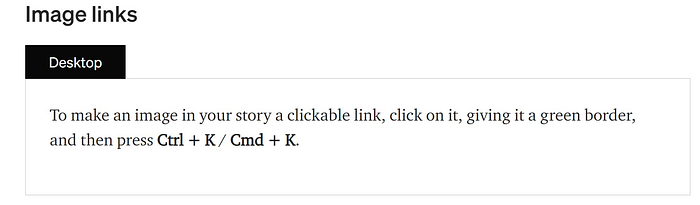
How cool is that?
This is otherwise also known as a hyperlink.
So, to test this out, I went into a previously published story of mine about this publication and took the embedded photo and pasted the link to this publication.
So I went into "edit" mode into this story, then highlighted/clicked the main image, and hit "CTRL + K" and you'll see a black "Paste a link" window pop-up like below:
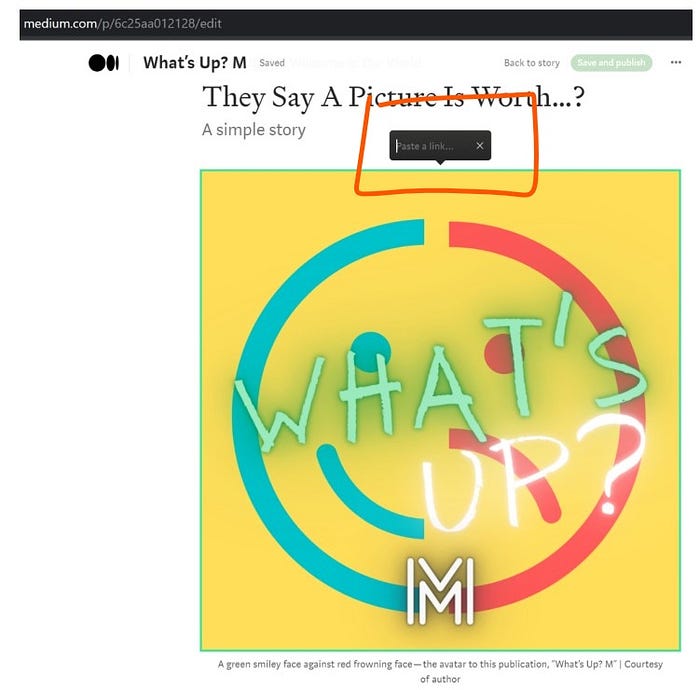
I pasted this publication's homepage address, and Voilà! We're in business!
If you want to see this in action and how it worked, you can click on the actual image shown above in the pertinent story, here:
I mean ideas are percolating now.
Pictures could be associated with links that promote your membership and your other pages that are pertinent to promoting your subscriptions and tips (like 'buying you a coffee') — if you use the same photos with those same links over and over again. This could give readers and visitors an easier mnemonic way to remember by photo how to support you.
Here are some ideas:
- Add your brand or avatar image to the bottom of every story you publish with the link that promotes your Referred Membership;
- Add the same image that refers to tipping you and sprinkle it appropriately in your story;
- Affiliate links (like my bookshop, here) could also be associated with an appropriate photo, or when you promote individual books, their image covers could now be linked to their individual referral links, like so (this is an actual true affiliate link of mine):
I added the pasted link to the image itself as well as in the caption so you can see the difference when you roll your mouse over both.
The above one is from my previous story here:
'New' Doesn't Replace the Old When It Comes to this Famed Architecture
4. For those with your own publications or main editors of them, you could similarly add the image of your publication to the end of every published story with a pasted link of your "join" story or publication homepage or to your newsletter page in order to further promote your publication.
Note: I tried to see if I could add any pasted link to my own avatar profile photo in my bio in settings on here, but unfortunately, no.
Any other ideas that come to mind?
Experiment and feel free to share in the comments section.
Check out all the other stories related to "Platform Features for Earnings" on our features page in this publication here.
Footer's Note: As one of the methods to earn revenue for my writing, compensation in the form of small commissions are paid to me only when you decide to make a purchase from my affiliate links of products and/or services, but at no additional cost to the product or service to you.
Your decision to make any purchases through my affiliate links is completely yours to be weighed carefully and with your own due diligence. There is no obligation to purchase anything through my affiliate links, but if you do, it is sincerely appreciated! As a reminder, when clicking affiliate links, you are entering third party sites. You are encouraged to also review their privacy policies and disclaimers at your discretion.
Thanks for reading!
Be a part of building a genuine and healthy ecosystem on this platform.
Follow, comment, participate, join, and submit one of your own relatable stories to this publication.
See the goal of this publication, here.
© 2021 The Secret Aspirant. All rights reserved.