I have been using AI coding agents after being a traditional Software Engineer (yes, non-agentic coders are now traditional :P). I have contributed to more than 1,000 commits in Harness.io.
Lately, I've been coding on Harness Open Source and started using Windsurf about three months ago. I've given it tasks ranging from simple SQL query changes to complex ones like providing a Sequence Diagram image. With Windsurf's help, I have authored (or co-authored) more than 50 commits.
I will talk about different aspects of Windsurf and tasks which I have done with it.
Using Windsurf Code Editor
Windsurf provides auto-completion while typing code. I will use it interchangeably with tab-complete.
I have found it very useful when renaming variables. If I rename a variable, Windsurf gives me a nice tab to jump to, which is an easy way to tab-review and complete code.
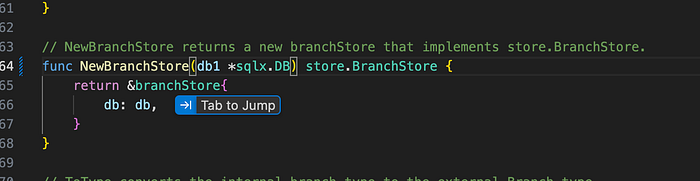
Also, similarly, AI deletion of variables has been really useful. It can always be done by a typical IDE's variable rename feature, but WindSurf is typically smarter to also suggest renaming of dependent variables and upstream/downstream code.
Additionally, the tab completion feature is usually very useful when writing shell scripts, as tasks are straightforward to complete.
It is also helpful when you are refactoring code and simplifying statements. Windsurf assists in cleaning up by tab-jumping to delete any unused or dead code.
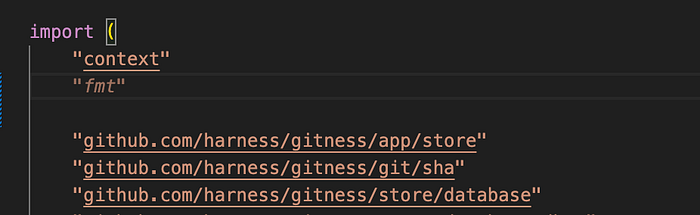
On the other hand, I have also found it hallucinating. For example, when I am trying to add a new import WindSurf starts suggesting random imports. I have also seen it hallucinate and sometimes delete useful code.
Cascade is chatting agent within windsurf which is also supported in other IDEs.
Using Cascade for small tasks
Small tasks can be categorized into something that is limited to one or two lines without a lot of code context.
I have attempted to assign Cascade numerous small tasks, such as fixing linting errors or changing a variable name, and found that it responds acceptably in most cases.
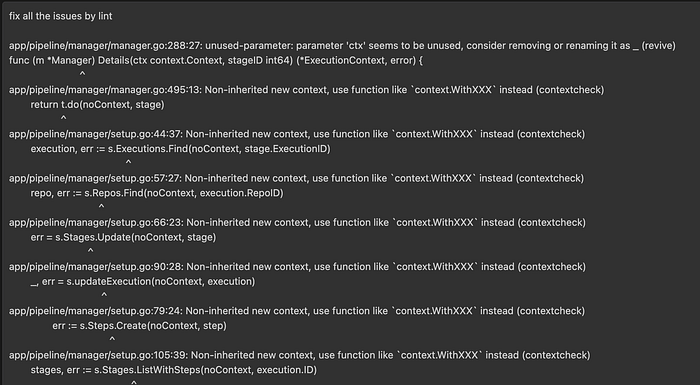
I have never observed it hallucinating or becoming trapped in a loop, and it completed the task in a relatively short period.
Overall, I have found it very useful and faster than a human.
Using Cascade for medium tasks
Medium tasks can be categorized into something that is limited to a single method with only small code context.
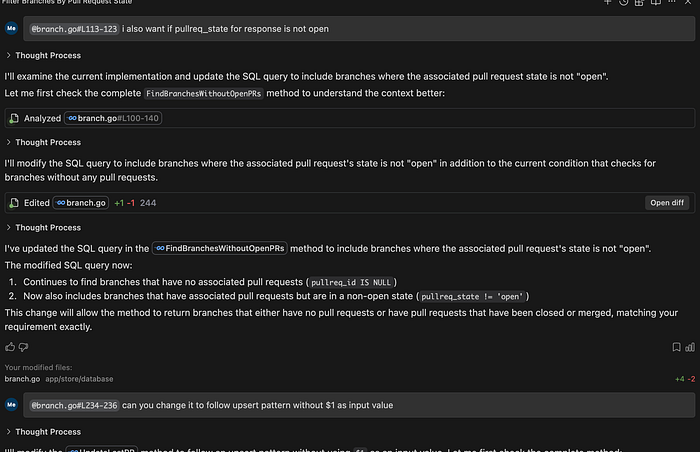
I have tried giving cascade medium tasks, pointed tasks to fix a method, or modify a specific method to support new functionality.
I have found it to respond with working code around 80–90% of the time. However, I have noticed that it sometimes overcomplicates or doesn't make the right assumptions. For example, in one of the scenarios, the same query could work for both SQLite and Postgres, but it complicates the code as certain things are not supported in lower versions of SQLite, which, as part of our Docker image/base requirement, aren't supported/installed.
Also, sometimes I have found it to handle corner cases that don't exist from the caller and are the method's base requirement. For example, I have found that adding a lot of nil checks, which aren't needed in most cases.
Overall, I find it somewhat faster than a human, since a lot of the generated code is correct and needs minor modification in certain scenarios.
Using Cascade for End-to-End development
I have tried doing more complicated tasks with Cascade, in some cases explaining what needs to be done in a series of back-and-forth chats.
I have supplied it with a sequence diagram, all the requirements, etc.
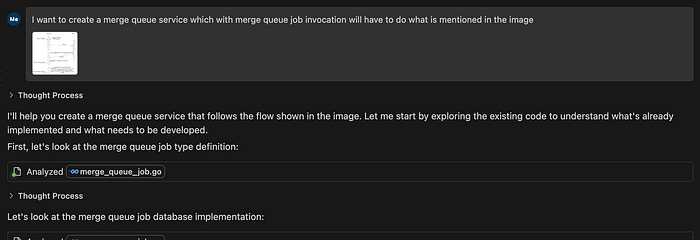
I have found it to give good base code, as it generates a lot of right files, structures, and some sort of repetitive logic. But I have seen it failing in handling a lot of corner cases. In fact, I have also found spending more time than actual development in trying to make AI understand what needs to be done. A task that could have been typically done in 2 days took more than 3 days due to AI reliance, trying to make it understand, and finally fixing the AI code and testing all the cases.
In a complicated scenario, I have found it good for generating base files, but possibly getting the whole work done is impossible. In fact, in more complex repos where a lot of spaghetti code is present, I have found it impossible for Cursor to give the right output, irrespective of the AI model. I have also found it being stuck in the loop or asking to click continue a lot of times in such scenarios.
Overall, I recommend generating only the base code and not keep prompting the AI, as it seems to take more time for the AI to do things than actually do them.
Using Cascade with MCP Server
Cascade can be used with various MCPs. This is the feature that takes away a lot of day-to-day tasks. With a plethora of MCP servers, one can let Windsurf do the talking to any third-party service on my behalf, and it helps me reduce a lot of redundant work.

As an example, I can integrate with Jira to get my ticket information and change its status from the IDE. I can also get a local branch checked out for feature development based on the Jira ticket ID assigned to me.
When I raise a PR and get comments, I usually ask Windsurf to look at those comments using my Harness MCP Server for Harness Code and address them. It generally handles these well. It also looks at my PR check failures, generally code formatting, and fixes them.