

Storing testing artifacts and screenshots is important for several reasons. Firstly, it allows for the documentation and analysis of the testing process. This includes tracking the steps taken during the testing, recording any vulnerabilities or weaknesses discovered, and documenting the methods used to exploit those vulnerabilities.
Secondly, it helps to ensure that the testing results are accurate and can be replicated in the future. This is important for both reporting purposes and for verifying the effectiveness of the testing.
Finally, storing penetration testing artifacts and screenshots can also be useful for training and future reference as it allows others to learn from the testing process and to identify and mitigate potential vulnerabilities in their own systems.
Sometimes, when we are in a penetration test, we often ignore how important it is to organize our artifacts. With that said; I have created a file categorizer that helps you consolidate all files into their own folders based on their file extensions. It is indeed written in PowerShell.
I thought this PowerShell script I came up with would help (https://github.com/popalltheshells/filecategorizer/blob/main/filecategorized.ps1)
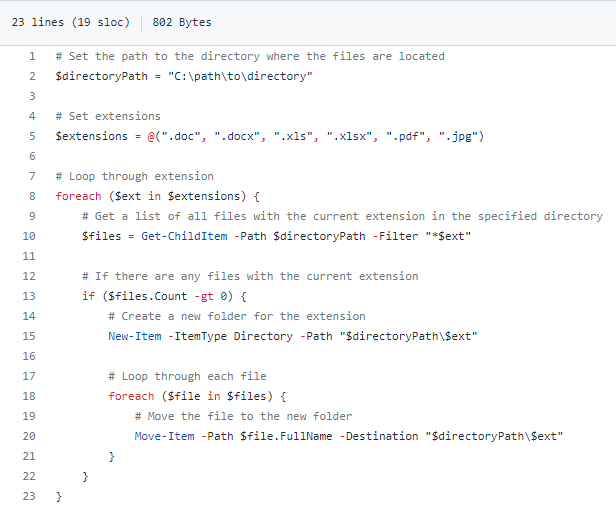
This script will first set the path to the directory where the files are located, and then define the list of extensions to group the files by. It will then loop through each extension, and for each one it will get a list of all files with that extension in the specified directory. If there are any files with the current extension, it will create a new folder for the extension and then loop through each file, moving it to the new folder.