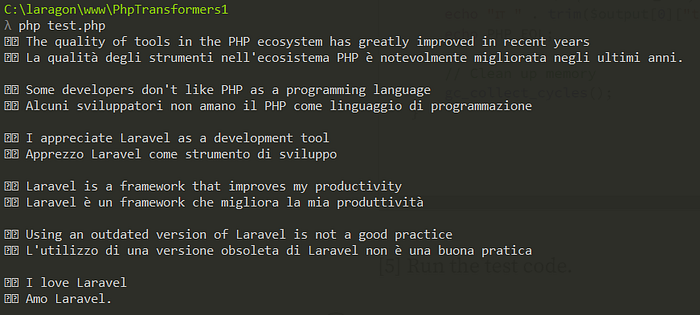
In this post, I will explore how to translate content programmatically using AI and the TransformersPHP library, building on insights from previous articles, including Roberto Butti's informative guide on DEV Community and the official TransformersPHP documentation.
Additionally, I will provide detailed steps on setting up the environment using Laragon, making it easier for developers to configure their local PHP setup for translation tasks. By leveraging these resources, we aim to offer a comprehensive understanding of setting up translation pipelines in PHP, enhancing accessibility and enabling developers to create multilingual applications
[1] Create a PHP project via Laragon
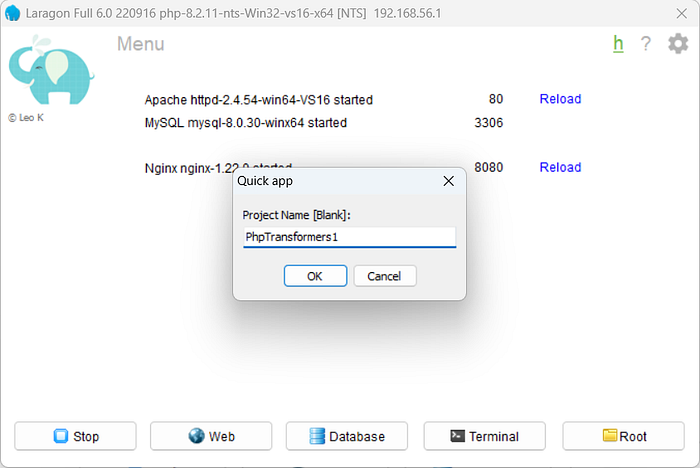
Right-click anywhere within the Laragon Application Window to open the Context Menu. From there, select "Quick app," and then choose "Blank" to create a new blank project.

Enter a name for your new project e.g. PhpTransformers1, and Laragon will create a new folder with the necessary files and a default index.php file.
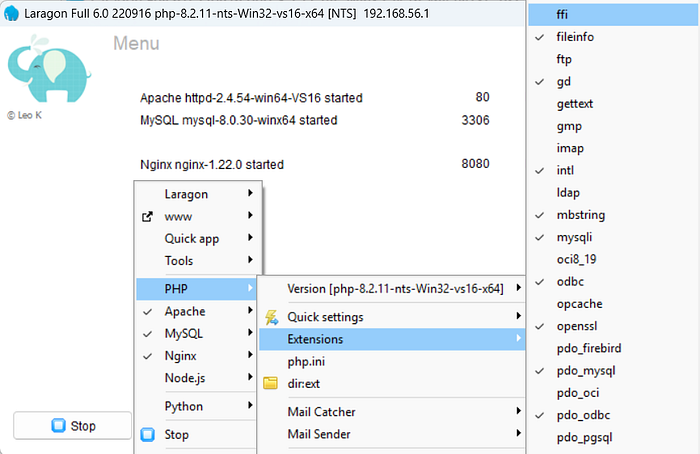
[2] Enable the PHP Module ffi
Right-click anywhere within the Laragon Application Window to access the Context Menu. From there, navigate to PHP > Extensions and select ffi to enable the module.
[3] Install the component
In the shell console, navigate to the PhpTransformers1 directory by using the following command:
cd PhpTransformers1Once you're in the directory, type the following command to require the package:
composer require codewithkyrian/transformersThis will install the specified package and its dependencies into your project.
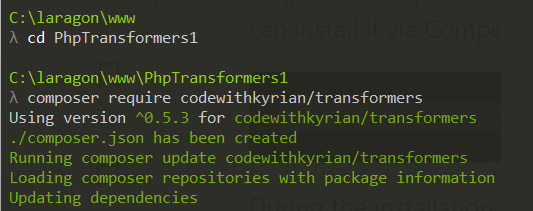
You have to enter y to proceed with the installation.
Do you trust "codewithkyrian/transformers-libsloader" to execute code and wish to enable it now? (writes "allow-plugins" to composer.json) [y,n,d,?] y
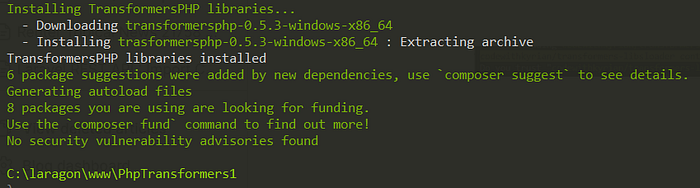
Once you've executed the composer require codewithkyrian/transformers command, wait for the installation process to complete. This may take a moment, depending on your internet connection and the size of the package. You'll see progress messages in the console as Composer downloads and installs the package and its dependencies. Once the installation is finished, you'll receive a confirmation message indicating that the package has been successfully added to your project.
[4] Edit the test code
The following code is derived from the article found at DEV Community.
<?php
require "./vendor/autoload.php";

// Enable garbage collection
gc_enable();

use Codewithkyrian\Transformers\Transformers;
use function Codewithkyrian\Transformers\Pipelines\pipeline;

Transformers::setup()->setCacheDir("./models")->apply();

// Use a smaller model for translation
$translationPipeline = pipeline("translation", 'Xenova/nllb-200-distilled-600M');

$inputs = [
    "The quality of tools in the PHP ecosystem has greatly improved in recent years",
    "Some developers don't like PHP as a programming language",
    "I appreciate Laravel as a development tool",
    "Laravel is a framework that improves my productivity",
    "Using an outdated version of Laravel is not a good practice",
    "I love Laravel",
];


foreach ($inputs as $input) {
    $output = $translationPipeline(
        $input,
        maxNewTokens: 256,
        tgtLang: 'ita_Latn'
    );
    echo "🇬🇧 " . $input . PHP_EOL;
    echo "🇮🇹 " . trim($output[0]["translation_text"]) . PHP_EOL;
    echo PHP_EOL;

    // Clean up memory
    gc_collect_cycles();
}
[5] Run the test code.
Run the test code above. Please be patient, as it may take some time for the translation output to appear in the terminal window.