

Artificial Intelligence (AI) transforms web design by simplifying complex activities, enhancing user interface, and improving overall performance.
Integrating AI into digital products is becoming increasingly essential. You can make your products more personalized and user-friendly with AI.
Although AI provides substantial opportunities, it also comes with risks. A few big challenges include ensuring transparency, maintaining user trust, and handling complex data privacy issues.
In this article, we will explore the best practices for designing with AI covering the potential benefits and challenges.
Key Takeaways
In this article, we explore best practices for designing with AI.
First understand the value AI will bring to your product. Once you are ready to integrate AI into your product, follow the given best practices.
- Remember to communicate the AI's role and limitations to users. Identify the potential risks to avoid any confusion.
- Ensure AI features integrate smoothly with existing workflows. Provide easy switching between AI and manual modes. Allow users to customize and control AI functionalities.
- Protect user data and comply with privacy regulations. Incorporate user feedback to improve AI performance. Tailor AI experiences based on individual user preferences.
Will AI Add Value to Your Product?
Before starting to design with AI, first understand what benefits you can take from AI. Does your product require AI? Will it be enhanced with the support of AI?
To know the answer, you need to:
1. Identify the user's need. Understand your users and see how they are working currently. Do they like to automate their tasks?
2. Map existing workflows to find the opportunities to add AI. Observe how users achieve their goals and identify the areas that can be automated using AI.
3. Determine the value AI will produce for you. Ask yourself whether AI will enhance the user experience or deteriorate it. Can AI help you solve your problems more effectively?
AI works better for products that involve personalization, future predictions, and recognition. AI may not work for products that require fixed and limited information and complete transparency.
Best practices for Designing with AI
Below is a list of best practices to follow when designing with AI.
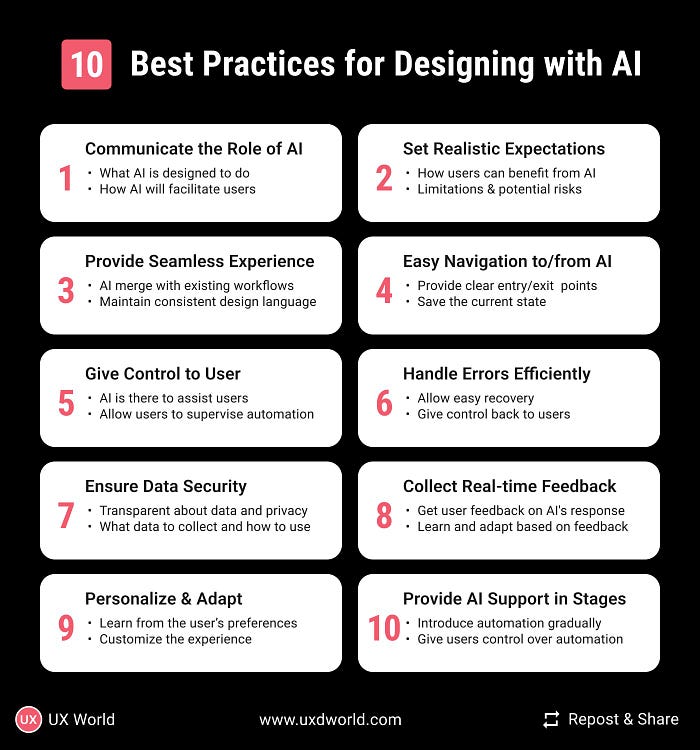
1. Clearly communicate the Role of AI
Let users know what the AI component is designed to do. This will help them understand how AI will facilitate them by making their tasks easier.
Use straightforward language to avoid confusion.
For example, If AI is providing recommendations, make it clear that the content is suggested based on user preferences and behaviors.
2. Set Realistic Expectations
Be transparent to your users about how they can benefit from AI.
Clarify the scope of its capabilities and any limitations, such as data dependencies.
Address potential risks, such as biased outputs due to biased training data, and how these risks are mitigated.
For example, a chatbot might handle general inquiries but cannot resolve complex customer service issues. Explicitly state this to manage user expectations.
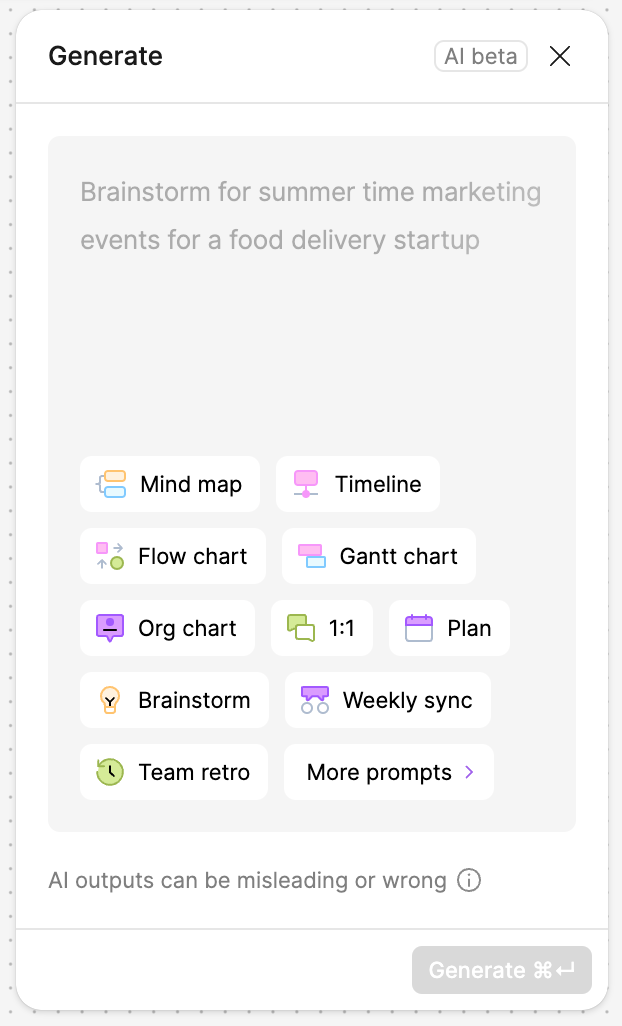
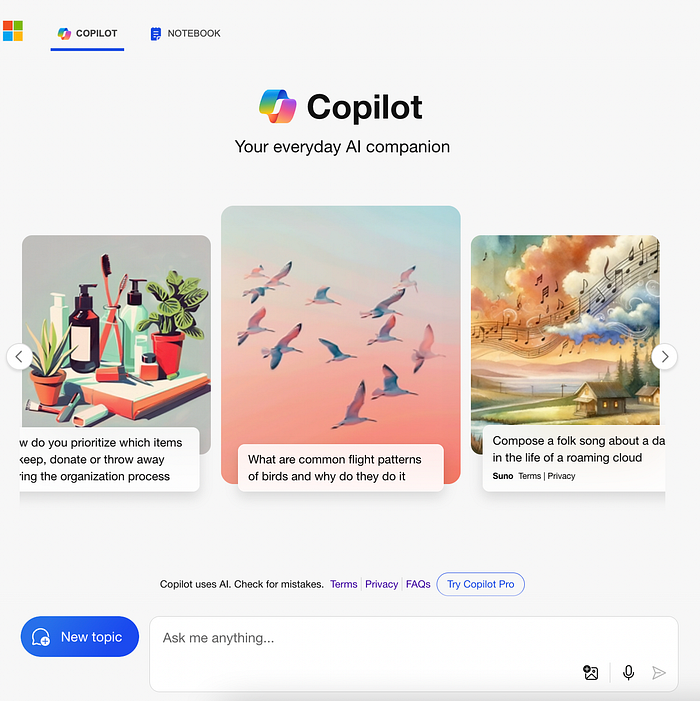
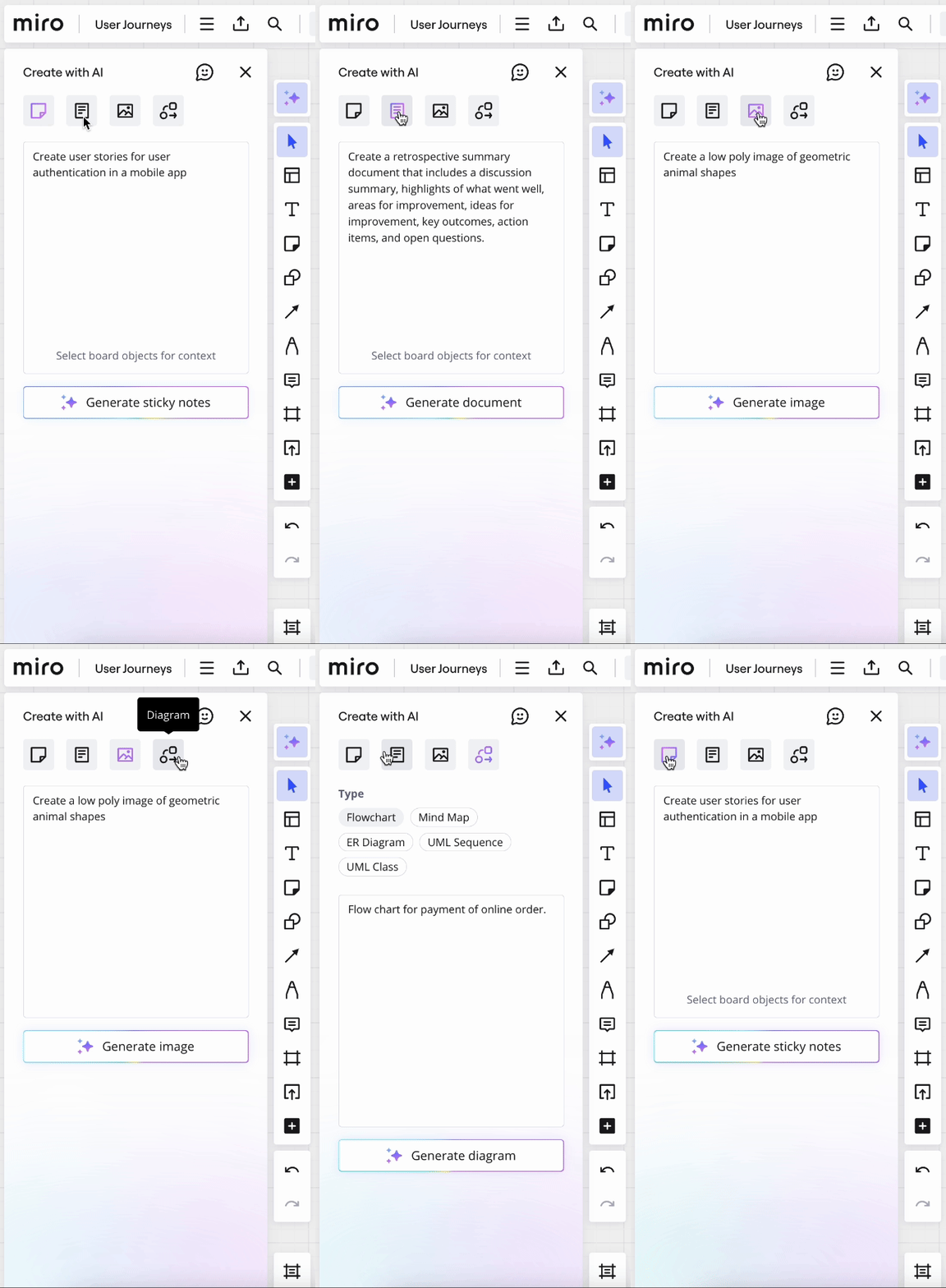
3. Provide Seamless Experience
Creating a seamless user experience is crucial when adding AI to your product. The goal is to ensure that AI components merge with existing workflows, enhancing the user experience without causing disruption.
Maintain a consistent design language across AI and non-AI features.
This includes using the same visual style, interaction patterns, and content to avoid confusion and make the integration natural.
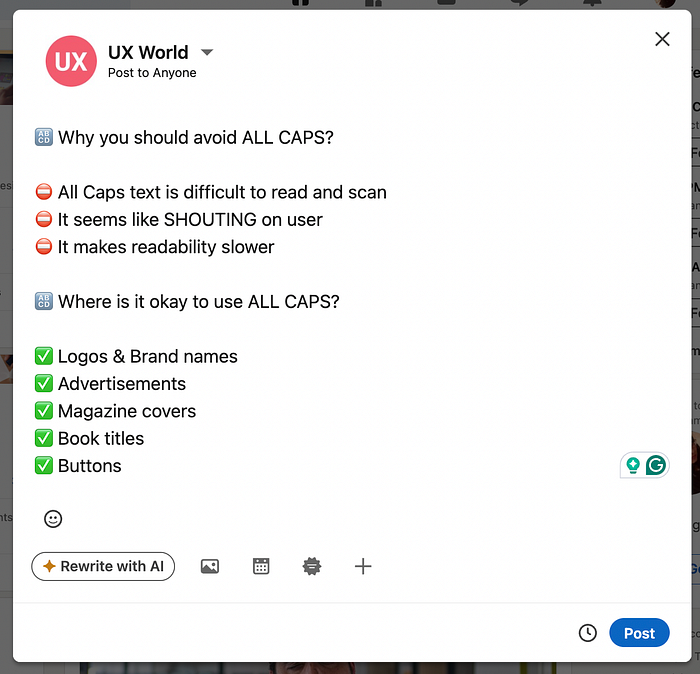
For example, the search component that supports AI should behave normally and provide smarter and more accurate results without altering the fundamental search feature.
4. Provide Easy Switching to/from AI Mode
If the product requires switching between AI and manual mode, define a seamless experience to allow the user to use AI mode without any trouble.
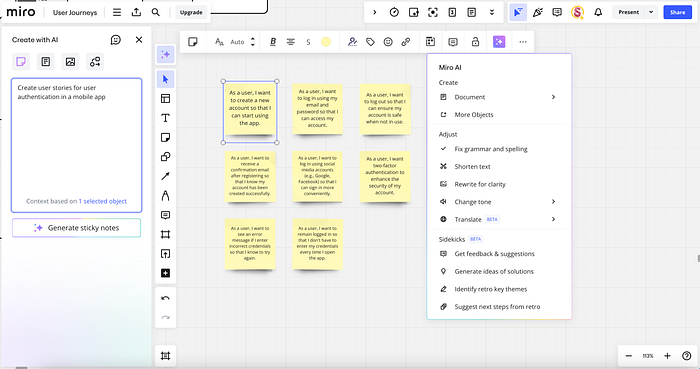
Provide a clear entry point to AI mode.
- Use distinct buttons, icons, or menu items labeled with clear, descriptive text.
- For example, a 'Generate with AI' button lets users know they can generate the content with AI instead of manually creating it.
- When users enter the AI mode, provide a tooltip or pop-up showing help or recommendations to make it easier to work with AI.
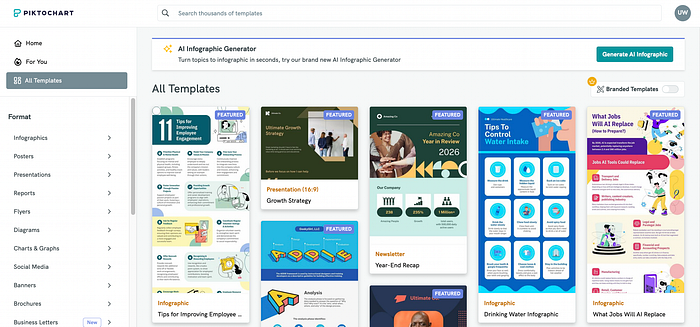
Ensure that exiting AI mode and returning to manual mode is just as straightforward, with a clear UI control.
- In addition to the user's explicit action, leaving the AI mode can be done if the automation fails.
- In such cases, it is better to give control back to users and enable them to move back to manual mode. Inform the user about the actions they can perform.
- An important aspect of this navigation is to save the current state. The user should be able to move forward at the same point.
- For example, if the user has generated a design with AI, switching to custom or manual mode will display the same design, and the user can customize it.

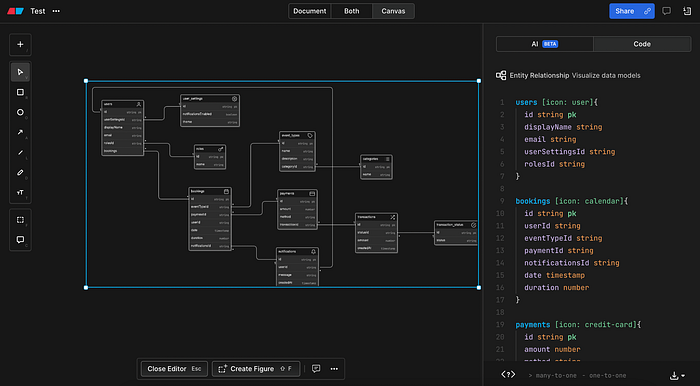
5. Give Control to User
Keep the control in the hands of users. Users should understand that AI features are there to assist them without taking control or causing interruptions.
Give users options to customize or mute AI-driven suggestions and notifications according to their preferences.
Allow users to supervise the automation, generate the content, and exit AI mode whenever needed.
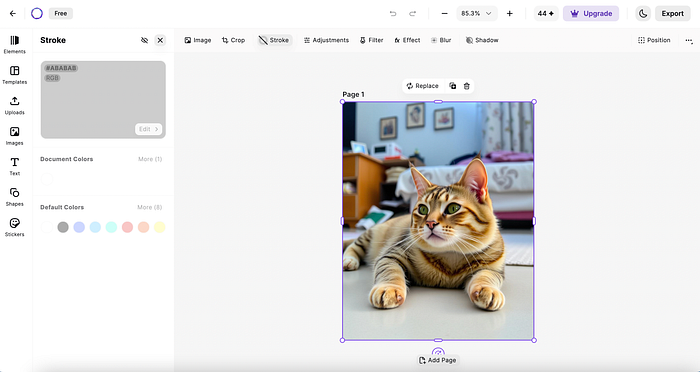
Users should be able to review and customize the AI-generated content. This will make them comfortable working with AI.
6. Handle Errors Efficiently
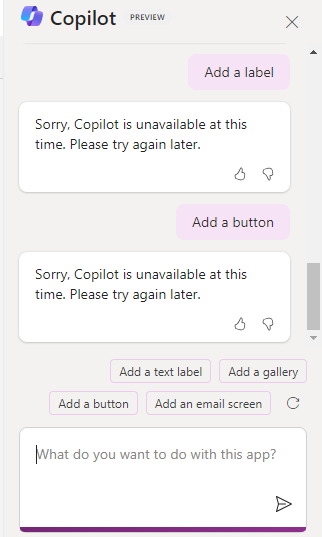
While working with AI, the users may encounter various errors.
Predict the types of errors that can occur and define a mechanism to handle them efficiently. Set expectations clearly at the beginning so the users can understand the possible failures.
To handle the errors gracefully:
- The system should continue at a basic level even if the AI features are temporarily unavailable.
- Allow users to easily recover from errors without losing their work or progress. This can include auto-saving the work.
- Give users the option to get the control back and continue in the manual mode.
- Offer customer support so the users can get any required help.
7. Ensure Data Security
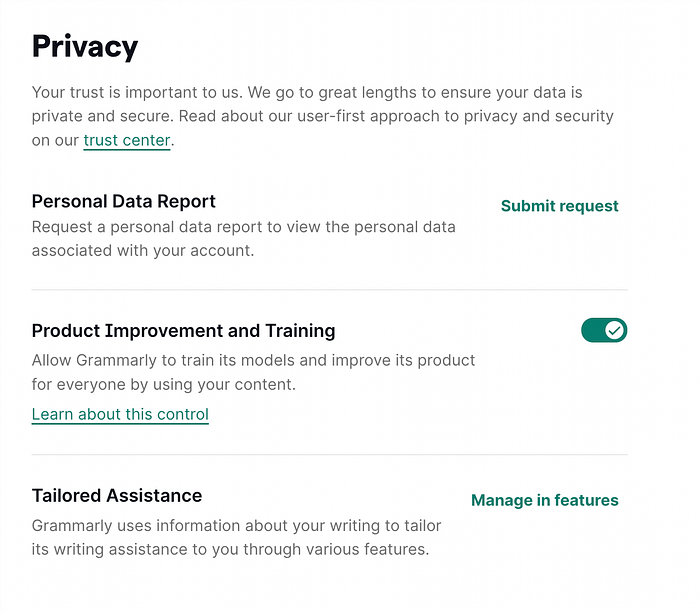
Be transparent about privacy and data settings. AI-based products rely on user data. Be open about the data the AI uses to make decisions.
- Inform users about what data is being collected and how it will be used. For example, if AI uses browsing history to recommend products, explain this to the users.
- Ensure compliance with data privacy regulations and communicate your data handling policies.
This will help users to know how the AI system works and they can trust it.
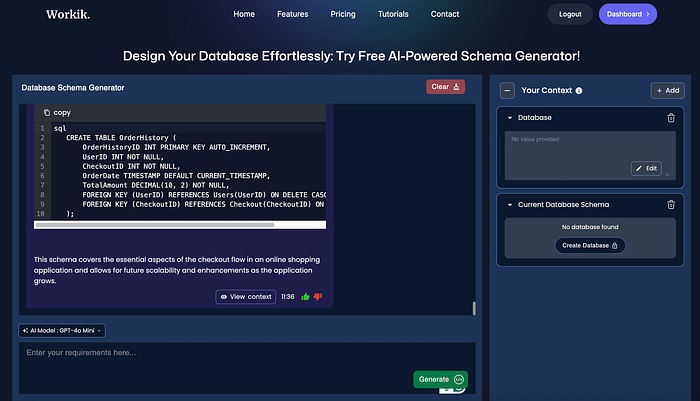
8. Collect Real-time Feedback
For AI systems to remain effective and relevant, they must continuously learn and adapt based on user feedback and changing user needs.
- While working on an AI, ask users about their experience and improve your model based on the feedback.
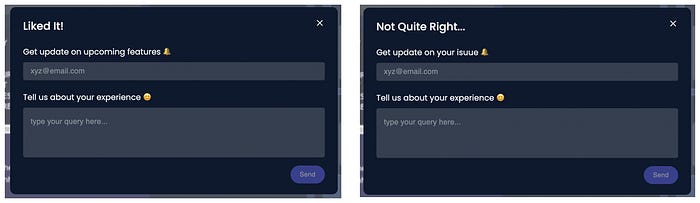
- Prompt users to provide their feedback on AI's response. This can be done through pop-up questions, rating systems, or feedback buttons.
- For example, after an AI-generated design or recommendation, ask users if the suggestion was helpful and provide a quick way for them to rate or comment on it.
- Collect and analyze user feedback to identify common patterns, issues, and areas for improvement. Incorporate the collected feedback to improve AI performance.
9. Personalize and Adapt
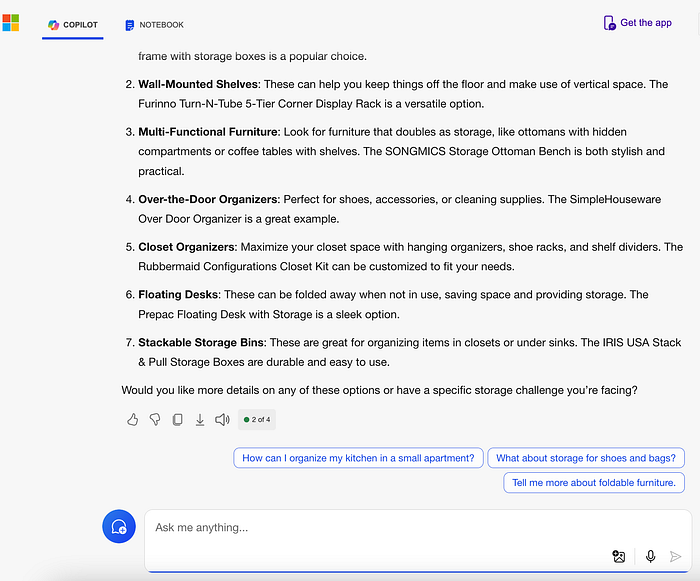
Use adaptive learning mechanisms and customize the AI's response based on user interactions.
Learn from the user's preferences and adjust AI's recommendations accordingly.
Customize the experience by observing the user input and provide intelligent assistance accordingly.
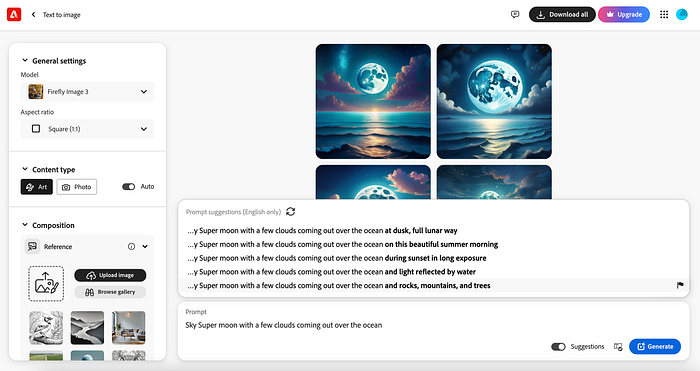
This personalization ensures that both novice and expert users find the system beneficial.
10. Provide AI Support in Stages
Introduce automation gradually rather than all at once.
This phased approach helps users become familiar with new features and give their feedback. Users will always be able to define their preferences for using AI features.
Start with the most basic functionalities and gradually introduce more advanced capabilities. This will allow users to adapt to changes without feeling overwhelmed.
A simple example can be to start with basic auto-suggestions or recommendations. After that add complex features like predictive analytics or automated decision-making.
Give users control over how much automation they want to use. Provide settings where they can enable, disable, or adjust the level of AI assistance.

Conclusion
Integrating AI into your product and designing with AI brings many benefits. AI helps create smarter, more personalized user experiences that adapt over time, making your product more intuitive and engaging.
Gradually introducing AI features makes users comfortable with new capabilities, ensuring a smooth transition.
Moving towards AI not only improves user satisfaction but also saves the future of your product, making it a valuable choice for today and tomorrow.
Learn UX Design
Thanks for reading. If you like the post, hit the clap button.
For more articles like this follow me on Medium, and feel free to take a look at my lists. There's one all about UI components.
If you have any questions, contact here: UX World | Facebook | YouTube | Instagram | Linkedin