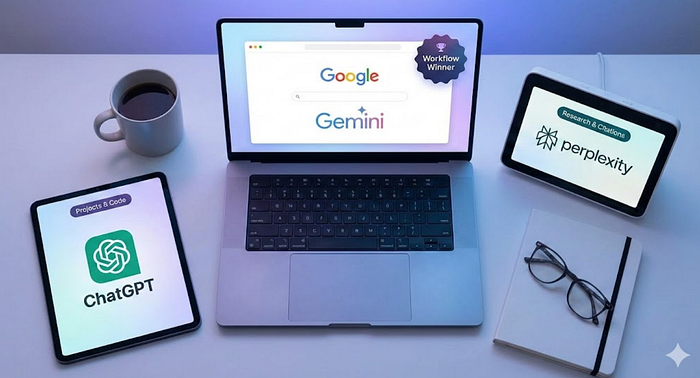

The Great AI Experiment: Why I Spent 3 Months With ChatGPT, Perplexity, and Gemini (And Why I Finally Went "Pro" With One)
For the last few months, I've been running a quiet experiment. I stopped treating AI chatbots like novelty toys, asking them to write emails or generate silly memes for my Facebook account, and started treating them like employees.
I got one month subscriptions to the premium tiers of the "Big Three" (ChatGPT, Perplexity, and Gemini) and forced myself to rotate through them for my daily work. My goal wasn't to find out which one was better. My goal was to answer a practical question: If I'm going to pay for one of these to be my daily assistant, which one would I actually use?
Here is what I found, and why, after all the testing, I decided to go with Gemini.
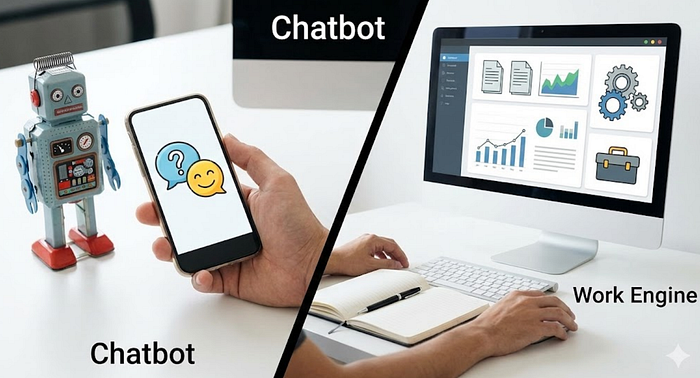
The Real Difference: Chatbot vs. Work Engine
We need to stop grouping these tools together just because they all have a text box. They are diverging fast. The meaningful differences aren't about how well they chat; they are about:
- How they handle truth: Do they cite sources? Do they browse the live web? Do they hallucinate confidently? Do they just make up shit?
- How they handle your stuff: Can they read your PDFs, emails, calendars, spreadsheets, and ongoing project docs?
- Where and how can I access them: Are they handy, and which has the least friction?
Here is my breakdown of the three contenders.
ChatGPT: The OG and Presumptive King
If AI tools were physical objects, ChatGPT would be a Swiss Army Knife with 50 attachments. It is the best "all-around doer," specifically when I need to sit down and focus on a complex project for two hours.
Where it wins:
- Projects: This is a killer feature. ChatGPT allows you to create Projects where you upload specific files and give it custom instructions that persist across multiple chats. It's great for long-running tasks where you don't want to re-explain the context every single time.
- Data Analysis: You can upload a spreadsheet or a massive PDF, and it doesn't just summarize it; it can run code to analyze the numbers, create charts, and find contradictions.
- Custom GPTs: I loved building little specialized assistants. I have a Travel Planner that always asks for my budget first, and keeps all my docs and schedules together. I have a Photography Metadata assistant that identifies locations, and provides descriptions, captions and keywords, a huge time saver for me.
The Trade-off: It feels like a destination. You have to leave your work (email, docs, calendar), go to ChatGPT, paste stuff in, do the work, and paste it back out. It's powerful, but it's an island. Sure, the icon is always on my system tray, but integration has spoiled us.

Perplexity: The Deep Research Speedster
Perplexity doesn't really want to be a chatbot; it wants to replace Google Search. Its entire brand is speed and citations.
Where it wins:
- Trust and Citations: If I ask a question about a news event or a medical study, Perplexity gives me an answer with footnotes. I can click the little number and see exactly where it got that info.
- Spaces: Similar to ChatGPT's projects, Spaces let you organize your research. I created a space for Photography News and another for Personal Finance.
- The Comet Browser: They are experimenting with a browser that has an agent built-in, which is ambitious. It feels like the future of how we will surf the web. I have to admit, this almost won the day, and I still like the concept.
The Trade-off: It's a research engine, not a creation engine. While it can write emails or code, that's not its native language. It's for when you need to be right, fast.

Gemini: The Everyday Productivity Partner
And then there is Gemini.
At first glance, Gemini can seem similar to the others. But if your life lives inside Google Workspace (Gmail, Docs, Drive, Calendar), Gemini isn't a chatbot you visit. It's a layer of intelligence that sits on top of everything you own.
Where it wins:
- Native Integration: This is the headline feature. I don't have to copy-paste an email into a bot to ask for a draft reply. I just open the side panel in Gmail. Or I just ask it to search my email and it's fast and accurate.
- Scheduling: I was surprised at how much I use it to integrate with my calendar. Not only do I ask it to read my calendar, but I use it to add items from whatever app I'm in without stopping and going to another app.
- Deep Research on Me: Gemini's Deep Research mode is impressive for web searches, but its ability to connect to my Drive and Gmail is the game changer. It can research my life, finding that PDF I saved three years ago or summarizing a chaotic email thread from last week. I've been all in with Evernote for years, and use Notion a lot for data-driven projects, but I'm putting more stock in Drive just for this reason.

The Verdict: Why I Chose Gemini Pro
After months of juggling subscriptions, I realized I didn't need a chat partner. I needed a Work Engine.
I chose Gemini to go Pro with because of one word: Friction.
ChatGPT and Perplexity are amazing, but using them introduces friction. I have to leave my workflow, context-switch, and move data around. Gemini removes friction. It is the assistant that already has a key to the building. It doesn't ring the doorbell and ask me to hand it the memo; it's already inside, reading the memo with me.
Here is how I am actually using it (and why it made the most sense):
My Photography Assistant I found it was just as capable as ChatGPT for that task. And while Gemini has Gems, which at first blush seem perfect for this, I found just a quick reminder in the text box of my needs before I start editing is much quicker and easier.
Turning Messy Thoughts into Clean Docs I am a chaotic note-taker. I have been dumping random thoughts into a Notebook in Evernote for years. I exported all of that over to a Google Doc. Then, right there in the interface, I can have Gemini organize the chaos and even make suggestions on how I can use some of it.
The Personal OS This is still in the roughing out stage, but I've started using it as a lightweight operating system for my day. I'm working on a daily briefing that currently pulls:
- Anything on my calendar for the next week.
- Unread emails from the last 24 hours. (I created this primarily for when I'm traveling)
- The top five news stories of the day with links to the source in case I want to dig further.
- My local weather for today and the next three days. I can easily modify this part on the fly if I am traveling.
- Any pertinent or dated notes in my random file in Google Drive.
The Power Combo Strategy
Look, nobody said you can't date all three. If you are a power user, here is the setup I recommend:
- Gemini: Your daily driver. The Pro subscription you keep for email, docs, scheduling, and personal organization.
- Perplexity: The free version (or Pro if you research heavily) for when you need to fact-check something quickly or shop for products. (In my research I gave some fairly weighty subjects to all three to create a report for me. Perplexity had the citations, but the information and quality was just as good in the other two).
- ChatGPT: The Deep Work station for when you are coding a complex app or analyzing a massive dataset that requires Python. I also use it as a backup for certain things. For instance, creating images for my articles on Medium. Sometimes one or the other just doesn't get it, while the other creates just what I had in mind.
That's not redundancy, it's specialization. You can cut a steak with a Swiss Army Knife, but I'd rather use a steak knife. For my daily work, Gemini is the sharpest tool in the drawer. And I always have the hammer and saw in the same drawer just in case.
Edit: And hey, let's not forget about the 2Tb of storage added to your Google account.