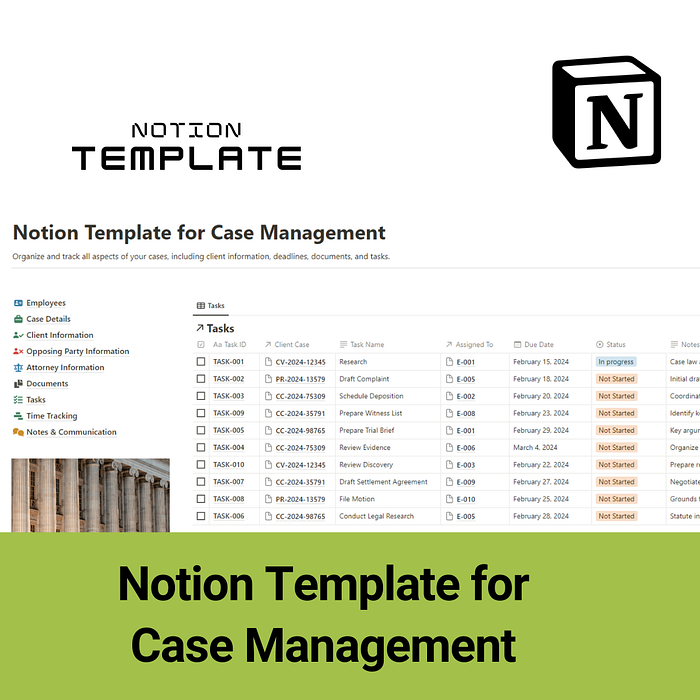

In the fast-paced world of legal practice, staying organized and efficient is essential for success. Whether you're a solo practitioner juggling multiple cases or part of a bustling law firm handling complex litigation, effective case management is key to delivering exceptional client service and achieving favorable outcomes. Thankfully, with the advent of technology, managing legal cases has become more streamlined than ever. One such tool that's gaining traction among legal professionals is the Notion Template for Case Management.
1. Case Details: This section serves as the foundation of your case management system. Here, you can record essential information such as case name, number, jurisdiction, parties involved, filing dates, hearing dates, judge assigned, and case status. Having all these details organized in one place provides a clear overview of each case's particulars, making it easier to track progress and deadlines.
2. Client Information: Easily capture and organize client details, including contact information, case-specific notes, and communication history. This section ensures that you have quick access to important client information whenever you need it, facilitating seamless communication and client management.
3. Opposing Party Information: Keep track of information related to opposing parties, including contact details, legal representatives, and relevant case details. This section allows you to effectively manage interactions with opposing parties and ensures that you're well-prepared for negotiations, hearings, or trials.
4. Documents: Manage all case-related documents in one centralized location. From pleadings and court filings to correspondence and evidence, you can upload, categorize, and access documents with ease. This section eliminates the need for cumbersome filing systems and enables efficient document management and retrieval.
5. Tasks: Stay on top of tasks and deadlines with the Tasks section. Here, you can create, assign, and track tasks related to case preparation, court appearances, client meetings, and more. With customizable task lists and reminders, you can ensure that nothing falls through the cracks.
6. Time Tracking: Effortlessly track billable hours and monitor time spent on various case-related activities. This section provides insights into time allocation, helping you optimize productivity and accurately bill clients for your services.
7. Notes & Communication: Capture important notes, communications, and annotations related to each case. Whether it's recording meeting minutes, summarizing client conversations, or jotting down legal research findings, this section ensures that critical information is documented and easily accessible.
8. Conclusion: The Notion Template for Case Management offers a comprehensive solution for organizing, managing, and tracking legal cases. From case details and client information to document management and task tracking, this template provides a centralized hub for all your case-related activities. Invest in this template today and take your legal practice to new heights.
Ready to streamline your case management workflow and elevate your legal practice? Purchase the Notion Template for Case Management now and experience the difference it can make in your practice.