


One of the advantages of Entra External ID for customers is that it is part of Entra ID (as opposed to Azure AD B2C that sat outside of Entra ID).
This means that it inherits all the Entra ID goodness! One of the features it inherits is Groups and Roles.
B2C had no native support for groups and roles; you had to use Graph API to implement this.
The documentation is here.
As CIAM is a new product, it is continually evolving. The current state of play is here.
I want a group called "Documentation" i.e. people in the company who handle all document CRUD. This group has two roles; "Editors", i.e. a user can edit documents, and "Reviewers", i.e. a user can review documents.
In the CIAM tenant, create a group.
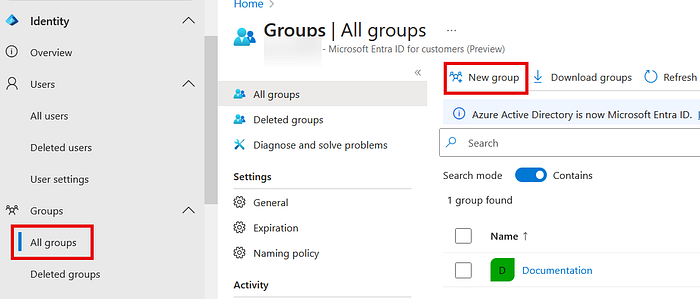
I created a group for "Documentation".
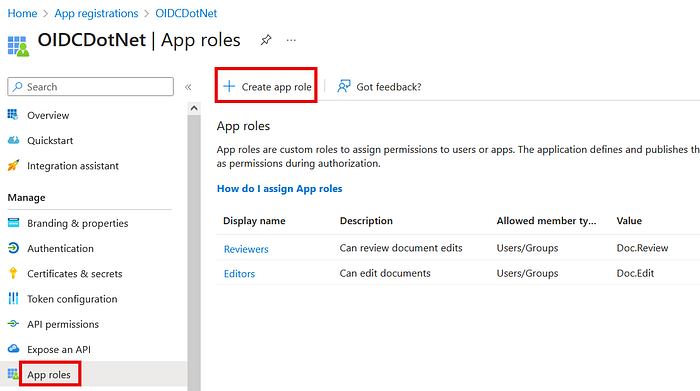
In the app. registration for your application, create some roles:
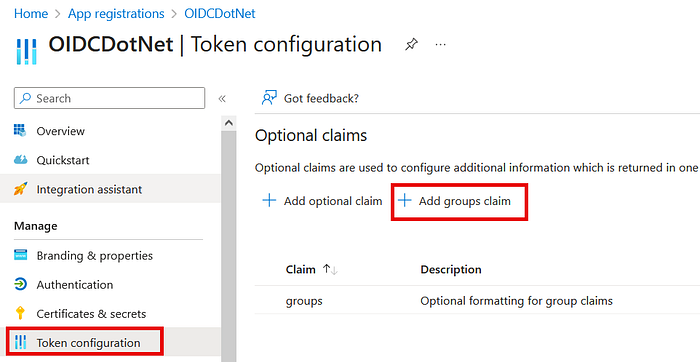
Then, add groups to the JWT.
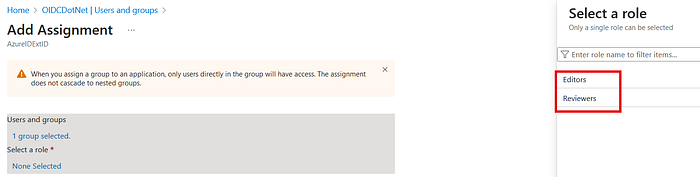
Select your application in "Enterprise Applications" and then "Users and groups".
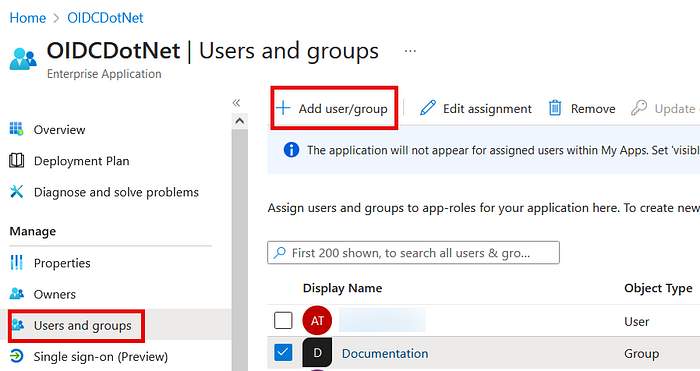
Select the "Documentation" group and add the "Reviewers" role.
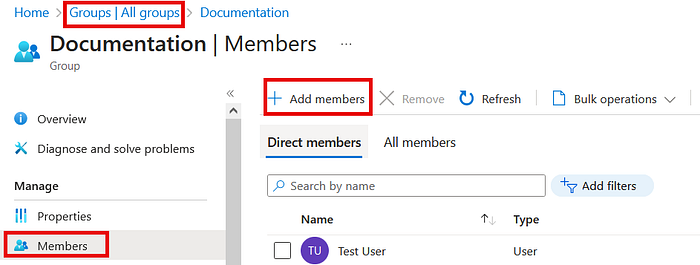
Then, assign a user to the group:
Now login to the application with that user:
In the JWT, you see:
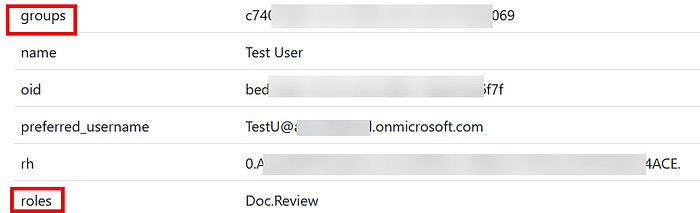
Note that you get the ID of the group and not the name.
This is so much easier than in B2C!
Appendix:
I always get confused between groups and roles, so I asked Copilot:
Groups:
- A group is a collection of users with a specific set of permissions assigned to the group
Roles:
- A role represents a collection of permissions
- Unlike groups, roles can be activated based on specific conditions
While both groups and roles manage permissions, roles provide more flexibility and context-specific activation, making them suitable for nuanced access control scenarios.
As per the link above:
- Groups aren't specific to an app but to a customer tenant.
- Roles are specific to an app and are defined in the app registration.
And this is complicated by the fact that in Entra ID, you also have roles like "Global Admin" 😄
All good!