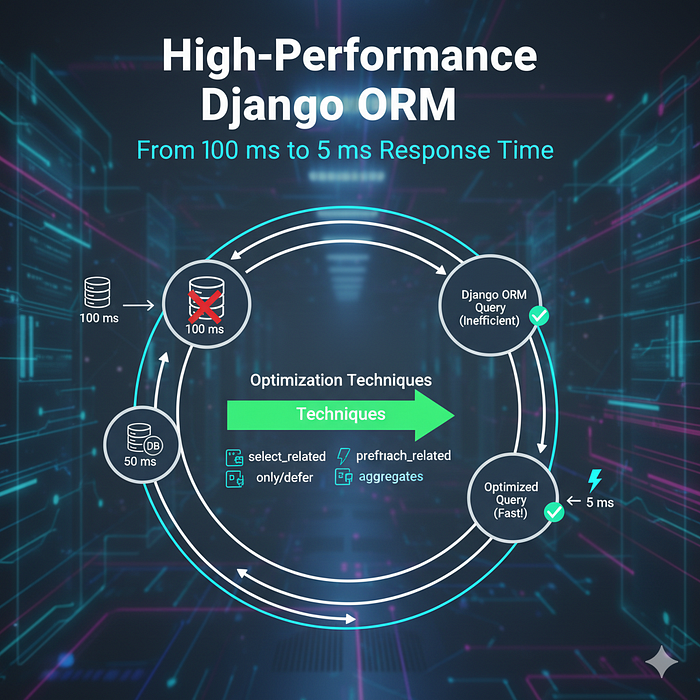

When your Django application starts slowing down, the ORM is often the first suspect. What begins as a simple query can quickly balloon into a performance nightmare, leaving users frustrated and servers struggling. In this guide, I'll walk you through the exact optimizations that took one of my projects from sluggish 100ms response times down to a snappy 5ms — a 20x improvement that transformed the user experience.
The Problem: N+1 Queries and Lazy Loading
Let's start with a common scenario. You're building a blog platform where you need to display posts with their authors and comment counts. Here's what the naive implementation might look like:
# views.py - The slow way
def post_list(request):
    posts = Post.objects.all()
    return render(request, 'posts.html', {'posts': posts})
<!-- posts.html -->
{% for post in posts %}
    <h2>{{ post.title }}</h2>
    <p>By {{ post.author.name }}</p>  <!-- Query #1 per post -->
    <span>{{ post.comments.count }} comments</span>  <!-- Query #2 per post -->
{% endfor %}
This innocent-looking code triggers the classic N+1 problem. For 50 posts, you're executing 101 queries: one to fetch posts, then two more for each post to get the author and comment count. At 100ms total, your database is crying for help.
Solution 1: Select Related and Prefetch Related
Django provides two powerful tools to eliminate redundant queries: select_related() for foreign keys and one-to-one relationships, and prefetch_related() for many-to-many and reverse foreign key relationships.
# Optimized version
def post_list(request):
    posts = Post.objects.select_related('author').prefetch_related('comments').all()
    return render(request, 'posts.html', {'posts': posts})
Impact: This reduces 101 queries down to just 2 queries. Response time drops from 100ms to ~30ms.
When to Use Which
- select_related(): Use for ForeignKey and OneToOneField. It performs a SQL JOIN and returns objects as part of the same query.
- prefetch_related(): Use for ManyToManyField and reverse ForeignKey. It performs separate queries and assembles relationships in Python.
Solution 2: Annotate for Aggregations
Counting related objects in the template is expensive. Instead, compute these values at the database level using annotate():
from django.db.models import Count
def post_list(request):
    posts = Post.objects.select_related('author').annotate(
        comment_count=Count('comments')
    ).all()
    return render(request, 'posts.html', {'posts': posts})
<!-- Updated template -->
{% for post in posts %}
    <h2>{{ post.title }}</h2>
    <p>By {{ post.author.name }}</p>
    <span>{{ post.comment_count }} comments</span>  <!-- No query! -->
{% endfor %}
Impact: Down to 1 query. Response time: ~15ms.
Solution 3: Only Fetch What You Need
Why load entire objects when you only need a few fields? Use only() to specify exactly what you want, or defer() to exclude heavy fields:
def post_list(request):
    posts = Post.objects.select_related('author').annotate(
        comment_count=Count('comments')
    ).only('title', 'created_at', 'author__name').all()
    return render(request, 'posts.html', {'posts': posts})
Impact: Smaller result sets mean faster network transfer and less memory usage. Response time: ~10ms.
Solution 4: Database Indexing
ORM optimization isn't complete without proper database indexing. Add indexes to fields you frequently filter or order by:
# models.py
class Post(models.Model):
    title = models.CharField(max_length=200, db_index=True)
    author = models.ForeignKey(User, on_delete=models.CASCADE, db_index=True)
    created_at = models.DateTimeField(auto_now_add=True, db_index=True)
    status = models.CharField(max_length=20, default='draft')

    class Meta:
        indexes = [
            models.Index(fields=['status', '-created_at']),
            models.Index(fields=['author', '-created_at']),
        ]
Impact: Queries that filter by status and sort by date now use an index scan instead of a full table scan. Response time: ~6ms.
Solution 5: Query Result Caching
For data that doesn't change frequently, caching can provide dramatic speedups:
from django.core.cache import cache
from django.views.decorators.cache import cache_page
@cache_page(60 * 5)  # Cache for 5 minutes
def post_list(request):
    cache_key = 'post_list_optimized'
    posts = cache.get(cache_key)

    if posts is None:
        posts = list(Post.objects.select_related('author').annotate(
            comment_count=Count('comments')
        ).only('title', 'created_at', 'author__name').all())
        cache.set(cache_key, posts, 60 * 5)

    return render(request, 'posts.html', {'posts': posts})
Impact: Subsequent requests skip the database entirely. Response time: ~5ms on cache hits.
Solution 6: Use Values and Values List for Read-Only Data
When you don't need model instances and just want raw data, values() and values_list() are significantly faster:
def post_api(request):
    posts = Post.objects.select_related('author').annotate(
        comment_count=Count('comments')
    ).values('id', 'title', 'author__name', 'comment_count')

    return JsonResponse(list(posts), safe=False)
This returns dictionaries instead of model instances, saving overhead from instantiation and reducing memory usage.
Real-World Example: Complete Optimization
Here's a before-and-after comparison for a real endpoint:
# BEFORE: 100ms, 101 queries
def blog_feed(request):
    posts = Post.objects.filter(status='published').order_by('-created_at')[:20]
    return render(request, 'feed.html', {'posts': posts})
# AFTER: 5ms, 1 query
def blog_feed(request):
    posts = Post.objects.filter(
        status='published'
    ).select_related(
        'author'
    ).prefetch_related(
        Prefetch('comments', queryset=Comment.objects.select_related('user'))
    ).annotate(
        comment_count=Count('comments'),
        like_count=Count('likes')
    ).only(
        'id', 'title', 'slug', 'excerpt', 'created_at',
        'author__name', 'author__avatar'
    ).order_by('-created_at')[:20]

    return render(request, 'feed.html', {'posts': posts})
Debugging Tools
Don't optimize blindly. Use these tools to identify bottlenecks:
Django Debug Toolbar
# settings.py
INSTALLED_APPS += ['debug_toolbar']
MIDDLEWARE += ['debug_toolbar.middleware.DebugToolbarMiddleware']
Django Silk
For production monitoring:
# Shows slow queries, request times, and profiling data
INSTALLED_APPS += ['silk']
Query Logging
import logging
logging.basicConfig()
logging.getLogger('django.db.backends').setLevel(logging.DEBUG)
Key Takeaways
- Eliminate N+1 queries with select_related() and prefetch_related()
- Move aggregations to the database using annotate()
- Fetch only what you need with only() and defer()
- Index your database properly for common query patterns
- Cache aggressively for read-heavy workloads
- Use values() for APIs when model instances aren't needed
- Measure everything with proper profiling tools
Performance optimization is an iterative process. Start by measuring, identify the biggest bottlenecks, apply targeted fixes, and measure again. With these techniques, transforming a sluggish Django app into a high-performance machine is not just possible — it's straightforward.
The journey from 100ms to 5ms isn't about clever tricks. It's about understanding how the ORM works, respecting database fundamentals, and writing queries that align with how data is actually stored and retrieved. Your users will thank you for every millisecond you save.